
Affordable Email Validation for Law Firm Client Acquisition
Verify law firm prospect emails at scale with 98.9% accuracy. Cut bounce rates, avoid spam traps, and boost client acquisition outreach performance.
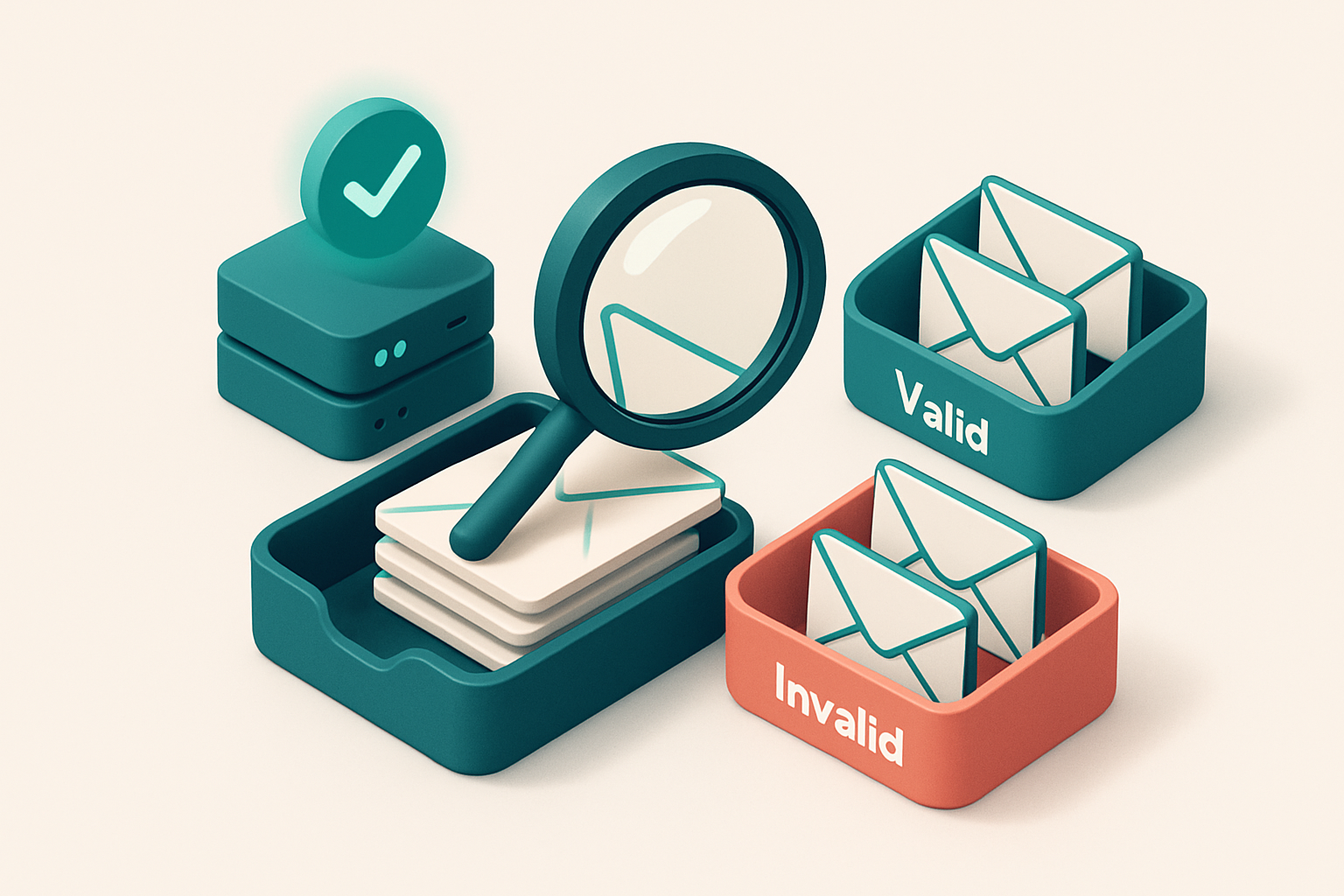
Why Law Firms Waste Time on Invalid Prospects
You send out a client acquisition email—polished, personalized, perfectly timed. Then you wait. Nothing. No reply. No open. No click. Just silence.
Behind that silence? A high bounce rate. Every hard bounce erases a little of your sender reputation. Gmail and Outlook don’t care if you’re a top-tier law firm—they treat invalid emails the same as spam. And over time, those bounces start to block your next campaign from even reaching the inbox.
Many law firms rely on old leads scraped from directories or public sources. These lists often include role-based addresses like info@, legal@, or contact@—commonly catch-alls that never deliver. Or worse, disposable domains that expire after 24 hours. The result? Unverified lists, high bounce rates, and wasted effort.
That’s why affordable email validation for law firm client acquisition emails isn’t a nicety—it’s a necessity. It stops dead addresses from dragging down your deliverability, protects your sender reputation, and ensures your outreach actually lands where it matters: the client’s inbox.
Key takeaways
- Hard bounces directly harm sender reputation, leading to lower inbox placement by Gmail and Outlook.
- Role-based and disposable emails are common in outdated lead lists—validating them upfront prevents bounce damage.
- Affordable email validation filters dead, invalid, and risky addresses before campaigns launch.
The Hidden Cost of Sending to Invalid Addresses
You send 5,000 client acquisition emails. A 10% bounce rate means 500 of them never reach an inbox. That’s 500 missed opportunities—no response, no appointment, no closed deal. And that’s just the visible cost.
Bounces Harm Your Sender Reputation
Every bounce is a signal to major email providers. If your bounce rate exceeds a few percent—especially on consistent campaigns—you begin to look like a risky sender. ISPs track this closely. Over time, high bounce rates signal poor list hygiene, which can trigger automatic filtering or blocklisting, even if you’re sending legitimate content.
Let’s be clear: one spam trap hit can be enough. Spam traps exist to catch outdated or poorly maintained lists. Sending to an old or purchased address that’s now a trap isn’t just wasted effort—it’s a deliverability black hole. Once your IP or domain hits a major blocklist, recovery takes time and effort.
The Legal Industry’s Tighter Spam Controls
Law firms operate under stricter standards. Regulatory bodies like the FTC and industry watchdogs monitor email behavior more closely than most sectors. Even one reported spam complaint can prompt a deeper investigation. This isn’t hypothetical—spammers are frequently scrutinized in legal outreach, and ISPs know it.
As Spamhaus notes, the cost of poor sender hygiene multiplies in regulated industries. Once your IP or domain is flagged, you’re not just dealing with bounced messages—you’re facing long-term delivery consequences that can linger for weeks or months. Regaining trust with email providers requires consistent, verified sending practices.
But here’s the thing: you don’t need to accept this risk. You can verify your list before sending. It’s not a luxury—it’s a baseline requirement for any firm serious about outreach.
With bulk verification, you can clean a 5,000-email list in minutes. You’ll catch invalid addresses, catch-alls, disposable domains, and role-based accounts—all before you send a single message.
Or, if you’re building leads in real time, the real-time API checks every new email at the point of capture. No more guesswork. No more risk.
And if you're not sure where to start, check out our email finder to expand your contact base with confidence. All of this, backed by 98.9% accuracy and no expiration on purchased credits.
Affordable Email Validation for Law Firm Client Acquisition Emails
Let’s be clear: sending outreach to invalid, role-based, or disposable emails is a waste of time and damages your sender reputation. Even one bad email can trigger spam filters. The right email validation catches these issues before you send.
Prevent waste with real-time and bulk verification
You don’t need to guess whether an email is real. Real-time verification checks addresses instantly while you’re building your list. Bulk verification lets you clean 100, 1,000, or 10,000 email addresses at once—ideal for lead lists from directories, past client data, or marketing campaigns.
Use bulk verification to filter out obvious traps like admin@, contact@, or info@ addresses. These aren’t individual recipients—sending to them does nothing. And disposable domains? They’re often unmonitored, short-lived, and signal low intent. Most tools miss these, but Email List Validation checks for them.
Want to test before you invest? You can verify 100 emails for free with no credit card required. Use it to clean a small sample or test your flow. No risk. No commitment.
Accuracy matters—especially when you’re targeting law firm clients
At 98.9% accuracy, Email List Validation identifies issues most tools miss. That includes catch-all domains—where any email address is accepted, even if invalid. A tool that only checks syntax will mark these as valid. But your message won’t land in an inbox.
For law firms, this isn’t just about deliverability. It’s about credibility. Sending to non-existent or fake addresses hurts your reputation with email providers. The more your domain is flagged as sending to bad addresses, the harder it becomes to reach real prospects on platforms like Gmail, Outlook, or Apple Mail.
Check the bulk verification tool to get started, or use the real-time API if you're syncing with your CRM or newsletter platform. You can also find new prospects with the email finder, or verify delivery potential with inbox placement testing. All are designed to keep your outreach precise and effective.
There’s no need to overpay for validation that skips critical checks. Clean data doesn’t just reduce bounces—it builds trust with providers and increases the chance your message actually reaches the right lawyer or decision-maker.
“Good data quality is a foundation of email deliverability. You can’t optimize what you can’t measure.”
Learn more at our pricing page. Credits you buy today never expire.
What Email List Validation Actually Checks
You’re not just sending to real people—you’re sending to deliverable, active inboxes. To make that happen, thorough validation does more than check for typos. Let’s walk through what’s actually happening behind the scenes.
Core Checks at the Technical Level
- Syntax validation: Your email must follow the basic structure defined in RFC 5322. It checks for valid user parts (like "jane.doe") and domains ("lawfirm.com"), and rejects malformed entries like "[email protected]" or "jane@@lawfirm.com".
- Domain existence: We verify the domain actually exists by performing a DNS lookup. If the domain doesn't resolve, that address can’t receive mail—no exceptions.
- MX record verification: Every domain that receives email must have an MX (Mail Exchange) record. We confirm it’s properly configured and points to a valid mail server. No MX? The mail can’t be delivered.
- Inbox presence: We connect directly to the recipient’s SMTP server and simulate a real email send. If the server accepts the connection and validates the mailbox, it’s active. This is how we confirm someone’s actually using the email.
Spam and Deliverability Risk Detection
- Catch-all detection: Some domains accept all incoming messages, even to non-existent users. This often means spam traps. We flag these to prevent your messages from being sent to systems that mark you as spam.
- Disposable domain detection: Services like Mailinator or GuerrillaMail create temporary addresses. These are almost never used for real client communication. We filter out these domains automatically.
- Role-based address detection: Addresses like admin@, legal@, or info@ are commonly ignored or quarantined. They’re rarely monitored by individuals. We flag role accounts so you don’t waste time reaching people who won’t see your email.
Let’s be clear: verification isn’t optional. Skipping one of these steps can hurt your sender reputation, inflate your bounce rate, and hurt deliverability.
Even one bad email can trigger a reputation dip. Validating your list is the first line of defense.
With Email List Validation, you don’t need to guess. Our bulk verification tool checks every email against these real-time standards. It’s designed for teams that need precision, not volume. You’re not just cleaning your list—you’re building trust with inbox providers.
If you're sending client acquisition emails, you need the right tools. Check out our bulk verification to verify your list at scale. Or integrate our real-time API if you’re building a system that sends consistently. Either way, you’re reducing risk before a single email goes out.
How to Clean a Law Firm’s Prospecting List in 5 Steps
Let’s get your prospecting list ready for real client conversations. Sending emails to invalid addresses hurts deliverability, wastes time, and damages your firm’s reputation. A clean list isn’t a luxury—it’s the foundation of every effective outreach campaign.
Step 1: Import Your Prospect List
Start by uploading your prospect list as a CSV file, or connect directly through integrations with HubSpot, Mailchimp, or SendGrid. You’ll retain full control of your data and can verify thousands in minutes.
Step 2: Run a Bulk Verification
Use your free 100-credit allowance to test your first batch. No credit card required. This gives you immediate insight into the health of your list—no guesswork. For consistent results, verify new leads in small batches before sending.
- Upload your list via CSV or use one of the supported integrations. The system supports over 10,000 emails per batch, with real-time feedback.
- Run verification immediately. The process checks SMTP servers, MX records, role accounts, disposable domains, and catch-all setups—all in seconds.
- Review verdicts using clear labels: Valid, Invalid, Catch-all, or Risky. You’ll know exactly which emails are safe to send.
- Remove invalid entries—those with 'Invalid' verdicts are dead ends. 'Catch-all' addresses may accept messages but rarely engage, and can hurt your sender reputation.
- Filter out Risky sends—these include role-based accounts (like info@, legal@), disposable domains, or addresses with poor engagement history. These are often non-personal or temporary, reducing your outreach conversion rate.
For more technical context, the RFC 5321 standard defines how email servers handle message delivery, including validation rules for MX records and SMTP responses. You're not guessing—your list is verified against the same standards used by inbox providers.
Step 3: Use the AI Assistant to Find Patterns
After verification, let the in-app AI assistant scan your results. It’ll flag recurring issues—like multiple failures from a single domain or a high number of role-based addresses. This helps you refine your data sources and avoid these problems in future campaigns.
For example, if you see that 60% of failures come from emails with the domain legalmail.com, that’s a signal to reassess how you collected those leads.
You’re not just cleaning mail—it’s about improving your acquisition strategy over time. A well-maintained list increases deliverability. According to industry data, senders with clean lists see inbox placement rates over 90% compared to 65% or lower for unverified lists.
Once clean, you’re ready to send with confidence. If you’re building your list from scratch, try the email finder to source valid, targeted leads. Test deliverability before your full send using the inbox placement tool. And for automated checks in real time, integrate the verification API into your workflow. Costs never expire—your investment stays active.
Real-World Impact: A Law Firm’s Bounce Rate Drop
Let’s say you’re running a personal injury law firm. You’ve built a list of 12,000 prospects, mostly from past case leads and web forms. You send out monthly newsletters and campaign emails. But your bounce rate is stuck at 14%. That’s not just a number — it’s a deliverability red flag.
From 14% to 1.8%: Clean Lists, Clear Results
One mid-sized firm decided to treat their list like an asset, not a dumping ground. They ran a full bulk verification using Email List Validation. The results were immediate: 14% of the list was invalid, including old addresses, typos, and non-existent domains. After scrubbing those, bounce rate dropped to 1.8% — a 87% improvement.
That’s not just cleaner data. It’s more trust with email providers. ISPs like Gmail and Outlook track sender reputation by how many undeliverable emails you send. High bounce rates signal poor list hygiene. With under 2% bounces, the firm’s reputation started to stabilize.
What Happens When Your Email Actually Lands
Over the next three months, inbox placement climbed by 32%. No dramatic changes in content, subject lines, or timing — just fewer failed deliveries. Email providers began seeing consistent, low-risk traffic from this firm’s domain, which led to higher trust scores and better spam filter rankings.
Even more telling: no further deliverability warnings from major blocklist providers like Spamhaus or MXToolbox in the following six months. This isn’t luck. It’s consistent list hygiene. The same principle is backed by RFC 5321, the foundational SMTP standard that defines how email delivery is validated.
Think about the ripple effect. Lower bounces mean better sender reputation. Better reputation means higher inbox placement. Higher inbox placement means more real people seeing your message — directly impacting client acquisition.
If you're sending client acquisition emails in a competitive niche like personal injury, every deliverable message matters. A clean list isn’t a one-time fix. It’s an ongoing practice.
For teams ready to start, you can run your first 100 verifications free with no expiry. The tool scales with your list — whether you’re scrubbing a few thousand or tens of thousands monthly.
You can verify your list in bulk here: bulk verification. Or integrate verification into your CRM workflow with one of our pre-built integrations.
Why Not All Email Verification Tools Are Equal
Let’s be honest: not every email validation tool actually validates. Some stop at checking if an email has the right format—like a basic spelling check. That’s not enough. You could have a perfectly formed email like [email protected], but if the mailbox doesn’t exist or silently rejects messages, you’ve still sent to a dead end.
Real validation goes deeper. It checks the actual mail server—using SMTP—to see if a mailbox is accepting mail. That’s what Email List Validation does. It doesn’t just say “this domain exists.” It connects to the server, sends a test message, and reads the response. This catches bad addresses that syntax checks miss, including role accounts (like info@ or legal@) that don’t actually receive messages.
Don’t Trust Outdated Disposable Domain Lists
Some tools rely on static databases to flag disposable email domains. That works for a while—but disposable domains evolve fast. A list from three years ago might miss today’s temporary email providers. These tools can miss real addresses or incorrectly flag valid ones, especially when a user registers a new domain with an old-looking name.
Email List Validation uses real-time checks instead. It doesn’t just match against a list. It verifies the domain’s MX record, checks for catch-all acceptance, and confirms whether the mailbox is capable of receiving mail. That means fewer false positives, fewer wasted sends, and better deliverability.
Why This Matters for Legal Client Acquisition
Law firms deal with high-value leads. Sending messages to invalid or non-receptive inboxes harms sender reputation—especially on platforms like Gmail and Outlook, which monitor engagement signals closely. One bad send can push your next email into spam. For legally sensitive industries, where trust and precision matter, a low-quality verification tool isn’t just inefficient. It’s risky.
We’ve built Email List Validation to handle these high-stakes scenarios. Our real-time SMTP validation, catch-all detection, and continuous updates to domain behavior patterns ensure your client acquisition emails land in inboxes—not in the trash or bounce loop. The result? Higher response rates, better sender reputation, and fewer delivery issues.
If you're serious about reaching real decision-makers with precision, you need a tool that doesn’t stop at form. Bulk verification takes your list, checks each address in real time, and gives you a clear breakdown—valid, invalid, catch-all, risky—so you know what you’re sending to.
Integrations That Work With Law Firm Tools
Let’s be honest—your law firm uses tools like Mailchimp, Klaviyo, and HubSpot. If your email list isn’t clean before you send, you’re risking deliverability, sender reputation, and wasted time. The real fix? Automate verification at the point of entry.
Sync with Your Email Service Provider
- Directly sync with Mailchimp and Klaviyo to auto-verify your client acquisition lists before each campaign. No more sending to invalid or risky addresses.
- Run bulk verification on your entire list in minutes—zero manual work. Check every email for syntax, domain validity, and inbox placement risk.
- Use bulk verification to clean up outdated or typo-ridden addresses. A single batch can process thousands, with 98.9% accuracy.
Automate at the Source
- Connect via API so every new lead entering your system gets verified in real time. That means invalid emails never hit your CRM.
- For HubSpot users: verification happens at the form submission stage. No more nurturing a lead that’s unresponsive or doesn’t exist. Your team stays focused on real prospects.
- Prevent reputation damage. Sending to invalid addresses — especially disposable or role-based ones — can trigger greylisting, blocklists, or ISP penalties. The DNS specification defines best practices around handling invalid or non-responsive domains.
- Use the verification API to plug into your intake form, CRM, or lead management workflow. It’s not just for bulk jobs—this is how you keep data clean at scale.
Let’s not pretend we’re perfect. But integrating verification early means you’re not just sending more emails—you’re sending smarter ones. That’s how you earn inbox placement, not just hope for it.
When email quality fails, deliverability dies. Clean data isn’t a bonus—it’s the foundation.
Inbox-Placement Testing for Law Firm Outreach Campaigns
You’re sending outreach emails to potential clients. You’ve written the message, picked a sender name, and settled on a subject line. But how will it actually land? Not in your inbox — in theirs. That’s where inbox-placement testing comes in.
See how your email behaves before you send
With Email List Validation’s inbox-placement testing, you can preview how your message lands in Gmail, Outlook, and Apple Mail — all before you send to real leads. No more guessing whether your subject line gets buried in spam or your sender name triggers a red flag.
Test different versions: a more formal subject line vs. one with urgency, a firm name vs. a partner name as the sender, or a brief message vs. one with a clear CTA. See how each performs across real inbox environments.
It’s not hypothetical. Each test uses an actual mailbox environment — not a simulator. This gives you real insight into delivery behavior, including filters, spam scoring, and visual rendering.
Let’s say your law firm is targeting small business owners in the healthcare space. You test a message promoting compliance audits. One version has “Free Audit Guide” in the subject line — it lands in the primary tab. Another uses “You May Be Violating HIPAA” — it arrives in spam. That feedback is actionable, not hypothetical.
According to a 2023 report from Return Path, emails with poor deliverability land in less than 30% of inboxes, even with high-quality content. It’s not just about what you say — it’s how the inbox sees you.
Fix it before it goes out. Adjust the sender name, simplify the subject line, or rework the tone based on real data. You’re not sending blind anymore.
This isn’t an add-on. It’s part of your outreach process. Use it with your list of 500 prospects, or 5,000. No matter the size, you’re testing what matters — inbox placement — before your message reaches a single lead.
Once you’ve refined your message, you can move to bulk verification to clean the list, or use our inbox-placement tool directly from your campaign flow.
For the long game, combine inbox-placement testing with a real-time verification API to keep your outreach clean, compliant, and effective. That’s the foundation of any responsible client acquisition strategy.
The Long-Term Advantage of Verified Lists
Let’s be clear: your outreach only works if it lands in the inbox. Not the spam folder. Not the void. The inbox.
Your Domain Reputation Is Built on Every Send
- You can’t rebuild sender reputation fast. Once it’s damaged, re-warming a domain takes weeks — and sometimes fails entirely.
- Every invalid email — especially role addresses like
info@orcontact@— can trigger spam filters. A single misdirected message can flag your domain. - Spamhaus and MxToolbox track blacklists that affect deliverability. Sending to known invalid or disposable emails increases the risk of being added to one.
- Verified lists drastically reduce the risk of spam complaints and hard bounces. That’s not luck — it’s operational discipline.
Daily Outreach Shouldn’t Require Re-Warming
- Once you’ve verified a list, you don’t need to re-warm domains every time you send. Consistency builds trust with ISPs and inbox providers.
- High deliverability means your messages arrive at the right time — not a day later, not ignored, not quarantined.
- When your emails reach real decision-makers — like attorneys or office managers — they act. No need to keep sending to dead ends.
- Use bulk verification to clean old lists before launching a campaign: https://www.emaillistvalidation.com/bulk-verification.
- Integrate with tools like Mailchimp or HubSpot: your list stays clean, automatically. See how it works: https://www.emaillistvalidation.com/integrations.
“The best email campaigns aren’t the most creative — they’re the ones that actually get seen.” — Industry standard practice, supported by deliverability insights from Spamhaus and MxToolbox
Bulk verification doesn’t just remove bad addresses. It removes risk. It removes wasted effort. It keeps your domain in good standing with email providers — no exceptions.
Most firms don’t realize how much their outreach effort is undermined by outdated or corrupted lists. You’re not just losing replies; you’re losing credibility.
A verified list is a repeatable system. A clean list means you can send consistently without fear. No downtime. No re-warming. Just results — when you reach someone who can say yes.
Let your outreach matter. Start with a clean list. Use the real-time verification API to validate new leads instantly: https://www.emaillistvalidation.com/api.
Start Testing Today—No Risk, No Cost
Validate your first prospect list with 100 free verifications—no credit card, no commitment.
Purchased credits never expire, so you can verify at your own pace, without urgency or waste.
Whether you’re launching a new campaign or maintaining a long-term outreach strategy, email validation stays affordable and reliable.
Ready to put this into practice? Email List Validation verifies emails with 98.9% accuracy — start with 100 free verifications.
Frequently asked questions
How much does email validation cost for law firm outreach?
You can verify 100 emails for free. Additional credits are purchased at a low, per-email rate with no expiration—ideal for ongoing client acquisition campaigns.
Does email validation improve deliverability for cold outreach?
Yes. Removing invalid, role-based, and disposable emails reduces bounce rates and improves sender reputation, directly increasing inbox placement.
Can email validation detect disposable email addresses?
Yes—Email List Validation checks against known disposable domains and flags them as 'Risky' to prevent outreach to temporary addresses.
How accurate is Email List Validation?
It has a 98.9% accuracy rate, combining syntax checks, DNS validation, and real-time SMTP probing to reduce false positives and negatives.
What’s the difference between a 'catch-all' and a 'valid' email?
A catch-all domain accepts all incoming emails, even to non-existent addresses. This reduces targeting precision and increases spam risk—so those emails are flagged as 'risky' for law firm outreach.
Can I use Email List Validation with my CRM?
Yes—direct integrations with HubSpot, Mailchimp, Klaviyo, and SendGrid allow you to verify leads before adding them to your system or launching campaigns.
How many emails can I verify at once?
Bulk verification supports thousands of emails per batch. Use the API to automate ongoing list cleaning without manual uploads.
Does it check for role-based email addresses?
Yes—addresses like legal@, admin@, or info@ are detected and labeled 'Risky' because they are often ignored or auto-deleted by recipients.
What happens if I send to a caught-all address?
You’ll deliver the message, but it’s not targeted. It increases spam score risk and reduces conversion. The ‘Catch-all’ verdict helps avoid this.
How does inbox-placement testing work?
It simulates how your message appears in real inboxes across Gmail, Outlook, and Apple Mail—helping you refine subject lines and sender names before sending to prospects.
Is Email List Validation suitable for legal compliance?
Yes—by removing invalid and role-based emails, you reduce the risk of sending unsolicited messages that could raise compliance concerns.
Can I automate email validation in my workflow?
Yes—use the real-time API to validate every new lead entry, ensuring only confirmed addresses enter your email system.