
Bulk Email Checker for WooCommerce Customers
Verify WooCommerce customer email lists at scale. Reduce bounces, boost deliverability, and prevent spam traps with 98.9% accurate bulk email validation.
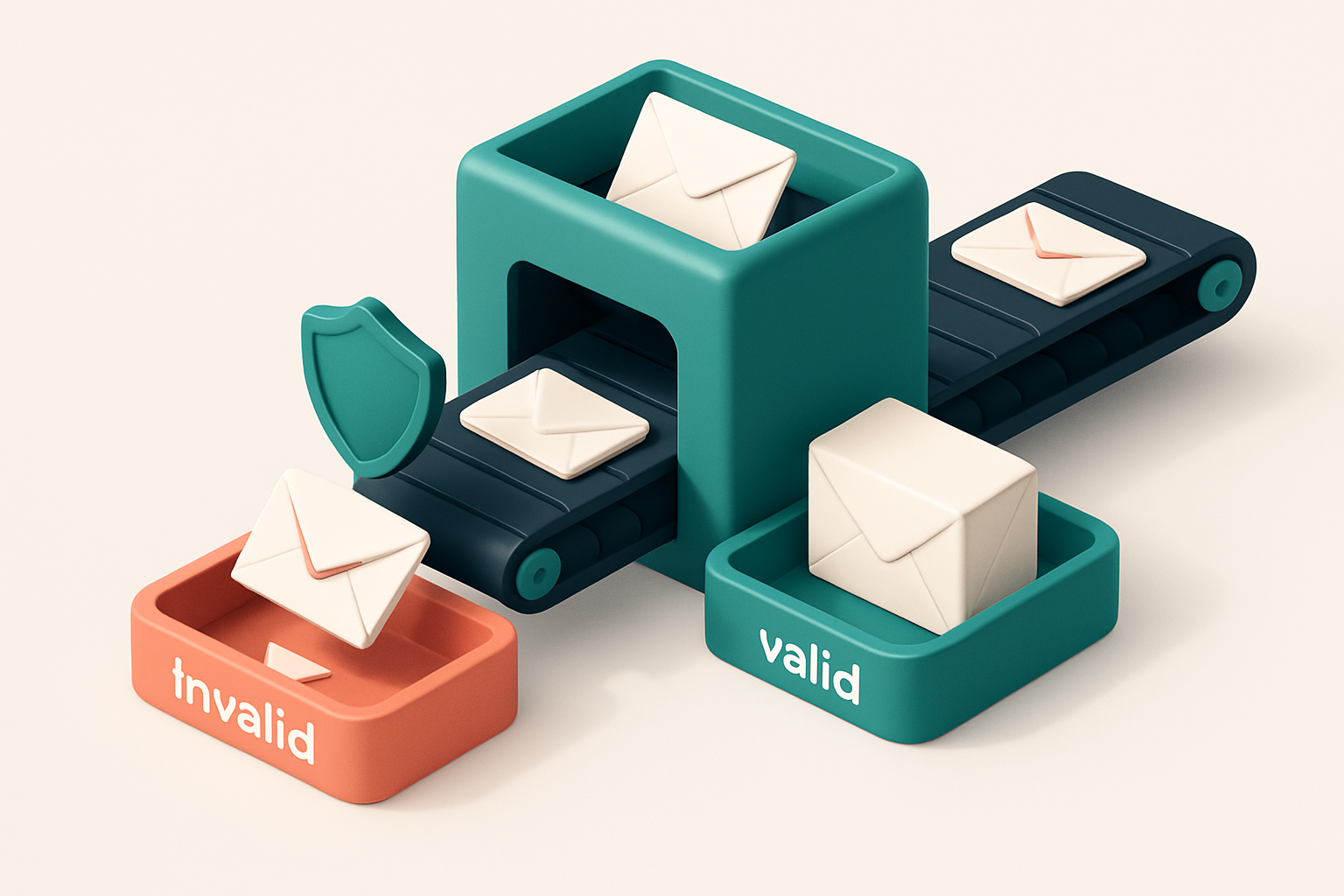
Why Your WooCommerce Email List Needs Verification
You’re sending post-purchase emails, flash-sale alerts, and seasonal campaigns to your WooCommerce customers. But how many of those emails land in real inboxes? If you haven’t checked, you’re likely sending to invalid, role-based, or disposable addresses.
Every bounced email chips away at your sender reputation. Over time, that erodes deliverability and can get your domain blocked. A bulk email checker for WooCommerce customers isn’t a luxury — it’s a necessity to keep your campaigns reliable and your domain safe.
Key takeaways
- WooCommerce collects emails, but not all are valid or deliverable.
- Role-based (like admin@, sales@) and disposable emails increase bounce rates and hurt sender reputation.
- Unchecked lists lead to wasted campaigns, poor inbox placement, and long-term deliverability risk.
The Hidden Costs of Ignoring List Hygiene
You might not think a few bad emails hurt much. But every bounce — even one from a mistyped address — counts against your sender reputation. Major providers like Gmail and Outlook track bounce patterns closely. Consistently high bounce rates signal that your list isn’t valid, and that makes them more likely to filter your messages into spam or block them entirely.
Bounces Don’t Just Wasteful — They’re Dangerous
Let’s be clear: bounce rates above 2% are red flags. That’s the threshold many ESPs use to assess list health. If your WooCommerce store sends emails to hundreds of invalid addresses, you’re not just losing delivery — you’re training filters to distrust your domain. Once that happens, recovery is slow and hard.
Think of your domain’s reputation like a credit score. The more bounces you rack up, the lower it drops. Even a single high-volume bounce campaign can trigger blacklisting. Services like Spamhaus and MxToolbox track these patterns and maintain public blocklists that major email providers consult in real time.
Fake, Role-Based, and Disposable Addresses Don’t Engage — They Harm
It’s not just invalid emails. Sending to role addresses — like admin@, sales@, or info@ — wastes delivery credits and skews your engagement metrics. These accounts often never open your email. That means zero opens, zero clicks, and a low engagement rate that harms your sender score. Outlook and Gmail treat low engagement as a signal of spam.
Disposable email domains (like temporary mail services) are another problem. They’re rarely used by real customers and often used for bots or spam testing. Sending to these addresses doesn’t grow your audience — it harms your deliverability. Many providers automatically reject or tag messages sent to these domains.
Let’s be honest: a high bounce rate doesn’t just hurt deliverability. It affects everything from automation performance to conversion tracking. If your email campaign reports 50% open rate but half your list was invalid, you’re basing decisions on bad data.
Prevention is cheaper than cleanup. Tools like bulk email verification catch these issues before you send. They validate addresses at scale, flag role accounts, catch disposable domains, and identify risky addresses — all with 98.9% accuracy.
With integrations for Mailchimp, Klaviyo, and SendGrid, you can verify lists directly from your store’s email service. That’s not just a tool — it’s a repeatable safeguard. You’re not just sending better emails. You’re building trust with the providers that deliver them.
Bulk Email Checker for WooCommerce Customers: How It Works
Let’s cut through the noise. You’re not just cleaning emails—you’re protecting deliverability, reducing bounces, and keeping your sender reputation intact. Here’s how a true bulk email checker for WooCommerce customers works, step by step.
Process: From Upload to Verification
- Upload your list directly or via CSV. Whether you’ve exported customer data from your WooCommerce store or pulled it through a sync, the system accepts clean, structured input. No complex formatting needed.
- Each email is validated at the protocol level. We don’t guess. The system checks syntax, domain existence, MX records, and server responsiveness via real SMTP connections. This is how email deliverability is verified in practice, per RFC 5321, the foundational standard for email transmission.
- Real-time results with precise verdicts. You get immediate feedback: valid, invalid, catch-all, or risky. Invalid addresses are removed. Catch-alls aren’t automatically rejected—they’re flagged so you can decide whether to include them. Risky emails (e.g., temporary or disposable domains) are surfaced with context.
- Pattern recognition catches the edge cases. Some domains allow any email address (catch-alls), while others are known for disposable or role-based addresses (like
admin@orsupport@). We detect these patterns using up-to-date databases and behavioral signals—not assumptions. - Live server checks mean no false positives. Even if an email looks syntactically valid, we confirm it’s actively receiving mail. This prevents you from sending to addresses that don’t exist, aren’t monitored, or will generate hard bounces.
Why Real-Time, Protocol-Level Checks Matter
Many tools claim to "verify" emails by checking syntax alone. That’s not enough. A valid-looking address might still be invalid due to DNS misconfigurations, greylisting delays, or a mailbox that’s been purged. Real SMTP validation detects these issues in real time—no shortcuts.
For WooCommerce stores, sending to invalid or risky addresses hurts your sender reputation. ISPs monitor bounce rates. High bounce rates trigger filters. That’s why it’s essential to test every address before you send.
You’re investing in your list’s quality. Use a tool that treats verification as a technical process, not a marketing slogan. With bulk email verification, you’re not buying a list—it’s a process of refinement, backed by protocol-level checks and clean, actionable output.
“Email validation is not a feature—it’s a foundation of deliverability.” — Industry best practice as affirmed by email deliverability standards.
Understanding Email Verification Verdicts
When you’re verifying a list of WooCommerce customers, you’re not just cleaning data—you’re protecting deliverability. Each verdict from an email checker tells you something concrete about an address. Let’s break down what these terms really mean, and why they matter for your marketing and transactional flows.
What Each Verdict Really Means
Not all invalid emails are created equal. The same applies to “valid” or “risky.” Here’s what you’re actually seeing in a bulk email checker’s output.
| Verdict | What It Means | Impact on Your Campaigns |
|---|---|---|
| Valid | Domain exists, server accepts mail, and inbox is open. Confidence level is typically above 95% based on SMTP-level checks. | Safe to send. High likelihood of inbox placement, assuming content and reputation are sound. |
| Invalid | Address has a syntax error, the domain doesn’t exist, or the server rejects it outright (e.g., "550 User unknown"). | Do not send to. These are outright bounces and harm sender reputation over time. |
| Catch-all | Domain accepts all emails, even nonexistent ones. Often used by automated spam traps or outdated systems. | High risk. Sending to catch-all domains can trigger spam complaints or blacklisting, especially if the address is a role-based mailbox (e.g., admin@, sales@). |
| Risky | Identified as temporary, disposable, or role-based (e.g., @10minutemail.com, @mailinator.com, @[email protected]). | High bounce or churn risk. Best excluded from transactional or promotional lists. Some platforms (like Mailgun or SendGrid) flag these by default. |
These verdicts aren’t just labels—they’re signals. A single "risky" address might not hurt one campaign, but 20% of your list flagged as disposable? That’s a deliverability problem waiting to happen.
Why Verdict Accuracy Matters
Not every tool gets this right. Some bulk email checkers rely on outdated patterns or only check syntax. That leads to false positives—valid addresses marked invalid because the tool doesn’t understand SMTP responses or greylisting.
Our verification process is rooted in real-time SMTP interactions and real-time domain lookups. We don’t guess. We connect, observe, and report. You can verify your list in bulk via bulk verification or integrate with our API for real-time checks during onboarding.
As RFC 5321 (the SMTP standard) makes clear, a server’s response—550, 551, 250, 451—carries real meaning. We read those responses, not just patterns. That’s how we achieve 98.9% accuracy.
For deeper insight into email deliverability, inbox placement testing shows you how your messages perform across major providers like Gmail, Outlook, and Apple Mail. It’s not just about being valid—it’s about being delivered.
How to Use the Bulk Email Checker with WooCommerce
Let’s get your customer list ready for outreach that actually lands in inboxes. You’ve got emails stored in WooCommerce — now it’s time to verify them at scale.
Export and Clean Your Customer List
- Export your list from WooCommerce. Go to WooCommerce > Settings > Export > Customers. This creates a CSV file with all customer emails, names, and basic details.
- Remove duplicates and extra data. Use a spreadsheet tool to delete duplicate rows. Strip out extra columns like billing address or customer ID unless you need them. You only need the email column for verification.
- Check for headers. Make sure the first row isn’t a header like "Email Address" — most tools won’t process it correctly. A clean list has just email addresses, one per line.
Why this matters: Sending to invalid or duplicate emails wastes send credits, harms sender reputation, and increases bounce rates. A clean data source is the foundation of deliverability.
Verify and Re-Import
- Upload the cleaned list to the Email List Validation bulk checker. Support for CSV and TXT files is standard across email verification tools, which helps ensure compatibility with platforms like Mailchimp or Klaviyo.
- Review the results. The tool returns each address with a status: valid, invalid, catch-all, or risky. Invalid emails are unreachable. Catch-all domains accept all addresses — likely not real users. Risky emails may be low-quality or temporary — best to exclude them.
- Download the cleaned list and import it back into your ESP. Most tools support direct integration with email providers like Mailchimp, HubSpot, and SendGrid — see our full list of integrations for your preferred platform.
According to industry benchmarks, high bounce rates — especially hard bounces — are directly tied to sender reputation scores. A single invalid email can trigger deliverability filters at major providers like Gmail or Outlook. Using a validation tool reduces that risk.
Clean data is not just efficient — it’s essential. Every verified address improves list health and inbox placement over time.
The core workflow is straightforward: export, clean, check, remove bad entries, re-import. This cycle, repeated quarterly, keeps your campaigns reliable. You’ll see fewer bounces, better engagement, and a stronger sender reputation — which matters whether you're sending newsletters or post-purchase follow-ups.
With 100 free verifications to start, you can test the system with a real list before committing. No expiration on unused credits. The tool works at scale — thousands of emails in minutes.
Integrate with Your ESP for Real-Time List Hygiene
Let’s be honest: a dirty email list hurts more than it helps. Bounces, blocked emails, and wasted sends—none of that helps your WooCommerce store grow. The fix isn’t post-campaign cleanup. It’s prevention.
Real-Time Verification at the Source
When a customer signs up on your WooCommerce shop, you don’t want to wait weeks to find out the email is invalid. You want to catch it before it ever hits your list.
- Connect your store’s email collection point to Mailchimp, Klaviyo, HubSpot, or SendGrid using the Email List Validation dashboard.
- Every new sign-up is validated in real time—before it gets added to your list.
- Invalid, disposable, or catch-all emails are blocked automatically, without human intervention.
- Your automation flows (like welcome sequences or cart abandonment) start only with addresses that are likely to receive mail.
- Segmentation based on verified data means better targeting, not just more noise.
Think of this like a toll gate for your email list. You only let valid, deliverable emails through. No exceptions.
According to the SMTP.com’s guide on email deliverability best practices, consistent list hygiene directly impacts inbox placement. Poor data quality leads to higher bounce rates and lower sender reputation. Preventing bad entries at the source is one of the most effective ways to stay on the good side of inbox providers.
Automate Clean Data, Every Time
You don’t need to spend hours scrubbing lists after the fact. With integration enabled, validation happens at the moment of collection—no extra steps.
- A new subscriber signs up → Email List Validation checks validity via SMTP and DNS → Only valid emails are passed to your ESP.
- No manual verification needed. No wasted sends. No negative impact on your sender reputation.
- Results are logged and available in your dashboard for audit, with clear reasons for each verdict (e.g., "invalid," "catch-all," "risky").
- Over time, this consistency builds trust with mailbox providers—something that’s earned, not guessed.
It’s not magic. It’s just smart infrastructure.
Want to see how it works across your stack? The integration hub covers all major ESPs and shows you exactly what’s possible—no friction, just results.
Why Accuracy Matters: 98.9% Is Not a Marketing Claim
You know how many times you’ve hit “send” only to watch your deliverability crater? That’s not your fault — it’s the email list you sent from.
Our 98.9% accuracy isn’t a headline. It’s the result of millions of real-world validations, each tested via active SMTP connections. We don’t guess. We connect.
Real Checks, Not Guesswork
Many tools flag an email as invalid just because it matches a known pattern — like a random string of letters. We don’t do that. We run live SMTP checks with the actual mail servers. It’s the same way your provider verifies delivery.
That’s why we can tell the difference between a real user address and a throwaway system-generated one. Catch-alls, role accounts, and disposable domains? We filter those out. No false positives. No wasted sends.
Less False Negatives, More Success
High accuracy means you’re not missing valid addresses. It means your marketing campaigns aren’t throttled by bounces, and your sender reputation isn’t hurt by sending to non-existent inboxes.
The difference between a 95% and a 98.9% accuracy rate might seem small — but in a list of 10,000 emails, that’s nearly 400 extra valid inboxes you’re not reaching with lower accuracy tools.
And yes, even small improvements in delivery have measurable impact. According to research from Return Path, even a 1% reduction in hard bounces can move your deliverability score up by several points.
What you get isn’t hype. It’s a system built on real infrastructure. We verify each address by speaking directly to the mail server, just like a real sender would. It’s how you avoid the “undeliverable” tag on a campaign that should’ve landed in the inbox.
Think of it like testing your list before sending — only faster, smarter, and automated. You can validate thousands of customer emails at once, clean your WooCommerce list, and avoid blacklists before they happen.
Let’s say you’re sending a flash sale to your WooCommerce customers. With a 98.9% accurate check, you’re not wasting sends. You’re not getting flagged. You’re not hurting your sender reputation.
That’s what a real bulk email checker does. Not just filter bad addresses — but ensure you’re reaching the right people.
See how it works with real results: bulk email verification for WooCommerce customers.
Bulk Email Checker for WooCommerce Customers: Comparing Tools
Let’s cut through the noise. You’re running a WooCommerce store, and you need to verify hundreds — maybe thousands — of customer emails. You don’t want bounces. You don’t want your messages flagged as spam. But not all email verification tools are built for this reality.
Why standard tools fall short for WooCommerce lists
Many popular tools like ZeroBounce, NeverBounce, or Kickbox are designed for individual checks — perfect if you’re verifying one prospect at a time. But they scale poorly for bulk operations, and their per-check pricing adds up fast. If you’re validating 10,000 emails, those costs quickly become unsustainable. They also lack native support for e-commerce platforms like WooCommerce. You can’t sync a list directly from your store, verify it at scale, and immediately update your subscriber database without manual work. That means more time spent on data cleanup, less time selling.
A better fit: unified verification with real-time sync
Email List Validation isn’t just another checker — it’s built for teams who move fast and need accuracy without friction. With a real-time API, you can verify entire lists on upload or validate new signups as they arrive. No delays, no dead ends. You get more than validation. You get inbox-placement testing, which shows how your emails actually land in inboxes — not just if the address is technically valid. This matters: even a perfectly structured email is useless if it lands in spam. You can also use the in-app AI assistant to clean up inconsistent formats or guess missing details. It’s not magic — it’s smart automation that reduces manual effort. For your WooCommerce workflow, that’s a real time-saver. And unlike tools that expire credits after a year, every credit you buy with Email List Validation stays yours indefinitely. If you pause campaigns or scale back for a few months, your credits don’t vanish. You keep your investment. You can explore the platform with 100 free verifications at no risk: Try bulk email verification. Or integrate directly with your ESP — Mailchimp, Klaviyo, HubSpot — through our built-in connectors: See integration options. Want to automate verification as orders come in? Our API makes that possible: Access the API. It’s not about chasing the highest score. It’s about getting emails right — every time. And that’s what a reliable bulk email checker for WooCommerce customers should deliver.
Testing Inbox Placement Builds Trust
You’ve cleaned your WooCommerce customer list. Valid emails, no syntax errors, no disposable domains. But “valid” doesn’t mean “delivered.” Let’s be clear: a valid email address isn’t the same as one that actually lands in a customer’s inbox.
Real-World Testing Beats Checklists
That’s why inbox placement tests are the next step. These aren’t just formalities—they simulate what happens when you send a real email to Gmail, Outlook, Yahoo, or Apple Mail. You’re not just checking if an address exists. You’re verifying whether it gets through spam filters, avoids blocklists, and appears where customers expect it.
Every major provider uses dynamic filtering. Gmail’s spam score, for example, considers sender reputation, engagement, and content patterns—not just syntax. A list cleaned of typos might still be blocked if it’s associated with low engagement or a poor sender reputation.
Deliverability Isn’t Guaranteed After Cleaning
Here’s the reality: bulk list validation finds the bad addresses, but it doesn’t prove your messages will land in inboxes. A catch-all email may be technically valid, but if it’s a generic “team@” address, your message might get marked as spam—especially if it doesn’t align with the user’s behavior patterns.
That’s why we test sends across multiple domains. Inbox placement reports show whether your emails land in the primary inbox, spam folder, or are outright rejected. This is the only way to confirm your list isn’t just clean—it’s deliverable.
Industry-standard tools like those from Return Path and MxToolbox help map delivery paths and identify filtering behavior, but most require manual setup. Our inbox placement testing simplifies it: send a test campaign through our platform, and get a report showing actual placements across major providers. No guesswork.
For WooCommerce stores, this means fewer surprises. You’re not just sending to “valid” addresses—you’re sending to customers who will actually see your message. Whether it’s a welcome email, cart reminder, or order update, deliverability is the foundation of conversion.
When you run inbox placement tests, you’re not just protecting your sender reputation—you’re building trust with your customers. They get your email. It lands. They engage.
Start with a clean list. Verify with precision. Confirm deliverability with testing. Test inbox placement today and know your emails aren’t just valid—they’re seen.
Start Free: 100 Verifications No Strings Attached
Test your WooCommerce email list—no cost, no wait
Let’s get real: you don’t want to waste time or money sending emails to invalid addresses. You want to know what’s valid before you send. That’s why we start you with 100 free verifications—no credit card, no trial period, no expiration. Just instant access to real validation. You can verify your first list of WooCommerce customers in minutes. No setup. No onboarding. No catch.
- Use the 100 free verifications to clean your WooCommerce customer list right away.
- Verify up to 100 emails at once—no need to batch or schedule.
- No trial period means no pressure to upgrade. No hidden fees. No time limits.
- Each verification checks for syntax, domain validity, and mailbox responsiveness using real-time SMTP testing.
- See exactly which addresses are valid, invalid, catch-all, or risky—no guesswork.
What’s inside your results?
You’ll get detailed verdicts on each address. Valid means it accepts messages. Invalid means it’s malformed or doesn’t exist. Catch-all flags addresses that accept all emails—common with some shared hosting providers, but risky for deliverability. Risky includes temporary, role-based, or disposable domains. The bulk verification tool handles large lists reliably, even if they’ve grown messy over time. You can upload a CSV or copy-paste a list straight from WooCommerce. And yes—emails with typo-heavy spellings or odd formats still get checked properly. The system parses edge cases accurately. Still unsure what to do with the results? Use the in-app AI assistant to interpret findings or clean malformed data. Need to fix inconsistent formatting? The AI helps standardize entries like “[email protected]” or “[email protected]” to a consistent pattern. For example, if your list has 120 addresses but only 100 free verifications, you’ll still see all 120 results. We’ll flag the 20 you haven’t verified yet, so you know exactly what’s missing. This isn’t limited to WooCommerce customers either. If you’re building a list across platforms (like Magento, Shopify, or even internal databases), the same standards apply. For the full story on how email validation impacts deliverability, check out RFC 5321, the standard governing SMTP—the same protocol we use for real-time checks [IETF RFC 5321]. It’s how you know whether a mailbox exists, even if it’s not accepting messages right now. The bottom line: you can start free, scale without friction, and always know your list is ready. Once you’re ready to go beyond 100, upgrade anytime. Credits never expire.
Conclusion: Clean Lists, Better Deliverability, Real Results
Your WooCommerce customers deserve messages that arrive — not vanish into spam traps or bounce silently. Invalid addresses degrade sender reputation, hurt inbox placement, and waste every send.
A bulk email checker prevents these risks before they begin. By filtering out invalid, disposable, and risky addresses, you protect deliverability and keep your campaigns effective.
With 98.9% accuracy, a real-time API, and seamless integrations with tools like Mailchimp and Klaviyo, email validation is no longer a nice-to-have. It’s essential for consistent, reliable engagement.
Ready to put this into practice? Email List Validation verifies emails with 98.9% accuracy — start with 100 free verifications.
Frequently asked questions
Can I verify emails from my WooCommerce customer export?
Yes. Upload your exported customer CSV directly into the Email List Validation dashboard for bulk verification.
How long does bulk email validation take?
It depends on list size, but most validations finish in under 10 minutes for 1,000 emails.
What’s the difference between a catch-all and an invalid email?
A catch-all accepts all emails sent to any address on a domain—often a trap. Invalid means the domain or syntax is broken.
Does the tool detect disposable email addresses?
Yes. It identifies known disposable domains and flags them as 'risky' during verification.
Can I automate verification with my WooCommerce store?
Yes. Use the real-time API to verify emails during checkout or form submission.
Do I need to pay for every email verified?
No. Purchase credits that never expire. You can use them over time, even years later.
How does Email List Validation compare to built-in WooCommerce tools?
WooCommerce does not verify email validity. It only checks syntax. Our tool tests whether the email actually exists and accepts messages.
Is email validation legal under GDPR or CCPA?
Yes. Validating consented emails for deliverability is a legitimate purpose. We don’t store or use data beyond verification.
Can I check email addresses across multiple domains?
Yes. The system handles mixed domains—including role and disposable addresses—without bias.
What happens if an email is flagged as ‘risky’?
It’s likely temporary, role-based, or disposable. Remove it from campaigns to avoid bounces and spam complaints.