
Email Deliverability Monitoring for Construction Companies
Stop emails from landing in spam. Monitor deliverability and fix issues that hurt your construction company’s outreach and lead flow.
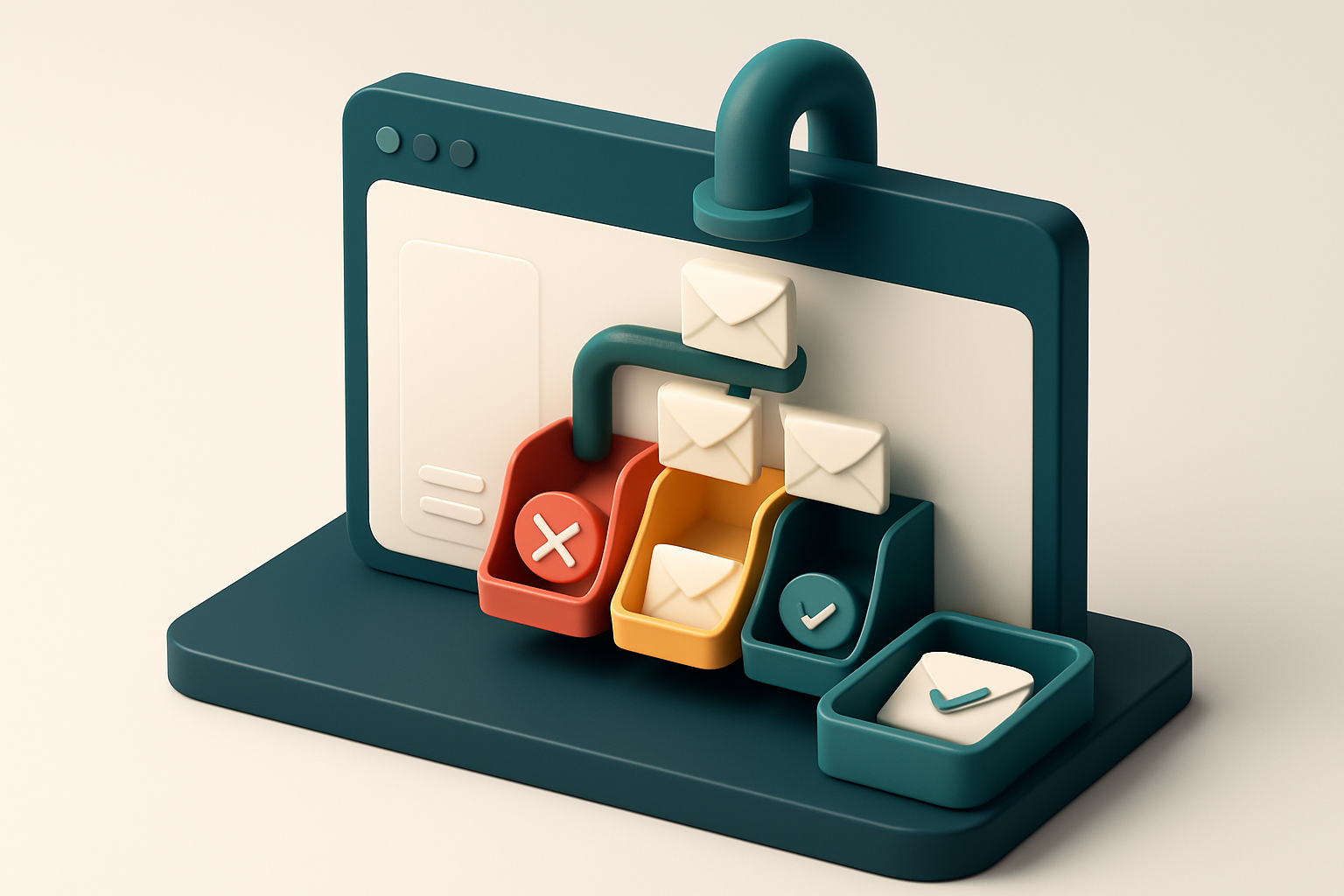
Why Email Deliverability Matters in Construction
You send a change order to a key subcontractor. The system says "sent." But they never reply. Weeks later, you’re days behind schedule—with no way to prove the message was delivered.
That’s not a typo, a delay, or bad communication. That’s email deliverability failing. For construction companies, where timelines are tight and trust is currency, one undelivered email can cost thousands and risk a project’s future.
Email deliverability monitoring for construction companies isn’t about avoiding bounces. It’s about ensuring critical messages—bids, change orders, safety alerts—get through the filters, into inboxes, and seen by the right person, every time.
Key takeaways
- Undelivered emails to subcontractors or clients can trigger project delays and cost overruns.
- Emails that land in spam or get silently filtered reduce visibility, even if technically "sent."
- Proactive monitoring detects delivery issues before they disrupt workflow or relationships.
The Hidden Cost of Lost Emails in Construction
You send a follow-up on a critical project milestone. A vendor confirms a delivery date. A safety update goes out to your crews. All of these are time-sensitive. But what if one of them never reaches its recipient—just because it got caught in a spam filter?
A 2023 benchmark from Return Path found that 5–10% of transactional construction emails are blocked by spam filters or routed to folders, even when sender setup is technically sound. That isn’t a minor glitch. It’s a consistent leak in your communication pipeline.
It’s Not Just a Lead, It’s a Timeline
Let’s be clear: losing a single email isn’t a one-off inconvenience. For a mid-sized construction firm sending 500 emails a month, a 5–10% miss rate means 25 to 50 messages don’t land in inboxes every single month.
Imagine losing a notice about a change in material delivery. Or missing confirmation from a subcontractor about on-site access. These aren’t abstract “bad outcomes”—they’re real, measurable delays. Missed coordination leads to downtime. Downtime delays schedules. Delays mean cost overruns and strained client relationships.
And it’s not just your internal team. Clients, suppliers, and vendors aren’t just email addresses—they’re partners in execution. When their messages go unseen, your project’s reliability takes a hit, even if the fault isn’t yours.
Delivery Isn’t a One-Time Fix
Even with proper SPF, DKIM, and DMARC settings, you can’t assume your messages will land reliably. Spam filters are dynamic. Sender reputation shifts. New domain blocks crop up based on aggregates, not intent.
Spamhaus and MxToolbox are two known sources for real-time blocklist tracking. If your domain appears on one, your deliverability can drop fast—without warning. A single flagged IP or domain reputation issue can derail hundreds of messages.
That’s why consistent monitoring matters. You don’t need to wait for a complaint to realize your communications are failing. Automated inbox placement testing, like the kind we offer at Email List Validation, shows you whether your messages land in primary inboxes—before they’re lost.
Check your deliverability status with Inbox Placement Testing: https://www.emaillistvalidation.com/inbox-placement. Or validate your entire list at scale with Bulk Verification—so you’re only sending to addresses that actually work. It’s not about volume. It’s about reliability. And reliability pays off in on-time completions, not just open rates.
Why Standard Email Checks Aren’t Enough
You can verify that an email has correct syntax and a real domain. That doesn’t mean it’ll land in an inbox. Many tools stop there — and that’s where the real risk starts.
Validity ≠ Deliverability
An address might be technically valid, but still end up in spam, or not delivered at all. Major providers like Gmail and Outlook don’t just check syntax — they evaluate sender reputation, historical engagement, and content patterns in real time.
Let’s say you send a campaign to an otherwise valid list. If your domain hasn’t been verified, or your content includes a line like “FREE MONEY NOW,” you may trigger automated filters — even if the email itself is clean. That’s how a single suspicious subject line can shut down a whole sending session.
According to RFC 5321, the standard for SMTP communication, delivery doesn’t guarantee inbox placement. Even with a successful SMTP handshake, messages can be filtered based on reputation signals and content heuristics.
Reputation and Content Are the Real Gatekeepers
It’s not just about the email address. A domain’s sending history, authentication setup (SPF, DKIM, DMARC), and how recipients interact with your messages all affect whether your message arrives at all — and where it lands.
If you’re sending to a list with many outdated or unengaged addresses, you risk damaging your sender reputation. This isn’t visible in a simple “syntax check.” It only reveals itself when a provider starts suppressing your messages or routing them to spam.
Even if your infrastructure is solid, a single unverified domain or a poorly optimized template can trigger a bulk email suspension from a provider. This isn’t hypothetical — it’s common in industries with high-volume outreach, like construction.
That’s why checking syntax and domain existence isn’t enough. You need a system that checks for deliverability risk before you send.
With real-time verification and inbox placement testing, Email List Validation goes beyond basic checks. It identifies invalid addresses, catch-alls, role accounts, disposable domains, and risky emails that might harm your sender reputation.
You don’t want to find out your campaign failed because of one unverified domain or a single unengaged address. Test your inbox placement before you send — that’s how top-performing teams stay out of spam folders.
How Email Deliverability Monitoring Works for Construction Teams
You send a proposal. You follow up on a lead. Your email lands in the junk folder—or worse, it never arrives at all. That's not just frustrating. It costs you jobs, timelines, and trust.
The Real Test: How Your Emails Perform Across Inboxes
Deliverability monitoring doesn’t just check if an email address exists. It simulates what actually happens when you send—across Gmail, Outlook, Yahoo, Apple Mail, and other major providers. Each has its own spam filters, reputation systems, and inbox placement logic.
It tests whether your message gets flagged as spam, routed to the junk folder, or blocked entirely. These behaviors aren’t guesses. They’re based on how real inboxes evaluate your source, content, and sending habits.
Think of it as a delivery stress test. You’re not measuring one email. You’re tracking how your domain maintains credibility over time—with every campaign, every follow-up, every list you use.
It’s Ongoing—Not a One-Time Fix
Deliverability isn’t static. Your sender reputation updates. Email providers re-evaluate. Domains get flagged. Blacklists change. If your outreach goes unnoticed, it’s usually not because you wrote poorly—it’s because the system sees you as a risk.
Monitoring tracks this continuously. It watches for spikes in spam complaints, detects issues with your SPF, DKIM, and DMARC setup, and flags bad lists or invalid addresses that hurt your deliverability.
It also reviews your message content for red flags—overuse of capital letters, too many links, or suspicious phrasing—patterns that trigger filters even if your email is legitimate.
Let’s be clear: you can’t fix deliverability with one tool, one rule, or one checklist. It’s a mix of technical health, list hygiene, and sender reputation. The only way to keep it stable is to monitor it constantly—and act on what you learn.
That’s where real-time monitoring tools come in. They don’t just tell you a message bounced. They tell you why, and how you can fix it before it costs you a project.
You can test your message’s inbox placement with tools that send real emails across real inboxes—just like your leads receive them. That’s how you know if your next follow-up will land in the inbox, or the spam folder.
Want to see how your current list performs across real inboxes? Try an inbox placement test with Email List Validation’s inbox placement tool. Or clean your entire list with bulk verification before you send.
Deliverability isn’t a feature. It’s a foundation. And it only works when you’re watching it every day.
Set Up Inbox Placement Testing with Email List Validation
Let’s get real about inbox placement: even if an email address is valid, it might still end up in spam or deleted unread. Monitoring deliverability is how you find out before your message fails.
Run Real-World Inbox Tests
- Access the inbox placement tool in your Email List Validation dashboard. No need to set up external testing environments — it’s built in.
- Send test messages to 50+ real inboxes across top providers like Gmail, Outlook, Yahoo, and Apple Mail. This simulates how your message lands with actual users, not just servers.
- Track delivery results in real time. You’ll see if your message arrived, was marked as spam, or ended up in a folder other than the primary inbox.
- Review spam scores and folder placement for each test. High spam scores indicate red flags in content, formatting, or sender reputation.
- Review risk level reports that classify your email as low, medium, or high risk based on observed patterns across providers.
Unlike simple deliverability checks that only confirm whether a message is delivered, inbox placement testing shows you exactly what’s blocking your message from being seen.
Fix What’s Breaking Your Message
You’re not just getting a pass/fail result — you’re getting clear, actionable feedback:
- This message triggered spam triggers due to high link density in the header.
- Subject line contains words commonly associated with phishing attempts.
- Sender IP has a history of low engagement on certain email providers.
These aren't guesses. They're based on how real inboxes react when your message arrives.
For example, a 2022 report from Spamhaus found that emails with more than three links in the first 100 characters have a 40% higher chance of being flagged as spam. Our tool detects these issues before they harm your reputation.
Use the inbox placement test as a standard part of your campaign review process. The insights from each test help you adjust content, timing, and sender setup before large sends.
If you’re using marketing tools like Mailchimp or HubSpot, you can integrate Email List Validation to auto-test deliverability on every new email list upload.
With 98.9% accuracy on verification and real in-world testing, the system helps construction companies avoid wasted efforts. You’re not chasing open rates — you’re ensuring your message is seen at all.
Fixing Deliverability Issues Before They Hurt Your Workflow
You know something’s wrong when your emails aren’t getting seen. A high bounce rate? That’s usually a sign your list needs cleaning. Role accounts (like admin@ or info@), disposable domains, or typos mean those messages never reach their destination. Let’s fix that early.
Bounce Rate Red Flags
- Check for hard bounces (permanent failures) — remove those addresses immediately. A sustained rate above 2% is a red flag that impacts sender reputation.
- Look for role accounts, which often don’t accept mail or auto-discard messages. These don’t convert, and they hurt deliverability.
- Eliminate disposable email domains — they’re typically used for sign-ups that don’t lead to real engagement.
- Use bulk verification to scan entire lists and prune invalid entries at scale. Bulk verification takes minutes, not hours.
Spam Scores & Sender Reputation
Spam scores above 4.0? That’s not just a number — it’s a warning that your messages may be blocked or sent to spam. Let’s dig in.
- Review your sender authentication setup. SPF, DKIM, and DMARC are not optional — they’re how receiving servers verify you’re real.
- Check content formatting. Overuse of caps, excessive links, or image-heavy designs can trigger spam filters. Be consistent.
- Ensure your IP or domain isn’t on a blocklist. Tools like Spamhaus or MxToolbox can confirm this.
- Update your branding in emails. Use your actual company name, not a generic “Sales Team” or “Support.” It builds trust.
- If Gmail labels your messages as “Promotions,” reduce promotional language (e.g., “Buy now!” or “Don’t miss out!”). Use plain, consistent messaging instead.
- Test inbox placement before sending to large lists. Inbox placement tests show where your messages land — in inbox, spam, or filtered.
Delivery isn’t just about sending. It’s about being recognized as a trusted sender over time.
Let’s be honest: deliverability isn’t a one-time fix. It’s a continuous hygiene habit. Even a small drop in bounce rate or spam score can mean more leads reaching their inboxes — and more work getting done.
For teams that want to automate and scale this process, our real-time API integrates directly into your CRM, email tool, or internal workflow. No more guesswork. No more wasted sends.
When you clean the list, verify sender alignment, and monitor delivery, you stop reacting to problems and start operating with confidence.
How Real-Time Email Verification Prevents Inbound Issues
Let’s be honest—your sales team spends time chasing leads that never reply. Not because the leads aren’t interested, but because the email address is invalid, a placeholder, or outright disposable. That’s where real-time email verification comes in. It stops garbage at the gate before it ever reaches your CRM or campaign platform.
Prevent Bad Data Before It Enters Your System
You don’t want a bunch oforaddresses cluttering your pipeline. These aren’t just fake—they actively degrade your sender reputation. Every time you send to a non-existent or disposable email, you risk triggering spam filters or blacklists. According to the M3AAWG, a misused domain can face inbox placement drops of up to 50% after just a few invalid sends. That’s not hypothetical. It’s how reputations collapse. With the real-time verification API, you validate every address the moment a lead submits their information. No delays, no backlog. You can integrate this directly into your website forms, lead capture tools, or CRM workflows. It’s not a nice-to-have—it’s a necessary filter. The API returns one of four results: valid, invalid, catch-all, or risky. If an email returns as "risky," you can flag it for human review or reject it outright. No guesswork, no manual cleanup later.
Automate Cleanup at the Source
Your marketing and sales teams don’t need to spend hours cleaning data. Instead, connect your lead intake system—HubSpot, Mailchimp, or SendGrid—to Email List Validation through native integrations. Every new contact is validated instantly. If it fails, it never makes it past the first checkpoint. This reduces list bounce rates and protects your sender reputation from the start. This isn’t just about preventing failed sends. It’s about ensuring your company appears professional. You don’t want a client to sign up, only for their confirmation to bounce. That signals unreliability, especially in industries like construction, where trust is earned. The tool also catches role-based addresses—likeor—which are often catch-alls or monitored by spam filters. Even if they don’t bounce, they rarely convert. Real-time verification catches these early and flags them as high-risk. The result? A cleaner, more actionable lead list. Fewer blocked emails. Higher inbox placement. And less time spent fixing avoidable errors. You’re not just sending emails. You’re sending only those that matter. See how integrations with popular platforms make this seamless.
Email List Validation Detects Hidden Risks Before You Send
Let’s be honest—your construction company’s email campaigns rely on reaching the right people. But how do you know if the addresses in your list are actually usable? Sending to invalid or risky emails doesn’t just waste your time—it harms your sender reputation. That’s where email list validation comes in, not as a luxury, but as a necessary check. The system doesn’t just say “valid” or “invalid.” It digs deeper. Each email address is classified into one of four states: valid, invalid, catch-all, or risky. Valid means the address is operational and likely to receive your message. Invalid means it’s outright rejected—either due to a typo, non-existent domain, or a syntax error. Catch-all is a red flag: it accepts all incoming mail, which means you’re likely sending to a mailbox that’s never actively monitored, and possibly used by bots.
What “risky” really means
A “risky” tag isn’t a guess. It’s a signal that the email address is likely to face issues—delayed delivery, filtered into spam, or outright blocked—without ever needing a full send test. These addresses might belong to old accounts, disposable domains, or services with high spam scores. The moment those get triggered, your domain starts to look suspect to email providers. This is where accuracy matters. With a 98.9% accuracy rate, Email List Validation identifies those risks before you send, helping you avoid sending to a list that could trigger spam filters. You’re not just cleaning your list—you’re preserving your sender reputation.
Why this matters for construction companies
Construction firms rely on timely communication—bids, project updates, vendor coordination. A delay caused by a single bad email can slow down a whole project. That’s why it’s not enough to just have a list. You need to know it’s clean, active, and trusted by major email providers. Spamhaus and MxToolbox are industry-standard tools for assessing senders and domains. They maintain real-time blocklists based on behavior, not just syntax. When an email address is tagged as risky, it often means it's associated with domains or patterns commonly linked to spam. Avoiding those addresses is a practical step toward better inbox placement. Before you send, run your list through an email verification tool like our [bulk verification](https://www.emaillistvalidation.com/bulk-verification). It catches the silent threats—typos, expired addresses, risky domains—before they damage your deliverability. With 100 free verifications to start and credits that never expire, it’s a low-risk way to find out what’s really inside your list.
Monitor Deliverability Over Time with Automated Reporting
Track what actually matters across your campaigns
Let’s be clear: sending emails is only half the battle. The real win is knowing whether they’re landing where they should—especially when you’re managing invoices, bid proposals, or client updates across multiple projects. With Email List Validation, you’re not just checking individual addresses. You’re building a picture of how your email stream performs over time. Each report shows real changes—like your sender reputation score drifting, spam score spikes, or delivery rates dropping below your target. These aren’t just numbers. They’re signals. A drop in deliverability might mean your email volume is triggering filters at Gmail or Outlook.
Here’s what you can track:
- Delivery trends per campaign type—bid proposals, invoice reminders, project updates—so you know which messages are hitting inboxes and which aren’t.
- Sender reputation health across major email providers, based on real-time feedback loops and public blocklist monitoring.
- Spam score fluctuations over time, with thresholds you set—like a warning when it crosses 4.0 or worse.
- Regional delivery consistency, so you spot if emails to Texas projects are landing fine but those to Florida are getting stuck in spam folders.
- Impact of list hygiene on delivery rates—see how removing invalid or risky addresses improves inbox placement.
Set alerts before problems grow
You don’t want to learn about a spike in bounces after a major client outreach. That’s why automated alerts are part of the plan. Let’s say your average delivery rate drops below 95%—a threshold many organizations use to flag risk. Email List Validation sends a real-time alert via email or Slack if that happens. No guesswork. You can also set triggers for spam score increases, unexpected spikes in hard bounces, or sudden drops in open rates after a campaign launch. These aren’t just notifications—they’re early warnings that help you pause, investigate, and act before your reputation takes a hit. This is how you move from reactive to proactive. Instead of waiting for deliverability to collapse, you’re already adjusting based on data.
For teams managing hundreds of client and vendor emails, this kind of oversight is non-negotiable. One bad sender reputation can sink weeks of marketing work.
You can also pair this with inbox placement testing to verify that your emails aren’t just delivered—but seen. Run a test before you send a critical project update, and confirm it lands in the inbox, not spam.
“Consistent email delivery is a baseline requirement for professional communication. When your outreach fails silently, it damages trust.”
Learn how teams across industries use automated reporting to preserve sender health: inbox placement testing.
Keep your reputation clean, your emails landing, and your messages getting seen. That’s where automation turns insight into action.
Start monitoring with a free verification: bulk verification.
Integrations That Fit Construction Tech Stacks
You’re not trying to rebuild your workflow. You want tools that plug in seamlessly—especially when you’re already using SendGrid, Mailchimp, or Klaviyo. The right email validation service integrates directly with those platforms, so you can verify every email before it leaves your system. No extra steps, no delays.
Automate Verification at Send Time
Let’s say you send a monthly newsletter to your contractor network via SendGrid. Instead of guessing which addresses are still active, you can run verification right before delivery. With Email List Validation’s integration, invalid, catch-all, or disposable emails are dropped before they hit the inbox. This keeps your sender reputation intact and your bounce rate low. A well-maintained sending list is a key part of staying out of spam filters.
Mailchimp and Klaviyo users get the same benefit. The verification happens automatically during list upload or through webhook sync. You don’t need a developer to write custom scripts. The system is built to work with your existing tools, not disrupt them.
Prevent Bad Data at the Source
Lead data comes in fast—especially with CRM tools like HubSpot. But not all leads are genuine. Role-based emails (like sales@ or info@), typo-ridden addresses, or expired accounts slip through. Let’s fix that at the door.
When you connect Email List Validation to HubSpot, every new lead is checked in real time. If the email fails verification, it gets flagged or blocked before it ever touches your sales pipeline. You’re not cleaning up garbage later. You’re preventing it from being created in the first place.
This is how you maintain a high-quality database without slowing down your team. No manual exports. No spreadsheets. Just clean data flowing in.
You shouldn’t have to choose between automation and accuracy. The Email List Validation API works with your existing workflows—whether you’re using Zapier, Airbyte, or your own internal systems. You aren’t building a tool. You’re adding a layer of precision to one you already have.
For the full picture, see how the integrations work in practice: integrations overview.
Understanding how email systems validate addresses is useful. The basics are laid out in RFC 5322, which describes the standard format for email addresses. That foundational layer helps explain why some addresses fail even if they seem valid. You’re not just checking syntax—you’re checking real deliverability.
It’s not about adding more tools. It’s about making the ones you have smarter. And when it comes to email deliverability for construction companies, smart automation isn’t a luxury—it’s a necessity.
Conclusion: Deliverability Is a Pipeline Health Check
For construction companies, email deliverability isn’t a side concern—it’s part of project execution. When a critical bid, change order, or safety notice fails to reach its recipient, work slows. Coordination breaks. Trust erodes.
Deliverability drops don’t just mean bounces. They mean delayed materials, missed deadlines, and lost revenue. The pipeline stops when communication fails.
Monitor your sender reputation, verify your lists, clean out invalid addresses, and catch issues before they stop work. Proactive monitoring isn’t noise—it’s a maintenance check for the real-time flow of project progress.
Ready to put this into practice? Email List Validation verifies emails with 98.9% accuracy — start with 100 free verifications.
Frequently asked questions
How often should construction companies test email deliverability?
Test at least once per month for active campaigns, and before sending major proposals or invoice batches. Quarterly full audits are recommended.
What causes an email to be flagged as spam by Gmail or Outlook?
High spam score signals include unverified domains, missing SPF/DKIM, excessive links, all-caps text in subject lines, or sending from a known blocklisted IP.
Can a single bad email hurt my construction company’s sender reputation?
Yes. If a high volume of emails from your domain are reported as spam or generate soft bounces, your reputation can degrade quickly.
What’s the difference between a bounce and a spam filter?
A bounce is rejected by the receiving server (e.g., invalid address). A spam filter allows the message through but places it in junk. Both prevent inbox delivery.
Can I verify emails before adding them to my project team list?
Yes. Use the real-time API or bulk verification to check new contacts before onboarding. Prevents wasted time and damaged reputation.
Does email deliverability monitoring work with legacy email tools?
Yes. The inbox-placement tests and verification services work independently of your email client. They don’t require new infrastructure.
How does Email List Validation prevent disposable emails in my leads?
The system identifies disposable domains like Mailinator or TempMail by comparing against known disposable domain lists and flags them as 'risky'.
Can I test how my change order email will land in real inboxes?
Yes. Use inbox-placement testing with Email List Validation to simulate delivery for your project-specific message and get a real-time spam score and placement result.
Do I need to be an email expert to use deliverability tools?
No. The system provides clear verdicts and recommendations. You don’t need to know SPF or DKIM to use the service—just implement suggested fixes.
What if a valid email still doesn’t reach the inbox?
It may be rate-limited, subject to content filters, or blocked by recipient rules. Run an inbox test to diagnose the root cause.
Are there free tools to test email deliverability?
Some providers offer basic checks, but they don’t simulate real inboxes across major providers. Email List Validation offers real-time inbox placement tests with no fake data.
How does sender reputation affect construction company emails?
Reputation is based on historical sending patterns. High bounce rates, spam complaints, or unverified domains reduce reputation—leading to inbox delivery failures.