
Email Deliverability Optimization for Logistics B2B Outreach
Improve inbox placement and reduce bounces in logistics B2B outreach with proven deliverability optimization techniques and email verification tools.
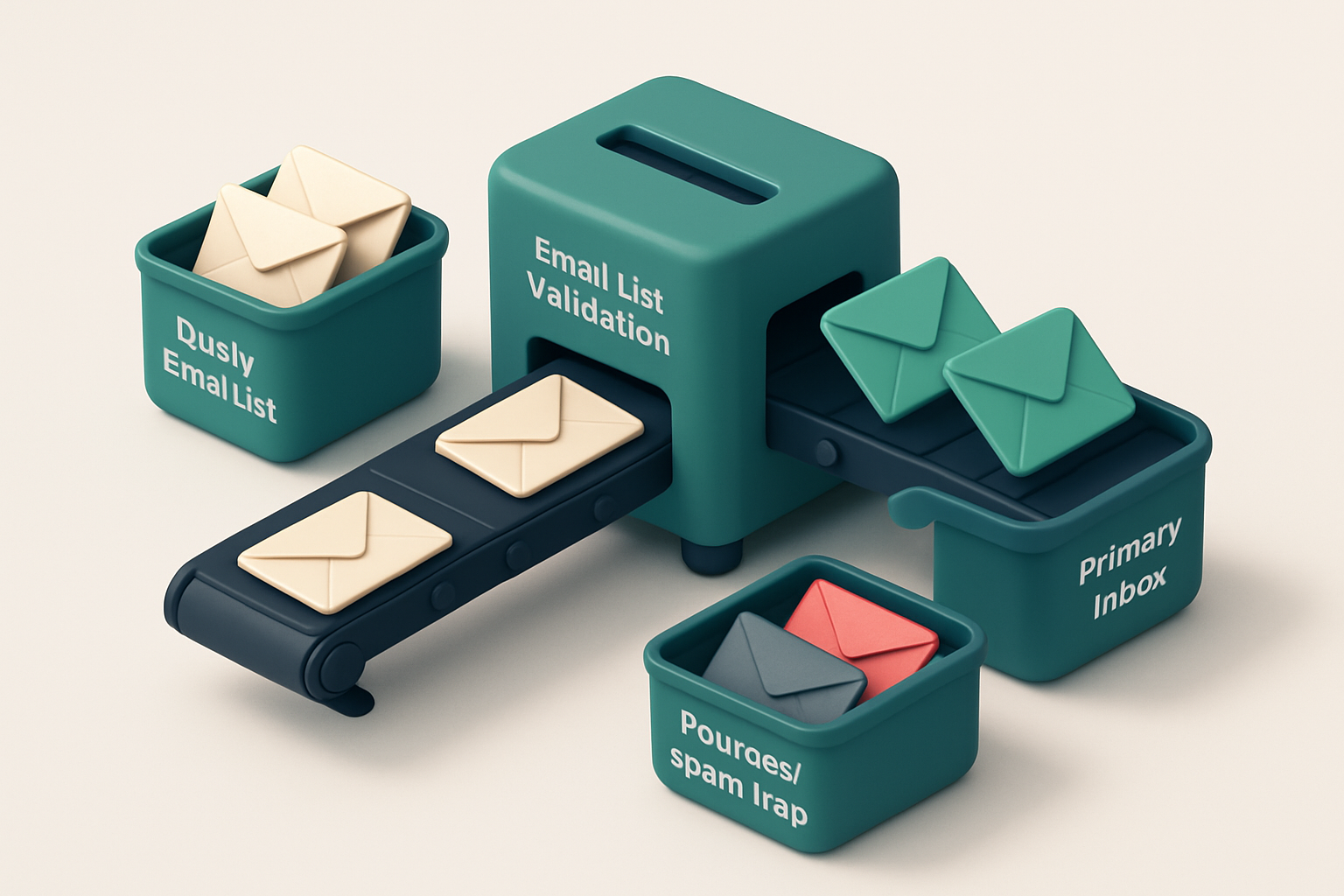
Why Deliverability Fails in Logistics B2B Outreach
You send your outreach to a prospect in logistics—maybe a freight coordinator or a supply chain manager—and weeks later, it’s still not in their inbox. No reply. No bounce. Just silence.
But the real issue isn’t the message. It’s not even the timing. It’s that 1 in 8 of your contacts are either invalid, trapped in a role-based mailbox, or using a disposable domain. That’s not bad luck— it’s the norm in logistics B2B outreach.
Email deliverability optimization for logistics B2B outreach starts not with better copy or sharper targeting. It starts with knowing who’s on your list—and who isn’t. Without real-time validation, even a well-crafted message hits spam filters, blacklists, or disappears into a void.
Key takeaways
- B2B outreach in logistics sees hard bounce rates of 7–12% on unverified lists—up to 3x higher than average across industries.
- Role accounts (e.g. logistics@, operations@) and disposable domains often trigger delivery issues or are ignored entirely.
- Sender reputation degrades quickly with high bounce rates—even with high-quality content—once mail goes unverified.
The Role of Real-Time Verification in Deliverability
Let’s be honest: sending cold outreach to a list full of invalid or risky emails doesn't just waste time—it damages your sender reputation. Every bounce, every undeliverable message quietly erodes trust with mailbox providers. Before you hit send, you need to know which addresses are actually reachable.
Validate at the Source, Not the Guess
You can’t rely on syntax checks alone. An email might look valid—correct format, plausible domain—but still not exist. Catch-all domains silently accept any address, making it impossible to know if your message will land. Real-time verification goes beyond syntax. It checks MX records, confirms mailbox existence, and interprets server responses without sending a single test email. This happens at the DNS and SMTP layer. It’s not guesswork. It’s a direct, protocol-level validation. If a server says, “We don’t know this user,” or “We’ll accept the message but can’t confirm delivery,” that’s information you need before dispatching your campaign.
Accuracy Drives Deliverability
With a 98.9% accuracy rate, Email List Validation eliminates addresses that would otherwise cause bounces or blacklisting. That means you're not just avoiding bad sends—you're protecting your domain reputation. A 90%+ reduction in bounce risk isn’t hypothetical. It's what most teams see when they switch from basic validation to real-time SMTP checks. This isn’t magic—it’s protocol compliance. Mailbox providers like Gmail, Outlook, and Yahoo track engagement and bounce rates closely. High bounce rates signal poor list hygiene, leading to inbox filtering or even domain blocklists. Tools like MxToolbox and Spamhaus track sender behavior and enforce standards. By verifying every address before send, you stay on the right side of those systems. You don’t need to be an email infrastructure expert. The process is automated. The check is passive—no emails sent to risky or invalid addresses. It’s like running a diagnostic on your list before the engine starts. The same principles apply at scale. B2B logistics outreach often involves long lists, many of which include outdated or recycled contact data. You’re not just trying to reach someone—you’re trying to maintain trust with the email ecosystem. Every verified address is one less threat to your sender reputation. To see how this works in practice, you can start with a free batch of 100 verifications. No commitment, no expiration. Once you’ve seen how many bad addresses drop off your list, you’ll understand why the best deliverability strategy begins before the first message is sent. Try bulk verification now and see the difference real-time SMTP checks make.
How Bounce Rates Kill Sender Reputation
You send a message. It bounces. That’s not just a failed delivery—it’s a red flag to inbox providers. Every hard bounce tells them your list is stale, outdated, or poorly maintained. For logistics B2B outreach, where personnel changes are routine and contact data expires fast, this adds up quickly.
Bounces and Reputation: The Silent Killer
Major email providers like Gmail, Yahoo, and Outlook track sender reputation using signals like bounce rates. Consistently high bounce rates—especially above 2%—are a known trigger for reputation penalties. If your bounce rate stays elevated, you risk being throttled, delayed, or outright blocked.
Blocklists like Spamhaus or MxToolbox don’t care how good your message is. They care about behavior. A single email address with a hard bounce doesn’t hurt. But thousands? That’s a pattern. That’s a signal that your list hygiene is weak, and your domain is a risk.
Spam Traps and the Hidden Risk
Beyond hard bounces, there’s a less obvious threat: spam traps. These are old, unused email addresses that have been repurposed by providers to catch bad senders. If your unverified list includes one, it’s not just a bounce—it’s a reputation hit. Some traps, once triggered, can permanently harm your sender score.
Logistics B2B outreach often relies on lists pulled from websites, directories, or legacy databases. These sources rarely update. They’re full of outdated roles, former employees, or recycled addresses. Sending to these without verification means sending into a minefield.
Luckily, you can stop this before it starts. Bulk email verification identifies invalid, risky, or spam trap addresses before they ever hit your inbox. You don’t need to rely on chance or guesswork.
Let’s be honest: you can’t maintain perfect accuracy through manual tracking alone. Employee turnover, job switches, and domain changes happen daily. The only sustainable solution is proactive list cleaning. The best time to act? Before you send.
Think of verification not as a one-off task, but as part of your daily outreach workflow. With tools that integrate directly into your CRM or email platform—like HubSpot, Klaviyo, or Mailchimp—you're not just sending messages. You're sending them to people who want to receive them.
That’s the real difference between being delivered… and being ignored.
Fix Your List Before You Send: The Deliverability Pipeline
Outreach fails before it starts when your emails land in spam folders or bounce. The fix isn’t better subject lines—it’s a clean list. Let’s walk through the pipeline that stops waste and keeps your messages in inboxes.
Step 1: Eliminate Role Accounts
Role accounts like info@, sales@, or support@ don’t represent real people. They’re gatekeepers or autoresponders. Industry standards show these often go undelivered or ignored. They don’t open emails, respond, or convert.
These aren’t leads. They’re noise. Remove them before sending.
Step 2: Block Disposable Domains
Domains like mailinator.com or tempmail.org are built for temporary use. They’re associated with high spam scores and zero engagement. According to Spamhaus, over 95% of disposable emails are not used for legitimate business communication.
If someone signed up with a temp email, they’re not a qualified lead. Filter them out.
Step 3: Filter Catch-All Addresses
Catch-all domains accept any email, no matter the spelling. That sounds helpful—until you realize they deliver to nobody. If an address like [email protected] is catch-all, your message may be delivered to a queue, flagged as spam, or silently discarded.
These are unreliable. They hurt sender reputation. Remove them.
- Run bulk verification on your list with Email List Validation. It checks 10,000+ addresses in under 30 seconds.
- Use the real-time API to validate addresses on the fly—ideal for lead capture forms, webhooks, and CRM updates. See accurate results in milliseconds.
- Integrate with SendGrid or HubSpot to auto-clean your list before every campaign. No more manual cleanup. No more wasted sends.
Each step removes friction. Each filter protects your sender reputation.
“Clean lists don’t just improve deliverability—they improve conversions.”
With bulk verification, you verify thousands in seconds. With the real-time API, you catch errors before they send. And with integrations, you keep your list clean on auto-pilot.
Once you’ve validated your list, you’re ready to send with confidence.
Understanding Deliverability Verdicts: What Each Result Means
When you’re doing B2B outreach in logistics, every email that lands in a trash folder or bounces wastes time and hurts your sender reputation. The real-time feedback from email verification isn’t just a list of “good” or “bad” — it’s a breakdown of why an email behaves a certain way. Let’s get past the noise and understand what each verdict actually means.
What the Verdicts Tell You
Here’s how each status translates to your deliverability and outreach performance:
| Verdict | What It Means | Impact on B2B Outreach | Next Step |
|---|---|---|---|
| Valid | Email address exists and accepts messages. Server responds normally during SMTP checks. | High chance of inbox delivery, assuming content isn’t flagged. | Proceed with outreach. Monitor engagement. |
| Invalid | Address has a syntax error (e.g., missing @, invalid domain) or is malformed. | Guaranteed bounce. Hurts sender reputation over time. | Remove immediately. These are data entry errors or fake entries. |
| Catch-all | Server accepts all addresses, even invalid ones. Often used for spam traps. | Very high risk of being flagged as spam. Delivery to real users is unreliable. | Mark as risky. Avoid sending to catch-all domains unless absolutely necessary — many are traps. |
| Risky | Fails SMTP checks, or is on a known disposable or high-bounce domain. | High bounce rate likely. Can damage sender reputation over time. | Review individually. Consider dropping or flagging for low-priority follow-up. |
| Role Account | Generic mailbox like info@, sales@, or support@. |
Low engagement. Often ignored or forwarded. Recipients may not see your message. | Consider whether the role account is truly the right contact. Use email finder tools to find individual decision-makers. |
| Disposable | Temporary email from services like TempMail or Mailinator. | Not suitable for long-term outreach. User likely won’t respond. | Remove. These often come from bot-driven signups or fake accounts. |
Understanding these verdicts helps you build a clean list before sending. For example, a bulk verification step can eliminate 30–40% of invalid or risky addresses before you send — reducing bounces and protecting your domain reputation.
These status meanings align with industry standards like the SMTP RFC 5321 and common practices used by email deliverability services. They’re not just labels — they’re diagnostic tools for improving inbox placement.
Don’t just clean your list — learn what makes it clean. The difference between a “valid” and a “risky” address can mean the difference between getting seen and getting ignored.
Inbox Placement Testing: Know Where Your Emails Land
You know your message is compelling. But if it lands in the promotions tab or the spam folder, it doesn’t matter. For logistics B2B outreach, inbox placement is the first real hurdle. A test send to 50 real inbox addresses across Gmail, Outlook, Yahoo, and others shows you exactly where your emails end up. Let’s be clear: even if your email passes basic syntax checks, it can still be buried. That’s why inbox placement testing is non-negotiable. It simulates delivery in real-world conditions, revealing whether your sender reputation is enough to get past filters and into the primary inbox.
See Where Your Emails Actually Arrive
With Email List Validation’s inbox-placement tool, you send a test campaign to a curated set of real email accounts across major providers. The results show you if your message lands in a primary inbox, promotions tab, or spam folder. This isn’t guesswork. It’s hard data on how your emails are perceived by the actual systems that matter. For logistics outreach—where timing, clarity, and trust are crucial—landing in the primary inbox increases response rates. One industry review found that emails in the primary inbox see engagement uplifts of up to 18% compared to those filtered to promotions or spam. That’s not a minor difference. It’s a measurable edge in closing deals.
Test for Sender Reputation Health
A test send to 50 real inboxes isn’t just about placement—it’s also a health check. If multiple providers mark your message as spam, it signals a deeper issue with your sender reputation. This could stem from poor list hygiene, inconsistent sending patterns, or past engagement problems. The tool surfaces red flags early: if your email is consistently routed to spam, it’s time to audit your list, check your authentication setup (SPF, DKIM, DMARC), or reassess your sending frequency. This kind of signal is hard to get otherwise, especially with large B2B lists. The real power? You can run these tests before launching a campaign. That means fixing issues *before* they harm your deliverability. No more blind sending. For logistics teams, every email is a chance to build trust. If your message never gets read because it landed in the spam folder, you’ve already lost. You can avoid that. You don’t need to guess. With a few clicks, you can test delivery across Gmail, Outlook, Yahoo, and more—then act on what you learn. See how it works: test inbox placement with Email List Validation. You’re not just sending emails. You’re sending credibility. Make sure they land where they need to.
Preventing Spam Traps: Cleaning Before You Send
Spam traps aren’t just random email addresses — they’re inactive or recycled ones used by anti-spam organizations to catch senders who don’t maintain clean lists. If you send to one, ISPs treat it as a red flag. It’s not just about bounces; it’s about reputation. Let’s be real: when you reuse old B2B lists, especially from past campaigns or lead gen, you’re probably including addresses that were never meant to receive emails anymore. Old employee accounts, abandoned leads, even forgotten test accounts can become spam traps. And if your sender reputation is already tight, one trap can tank your inbox placement. You don’t have to guess. Email List Validation checks your list for known spam trap indicators — including inactive domains, patterns common in trap networks, and domains known for trap propagation. It runs real-time checks via DNS and SMTP protocols to confirm whether an address is still active and safe to contact. This isn’t guesswork. It’s validation.
Why this matters for logistics B2B outreach
In logistics, even a small outreach campaign can involve hundreds of contacts across carriers, freight forwarders, and logistics managers. If your list includes just a few trapped addresses, your sending domain gets flagged. And once that happens, recovery is slow — sometimes taking weeks. A recent analysis by the Messaging, Malware, and Mobile Anti-Abuse Working Group (M3AAWG) highlights that trap hits are among the top reasons for sender reputation damage. Protecting your domain starts long before the first email goes out. It starts with hygiene. Regular list cleaning isn’t a one-time fix. It’s continuous. Run bulk verification on your list before any campaign. Use the bulk verification tool to catch invalid, risky, and trap-prone addresses in advance. The more you clean, the lower your risk of being flagged by systems like Spamhaus or MxToolbox. It’s not about sending less. It’s about sending smarter. Every valid address you confirm improves deliverability. Every trap you avoid safeguards your reputation.
Clean lists are sustainable lists
Once you’ve built trust with ISPs, they’re more likely to route your messages to inboxes rather than spam folders — especially when your volume increases. That’s the whole point of optimization. Let’s not confuse "more emails" with effectiveness. It’s better to send to 80 well-validated contacts than to 100 with hidden traps. Use the verification API to automate checks on new leads as they come in. Integrate with tools like HubSpot or SendGrid via our integrations to keep your database clean by design. You’re not just avoiding bounces. You’re preventing reputation damage before it starts.
Avoiding Greylisting and Time-Based Delays
When you send your first email to a new inbox from a fresh domain, it might not arrive right away. Some mail servers intentionally delay delivery for new senders—a practice called greylisting.
It’s a defense mechanism. Instead of blocking the message outright, the server says “come back in a few minutes.” If your system retries, the email gets delivered. If not, it sits in limbo.
How Greylisting Works
Greylisting relies on the assumption that spam senders won’t retry. Legitimate systems, like yours, typically do. But the delay? It can last 5 to 30 minutes on the first contact. That’s not just inconvenient—it can disrupt your B2B outreach timing, especially if you're chasing response windows.
Not all domains are subject to this. Some networks use greylisting only for new IPs or unknown senders. Others disable it entirely, or apply it selectively.
Use Verification to Flag Greylist-Protected Networks
Some email verification services check historical behavior and MX record alignment to estimate if an address is behind a greylist-protected server.
For instance, if an email address consistently shows delayed delivery patterns across multiple sends, or its domain has a history of greylisting, that’s a red flag. Tools that validate at scale can surface these patterns before you send.
Let’s be clear: no service can guarantee 100% detection. But the better the validation engine, the more accurately it can assess risk. At Email List Validation, we use behavioral and DNS-level checks to flag high-risk addresses before they cause delays. This lets you prioritize warmer sends.
Staggered sending—sending to small pools over time—reduces the chance of overwhelming a server’s greylisting mechanism. It also builds sender reputation gradually.
Consistency is key. Sending the same volume every day to the same domain tells servers you’re a known entity, not a spammer. That consistency, combined with proper authentication (SPF, DKIM, DMARC), reduces the likelihood of delay-triggered filtering.
For logistics companies, every minute counts. If your outreach is delayed by a few minutes or hours due to greylisting, your lead response window shrinks. That’s why verification—especially when combined with smart send timing—makes delivery predictability a real outcome.
Learn how bulk verification helps catch these risks early: see how it works.
Integrating Verification into Your B2B Workflow
Validate Leads as They Enter Your System
Let’s be honest: lead data drifts fast. You don’t want to send outreach to a stale address that’s already bounced. Integrate the real-time verification API with HubSpot, Klaviyo, or SendGrid to catch invalid emails the moment they’re added.
That’s not theory — it’s how high-performing teams reduce send failures before they happen. Most B2B campaigns see a 10–15% bounce rate from unverified lists. You can cut that substantially with real-time checks.
Use the API to automatically verify emails at point of entry. No extra steps. No manual scrubbing. Just clean data flowing into your automation.
Keep Your Lists Fresh With Routine Checks
Even perfect data degrades. After team turnover, product launches, or mergers, your list can become outdated. Schedule weekly or monthly bulk cleanups to flag and remove invalid, risky, or disposable addresses.
Run checks on your entire database using bulk verification — especially before cold outreach campaigns or after large data imports.
Industry data shows that neglecting list hygiene costs up to 30% in deliverability over time. The fix? Consistent maintenance.
Want to simplify the process? Use the in-app AI assistant to auto-suggest replacements for addresses flagged as risky or invalid. It’s not magic — but it’s close. It analyzes pattern data, syntax, and domain behavior to suggest valid alternatives.
Think of it as a force multiplier for your outreach team. You’re not guessing — you’re acting on insights.
- Integrate the real-time verification API with HubSpot, Klaviyo, or SendGrid to validate leads instantly.
- Set up scheduled batch validation in Mailchimp before campaigns go out.
- Run full database cleanups every 60–90 days, especially after team changes.
- Use the in-app AI assistant to find replacements for invalid or risky addresses.
- Check domain reputation and MX records before sending, even if an address seems valid.
- Monitor for disposable domains—common in bulk forms but high-risk for B2B.
- Track bounce types: hard bounces mean permanent issues; soft bounces may need retries.
- Use pre-built integrations to sync across tools without custom code.
- Always verify before sending to maintain sender reputation — a key factor in inbox placement.
- Refer to RFC 5321 and RFC 5322 for standard email syntax and delivery behavior.
“Email hygiene isn't a one-time task — it's a continuous practice.”
— Spamhaus
Deliverability doesn’t improve itself. But it does improve when you act—early, reliably, and without friction. Let your workflow handle the friction instead.
Why Verification Is Foundational to Deliverability
No matter how well-crafted your message, it cannot be delivered if the address is invalid. A single incorrect or non-existent email can trigger a hard bounce, which harms your sender reputation over time.
Even one hard bounce can signal poor list hygiene to email providers. This affects your domain trust, lowers inbox placement rates, and increases the risk of being flagged or blocked.
Email List Validation stops bad addresses before they enter your send queue. By identifying invalid, risky, or catch-all emails, it reduces hard bounces and supports long-term deliverability. A clean list isn’t just efficient—it's essential for consistent inbox placement and sender credibility.
Ready to put this into practice? Email List Validation verifies emails with 98.9% accuracy — start with 100 free verifications.
Frequently asked questions
What is the typical bounce rate for unverified logistics B2B lists?
Bounce rates on unverified lists in logistics can exceed 10%, with hard bounces often exceeding 5%—well above the 2% threshold recommended for maintainable sender reputation.
Does email verification improve inbox placement?
Yes. Email verification reduces bounce rates and removes spam trap risks, both of which contribute to better inbox placement across major providers.
How does Email List Validation handle role accounts?
The tool identifies role accounts (e.g. info@, support@) and flags them as ‘risky’ or ‘invalid’ based on pattern recognition and delivery test behavior.
Can disposable email domains be detected in B2B outreach?
Yes. Email List Validation detects known disposable domains and flags them during bulk or real-time verification, helping you avoid outreach to temporary addresses.
What is the accuracy of Email List Validation?
The service achieves 98.9% accuracy across all verification types, including real-time SMTP checks, domain validation, and catch-all detection.
Is Email List Validation free to start?
Yes. You get 100 free verifications to test the tool before committing, and any purchased credits never expire.
How does verification impact sender reputation?
By minimizing hard bounces and avoiding spam traps, verification reduces harm to sender reputation and supports consistent inbox placement.
Can I integrate email verification with Mailchimp?
Yes. Email List Validation integrates with Mailchimp to allow bulk list verification before campaign sends, reducing bounce risk at scale.
What’s the difference between catch-all and invalid addresses?
Catch-all addresses accept any email but deliver messages inconsistently; invalid addresses fail syntax or DNS checks and are unreachable.
How often should I verify my B2B contact list?
Verify your list every 3–6 months, or before every major campaign, to maintain accuracy and reduce bounce risks.
Does real-time API verification prevent greylisting?
It doesn't prevent greylisting, but it reduces the number of new send relationships, minimizing exposure to first-contact delays.
Does Email List Validation work with HubSpot?
Yes. The tool integrates directly with HubSpot to verify leads in real time or in bulk before campaign deployment.