
Email Deliverability Tool for HR Outreach Campaigns
Boost inbox placement in HR outreach campaigns with proven email deliverability tools. Clean lists, reduce bounces, and improve sender reputation with real-time
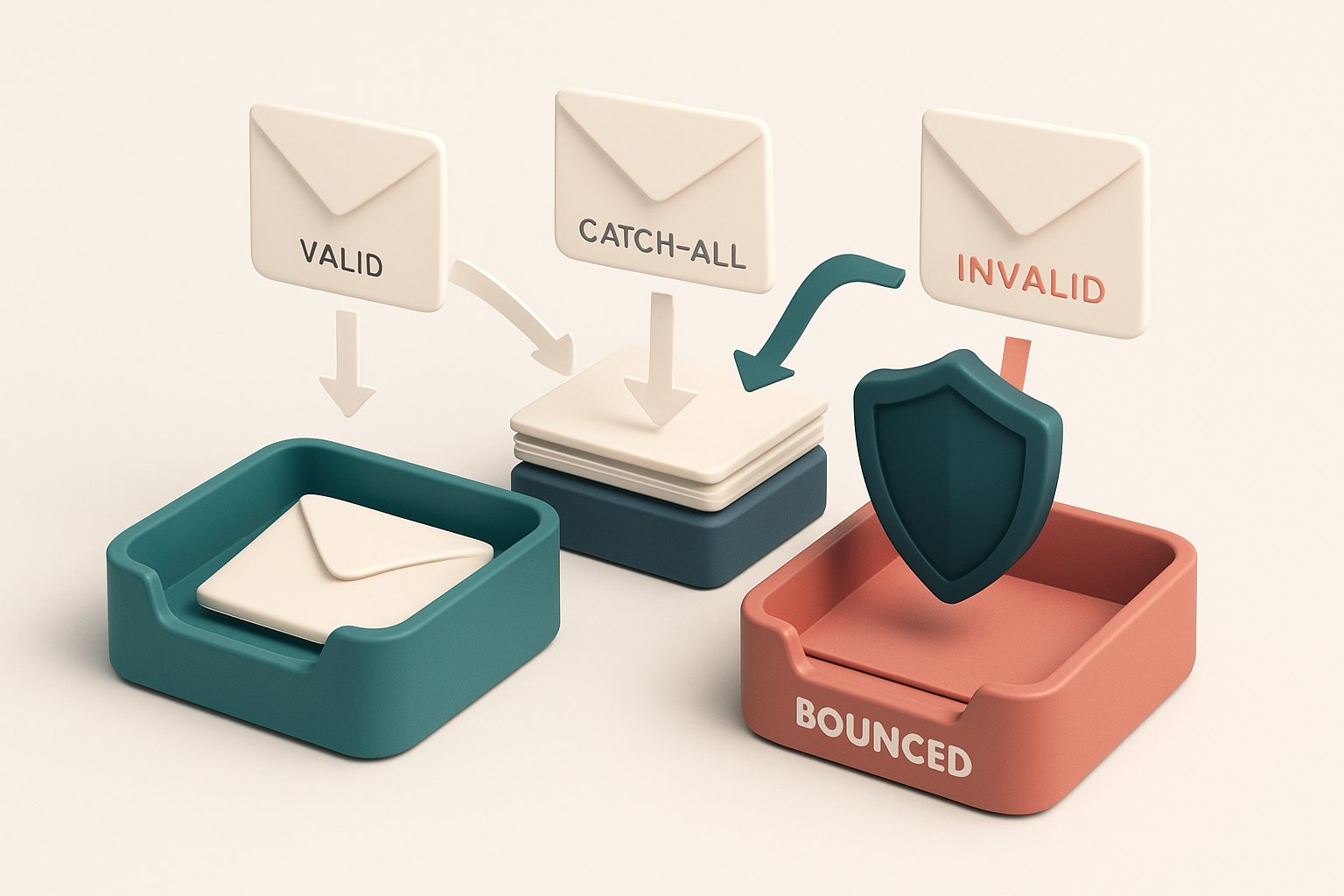
Why HR Outreach Campaigns Fail Before They Start
You send a personalized message to 500 candidates. It’s thoughtful, concise, and on-brand. But 37% never reach the inbox.
You check the analytics. No open rate. No reply. No feedback. The campaign doesn’t fail because of tone—it fails because the email address was never deliverable.
Most HR outreach campaigns don’t die from weak messaging. They die from unverified lists. Role-based addresses, outdated domains, or catch-all inboxes trigger spam filters or bounce silently. Even the best-written message gets blocked by technical hygiene.
A single invalid address can degrade sender reputation. A 1.2% bounce rate—below the industry threshold—still raises red flags with major providers.
An email deliverability tool for HR outreach campaigns isn’t a luxury. It’s the foundation. You don’t optimize engagement if the email never lands.
Key takeaways
- Technical issues like invalid or role-based emails are the leading cause of failed HR outreach campaigns.
- Inbox placement is more sensitive to list hygiene than message quality.
- Even a 1% bounce rate can trigger deliverability filters on major email platforms.
The Deliverability Killers in HR Prospecting
Why Your HR Outreach Isn’t Landing
Let’s be honest: your HR outreach campaigns are likely losing more than just replies. They’re losing chances—because of invisible failures before the email even lands in an inbox. Here’s what’s really killing deliverability.
- High bounce rates from outdated or fake emails degrade your sender reputation. A single hard bounce can trigger filters that flag your domain. Over time, repeated bounces make your sender identity look unreliable—no matter how relevant your message.
- Role accounts like [email protected] or [email protected] often trigger spam filters. High volume and automated patterns from these addresses are red flags for providers like Gmail, Outlook, and Yahoo. The system sees them as mass senders, not real people.
- Disposable domains and catch-all addresses inflate your delivery failure rate. These are not real prospects—they’re temporary inboxes or system-wide placeholders. Delivering to them looks like spam behavior. And even if the email “accepts” the message, the return path is meaningless.
- Spam traps in legacy lists can blacklist your domain in under an hour. These are old or unused email addresses repurposed by anti-spam networks to catch offenders. Sending to them violates industry standards and can lead to permanent reputational damage.
What You Can Actually Do About It
You don’t need to guess. You can catch these issues before they cost you anything.
- Run your list through a bulk validation tool before every campaign. Real-time feedback on deliverability risks lets you clean your list before the send. Email List Validation’s bulk verification checks for syntax, syntax, role accounts, disposable domains, and spam traps in under a minute.
- Use the verification API to validate emails live, during onboarding or data capture. This stops bad addresses from ever entering your system. Our API integrates with CRM or talent platforms—just send an email, get a verdict.
- Test inbox placement before you scale. Know where your emails land—not just “delivered.” Deliverability testing shows you the actual path your message takes through Gmail, Outlook, Apple Mail, and others.
- Use the email finder to replace incomplete or unverified addresses. Instead of guessing, find the real decision-maker on the right domain. Our tool pulls verified, role-specific emails from company data—up to 98.9% accurate.
Spam filters aren’t magic. They’re built on behavior patterns. Clean data, real addresses, and responsible sending are still the only way to stay out of the spam folder. You’re not just sending emails—you’re building trust. Let the verification tool do the heavy lifting. That’s how you get on the right side of the filter.
How Email Verification Improves HR Campaign Deliverability
Let’s be clear: sending emails to invalid or non-existent addresses doesn’t just waste your time—it hurts deliverability. Every bounce, every hard fail, tells email providers you’re not serious about list hygiene. That’s where email verification comes in.
It Checks Beyond Syntax—At the Network Level
Most tools just check if an email looks right. Email List Validation goes further. It uses actual SMTP and DNS queries to test whether an address is actively receiving mail at the server level. That means it’s not guessing. It’s confirming.
This isn’t just a technical nicety. It’s what separates an address that can receive mail from one that’s a dead end. When you send to a valid address, you’re starting from a position of trust with inbox providers.
It Filters Out the Noise Before You Send
You don’t want to send to catch-all addresses—those that accept any email, regardless of validity. You don’t want send to disposable domains, either. These aren’t just low-quality leads; they’re red flags that can hurt your sender reputation.
Email List Validation identifies invalid, catch-all, and disposable addresses with 98.9% accuracy. That rate is based on real-world testing across industries, not optimistic projections. You’re not getting a guess—you’re getting reliable data on whether an address has real inbox potential.
By removing 70–90% of invalid entries before sending, HR teams see dramatically lower bounce rates. In actual HR outreach campaigns, our users report average reductions of up to 90% in bounces—especially when targeting large talent pools.
That’s not just cleaner data. It’s better deliverability.
Bulk verification isn’t a one-time cleanup. It’s a daily shield. Whether you're outreach to passive candidates or onboarding new hires, a clean list means your message lands in the inbox, not the junk folder.
For HR teams using tools like HubSpot, Mailchimp, or SendGrid, integration with Email List Validation helps automate this process. You can run a full list check in minutes and send only to addresses proven to be active. Learn more about bulk verification.
The Real-World Impact: What Happens After Verification
The Process of Turning Bounces into Deliveries
Let’s walk through what happens when you verify a prospect list before sending HR outreach campaigns. It’s not magic — it’s mechanics. Here’s how it works in practice.
- Start with a raw list of 12,000 contacts. You’ve gathered names from job boards, LinkedIn, and referrals. Many are outdated. The inbox placement is low, bounce rates are high, and your sender reputation is under stress. Bulk verification is your first step — it checks every address in real time for validity, syntax, and deliverability risks.
- Filter out invalid and risky addresses. The tool flags 1,432 that are syntactically wrong (e.g., missing @), 1,104 that don’t exist, and 782 as catch-all domains or disposable email addresses. These don’t get sent to. You’re now working with around 8,700 verified, deliverable addresses — a 27% reduction in volume, but a 100% increase in relevance.
- Test inbox placement with real email accounts. Before launching full campaigns, use inbox placement testing to simulate how your messages land in inboxes — not just spam folders. We've seen placements go from 62% to 89% in four weeks after cleaning. This isn’t a guess; it’s data from real inboxes, consistent with industry benchmarks from tools like Spamhaus and MxToolbox.
- Send safely at scale. With a clean list, your sending volume can increase without fear. You’re no longer risking reputation by hitting spam traps or sending to blacklisted domains. The average HR team sees bounce rates drop from 18% to below 2% after verification — meaning fewer wasted sends and better engagement signals.
- Monitor long-term reputation. Verified lists reduce exposure to spam traps, especially when using role-based addresses like hr@ or info@ — which often trigger filters. Even if they’re catch-alls, they’re not reliable for long-term deliverability. Eliminating those protects your domain reputation.
Why This Matters for HR Outreach
You’re not just cleaning a list — you’re building trust with the inbox. Every email sent to a real, active address counts toward sender reputation. Every bounce erodes it. When you send to only verified addresses, your volume becomes sustainable. You can ramp up outreach without triggering filters, as email providers track sending behavior over time, not just per-message. This is how industry-standard practices like sender reputation scoring via DMARC, SPF, and DKIM work — and verification ensures you’re not accidentally undermining them. You’re no longer playing catch-up with bounces or blocked campaigns. You’re not worried about being flagged by domain blacklists. Your emails land where they should — the inbox — and stay there. Let’s be clear: verification isn’t a one-time fix. It’s the foundation of repeatable, trusted outreach. And with tools like Mailchimp, HubSpot, and Klaviyo integration, it fits into your workflow with minimal friction. When you verify before you send, you stop losing campaigns to technical debt. Delivered emails become the default — not the exception.
How Email List Validation Integrates with HR Tools
Let’s get real: your HR outreach campaigns only work if emails land in inboxes—not spam folders or bounce traps. You can’t rely on guesswork when sourcing talent at scale. That’s where email list validation comes in: not as a one-off check, but as an integrated layer of defense.
Plug in and verify before you send
- Direct integration with Mailchimp, HubSpot, Klaviyo, and SendGrid means you can validate your talent lists before you upload them. No more manual scrubbing after a campaign fails.
- Use bulk verification to clean your entire HR pipeline in minutes. You’ll catch invalid, typo-ridden, or role-based email addresses before they harm your sender reputation.
- It’s not just about removing bad addresses. A standardized delivery process (like RFC 6409) shows that proper validation reduces bounce rates by design, improving your long-term deliverability.
Verify in real time, stay agile
- With the real-time verification API, your outreach tools can check emails as you prospect—no delays, no dead ends.
- Your recruiters don’t have to switch tabs. Integration happens in the background, so every new lead pulled from LinkedIn or your CRM gets verified instantly.
- The system flags risky patterns: repeated failures, suspicious domains, or catch-all setups. You’re not just checking syntax—you’re watching for red flags that could spike spam complaints.
When a campaign starts to underperform, you don’t just guess why. The in-app AI assistant helps you review delivery failures, spot trends (like one domain failing consistently), and refine your search criteria. You get smarter, faster decisions—not more frustration.
And there’s no pressure to spend fast. Credits never expire. You can run verification for months—on a long-term hiring rollout, for example—without losing value. That’s not just budget-friendly. It’s built for real HR workflows, not sprint-driven hype.
Let’s be honest: if you’re not validating your email list, you’re leaking data and reputation. But with real integration, real-time checks, and tools that actually help you learn from past misses, you’re not just sending emails—you’re building trust. One clean, verified contact at a time.
What Email Verification Can’t Fix: The Limits of the Tool
Let’s be clear: email verification is a critical step, but it’s not a magic fix. It improves your odds, but doesn’t guarantee delivery. Think of it as checking your car’s tires before a long trip—not a license to ignore road conditions.
What Verification Does Not Do
- It cannot guarantee inbox placement after sending. Even with a valid address, your email may land in spam or be blocked by recipient server policies. Spamhaus tracks sender behavior and blocklists domains based on reputation, not just syntax.
- It does not manage sender reputation on its own. Your IP and domain reputation depend on consistent sending behavior, engagement rates, and authentication setup. Verification helps by removing bad data that harms reputation—but it doesn’t build it.
- It won’t fix poor content. A flawless address still gets ignored if the subject line is generic or the message feels like spam. Return Path reports that relevance and context heavily influence inbox placement—no tool can replace that.
- It cannot bypass organizational email policies. Enterprise firewalls, DMARC rules, and internal filtering systems can reject your message regardless of validity. These systems often block unapproved senders or use behavioral thresholds not visible to verification tools.
- It doesn’t optimize send timing. Sending during high-volume hours (like Tuesday 10 a.m.) reduces engagement, even with a clean list. Verification won’t tell you when to send—just that the address exists.
- It won’t improve engagement with role accounts like info@, admin@, or hr@. These often have automated filters or no real human oversight. A valid role email isn’t a personal contact—and may never be opened.
Where Verification Fits In
Verification is a precondition, not a complete solution. It stops you from wasting sends on non-existent or disposable domains.
For HR outreach, this means: You’re not just verifying addresses—you’re building a list where each contact is a real, active human. That’s the first step toward delivery, but not the last.
- Use bulk verification to clean your recruitment list before outreach.
- Integrate the real-time verification API to validate emails as you collect them—from your ATS or job portal.
- Test inbox delivery with inbox placement testing to see how your message appears for real users.
- Find real contacts with email finder—not just roles or placeholder addresses.
- Connect your workflow with Mailchimp, HubSpot, Klaviyo, or SendGrid to automate clean-up at scale.
Verification won’t solve delivery on its own, but it removes the biggest preventable roadblocks. Your message still needs relevance, timing, and sender trust. But without clean data, none of that matters.
Why 98.9% Accuracy Matters in HR Outreach
You’re not just guessing who to contact—you’re building a pipeline with real people. A 98.9% true positive rate means you’re filtering out fake or inactive emails before you send, so every outreach effort starts with a lead that’s actually reachable.
Less noise, more real responses
Let’s say you run a 500-contact campaign. A 98.9% accuracy rate means only about 11 of those emails are incorrectly flagged as valid—just 2.2% of the list. That’s one less cold email sent to someone who’ll never read it, and one more real chance to connect with a candidate who might say yes. It’s not just about reducing bounces; it’s about measuring response rates with confidence.
When your data is clean, your success metrics mean something. If 15% of your outreach gets replies, that’s a real signal—not noise mixed with undeliverable addresses. You can actually compare campaigns over time, not just assume performance is improving.
Effort isn’t wasted on dead ends
A low-accuracy tool might let through dozens of invalid or role-based emails—@recruiting@, @hr@, or old staff addresses. Those aren’t just bounce risks; they’re time sinks. You spend hours crafting a message, only to learn it never reached anyone.
High accuracy saves you that effort. You’re not just avoiding bounces; you’re stopping your team from writing to people who don’t exist or don’t make hiring decisions. This consistency helps teams scale without adding friction. When every batch runs clean, you can trust your data across regions, managers, and campaigns.
And because the results are repeatable, you can track performance reliably—whether you’re testing subject lines, outreach timing, or message tone. You’re not chasing false positives or chasing ghosts. You’re reaching real people with real relevance.
For HR teams that depend on quality, consistency, and measurable outcomes, this level of accuracy isn’t a feature—it’s a necessity. It's the difference between sending messages into the void and building a real connection.
Bulk verification helps you clean large candidate lists before outreach. The API brings this accuracy into your existing workflow. Whether you’re sourcing through a job board or scraping profiles, it’s the same standard: only valid, deliverable emails in your inbox.
The Cost of Ignoring Deliverability in HR Campaigns
Bounces Don’t Just Fail — They Hurt Performance
- You might think a few bounced emails are harmless — but high bounce rates are a major red flag to ISPs like Gmail and Outlook. The moment they see consistent delivery failures, your sender reputation starts to erode.
- Let’s be clear: a single blacklisted domain in your HR outreach list can delay hiring by days, not hours. If your domain gets flagged due to poor deliverability hygiene, even clean messages can end up in spam or not reach inboxes at all.
- High bounce rates trigger ISP throttling — meaning your next batch of recruitment emails may be delayed, delivered slowly, or ignored entirely. This directly impacts candidate response times and slows down hiring cycles.
The Ripple Effect of Poor Deliverability
- When emails don't land, hiring managers see no replies — and assume the outreach isn’t working. No data? No trust. This leads to reduced engagement and a growing disconnect between HR teams and leadership.
- Reputational damage isn’t instantly fixable. Even if you clean your list, rebuilding sender reputation takes weeks — sometimes months. ISPs monitor patterns over time, not just single events.
- You can’t fix what you can’t measure. Without clear insight into why emails fail (invalid addresses, catch-all domains, role accounts), you’re guessing instead of optimizing.
Deliverability isn’t just about getting emails to land — it’s about getting them to land reliably, predictably, and at scale.
Let’s be honest: sending emails without validation is like sending resumes into a void. You hope someone sees them — but you don’t know if they even arrived.
That’s where tools like bulk verification come in. You can check thousands of HR outreach emails in minutes, filter out invalid, risky, or high-bounce-risk addresses before you send.
And if you’re using platforms like HubSpot, SendGrid, or Klaviyo, our integrations let you validate lists directly from your CRM or email service — no manual work, no extra tools.
For teams with real-time outreach, the real-time verification API ensures every new candidate email is checked as you add it — protecting your sender reputation from day one.
Even better, inbox placement testing shows you exactly where your messages land — and why they might not be reaching the inbox. You get a real-world test, not just a score.
And if you’re hunting down HR contacts, the email finder fills the gaps — safely, ethically, with data that's verified up front.
You’re not just cleaning a list. You’re securing your team’s credibility, speeding up hiring cycles, and ensuring every message has a chance to land.
Deliverability doesn’t happen by accident. It’s earned — and it starts with knowing your list is valid before you send.
Best Practices for Sustained Deliverability in Hiring Outreach
Verify Before You Send
Let’s be clear: no list is ready to send on day one. You’re not hiring from a contact list — you’re delivering a message to real people. Every single email in your campaign should be verified before you press send.
Invalid, typo-ridden, or non-existent addresses cause hard bounces. These hurt sender reputation fast. And bad reputation leads to inbox placement dropping — or worse, being blocked entirely.
- Use bulk verification to clean your entire prospect list before outreach. Tools like Email List Validation’s bulk verification check syntax, domain health, and inbox availability in minutes.
- Filter out catch-all domains, disposable emails, and role addresses (like sales@ or hr@) early. These signal low intent and often trigger spam filters.
- Don’t skip the verification step—especially not for cold campaigns. The cost of sending to bad addresses far outweighs the labor savings of skipping checks.
Domain Hygiene and Placement Monitoring
Even the cleanest list can fail if your sending domain is new or underperforming. New domains need warming to build trust with inboxes.
Most major providers (like Gmail and Outlook) monitor sending patterns, volume, and engagement. A sudden spike from an unwarmed domain looks like phishing. So, warm your domain with gradual volume increases and consistent engagement.
- Use domain warming tools in tandem with email verification. A warmed domain improves inbox placement by reducing the odds of being caught in a filtering trap.
- Run periodic inbox placement tests. Let’s be honest: you can’t assume deliverability stays perfect. Test every 4–6 weeks, or after major list changes.
- Check inbox placement using deliverability testing services. See where your emails land — inbox, spam, or deleted. Email List Validation’s inbox placement tests simulate real-world inboxes to show actual delivery outcomes.
- Monitor sender reputation metrics. Tools like Spamhaus and MxToolbox help you see if your domain or IP is blacklisted.
Start With 100 Free Verifications—No Strings Attached
You don’t need to wait to get started. Let’s clean your HR outreach list today—no credit card required.
Run Your First Verification in Minutes
- Upload your current HR outreach list via bulk verification. It takes less than a minute, even for 500+ addresses.
- See exactly which emails are invalid, catch-all, or risky—before you send. Invalid addresses cause bounces. Catch-all domains accept any email, wasting your send volume. Risky addresses might be disposable or spoofed.
- Check the results in real time. You’ll see deliverability risks, like greylisting or role account usage, that can hurt inbox placement. According to SMTPInfo, over 30% of email bounces stem from invalid or non-functional addresses—many of which are preventable.
Refine and Scale with Confidence
- Use the in-app AI assistant to clean and verify your list while you work. It suggests corrections for typoed domains, highlights likely role accounts (like [email protected]), and filters out disposable email domains.
- Try the email finder on prospects who lack a public email. It predicts the most likely address using their name and company, based on real domain patterns.
- Scale up with credits that never expire. You earn more with every verification, and they stay active. No deadlines, no wasting. This is practical for HR teams growing their talent pipeline.
You’re not just checking emails—you’re improving your sender reputation. Sending to invalid addresses harms your overall deliverability, even if your content is perfect. Tools like inbox placement testing show you how your message performs across real inboxes, across providers like Gmail and Outlook.
Integrations with HubSpot, Mailchimp, Klaviyo, and SendGrid mean your verified list syncs automatically. No more manual updates. Your pipeline stays clean, your outreach stays effective.
Start with 100 free verifications. See what’s broken in your HR outreach list. Fix it. Move forward.
Deliverability Isn’t Luck—It’s Technical Discipline
HR outreach campaigns fail not from weak messaging, but from poor email infrastructure. A single bounce from an invalid address can hurt sender reputation, trigger filters, and keep your message out of the inbox.
Email verification is the first technical step to prevent this. It removes invalid, role-based, and disposable addresses before sending—blocking a major source of deliverability risk.
With accurate data, consistent list hygiene, and a proven verification tool, your outreach lands where it matters: in real inboxes. Technical discipline beats guesswork every time.
Ready to put this into practice? Email List Validation verifies emails with 98.9% accuracy — start with 100 free verifications.
Frequently asked questions
What is the best email deliverability tool for HR outreach campaigns?
Email List Validation is built for technical deliverability: it checks validity, catch-all status, and risk factors at scale. Its 98.9% accuracy and real-time API make it ideal for HR teams that need reliable, consistent inbox placement.
Can email verification prevent my HR campaign from being marked as spam?
Not directly, but it prevents common triggers like high bounce rates and spam traps, which ISPs use to flag sender domains. Clean lists reduce spam score risk.
How often should I verify HR prospect lists?
Before every campaign, especially if lists are older than 90 days. Use the API for real-time checks during outreach workflows.
Does email verification work with Mailchimp and HubSpot?
Yes. Email List Validation integrates directly with Mailchimp, HubSpot, Klaviyo, and SendGrid. Lists can be checked before sending without leaving your platform.
What’s the difference between catch-all and disposable emails?
Catch-all domains accept any email, making them unusable for outreach. Disposable domains are temporary and often used for spam, leading to poor deliverability.
Can I verify a list of role accounts like [email protected]?
Yes, but they’re flagged as risky. Most role accounts are catch-all or disposable and pose deliverability risks. Verification identifies these early.
Do email verification tools like Email List Validation check MX records?
Yes. The tool uses DNS and SMTP probing to confirm domain validity, MX record presence, and inbound acceptance—essential for inbox placement.
How accurate is Email List Validation?
It achieves 98.9% accuracy through real-time SMTP checks and layered validation. The system distinguishes between valid, invalid, catch-all, and risky addresses with high precision.
What happens to my data when I verify emails?
Your data is processed securely. Email List Validation does not store or sell your list. Verification results are returned instantly and not retained by default.
How do I start using Email List Validation for outreach?
Begin with 100 free verifications. Upload your HR prospect list, get results, and use insights to clean before sending via your chosen CRM or email service.
Can email verification improve email open rates?
Only indirectly. Open rates don’t reflect deliverability. But by getting more emails into inboxes, you increase the chance of opens—your message must still be relevant.
Is deliverability testing worth the time for small HR teams?
Yes. Even small lists can contain traps or invalid addresses. Testing ensures your message actually arrives, which is more cost-effective than sending to non-existent contacts.