
Email List Cleanup Tool for Freelance Designers on a Budget
Clean your email list fast with an affordable tool for freelance designers. Reduce bounces, boost deliverability, and save time with real-time verification.
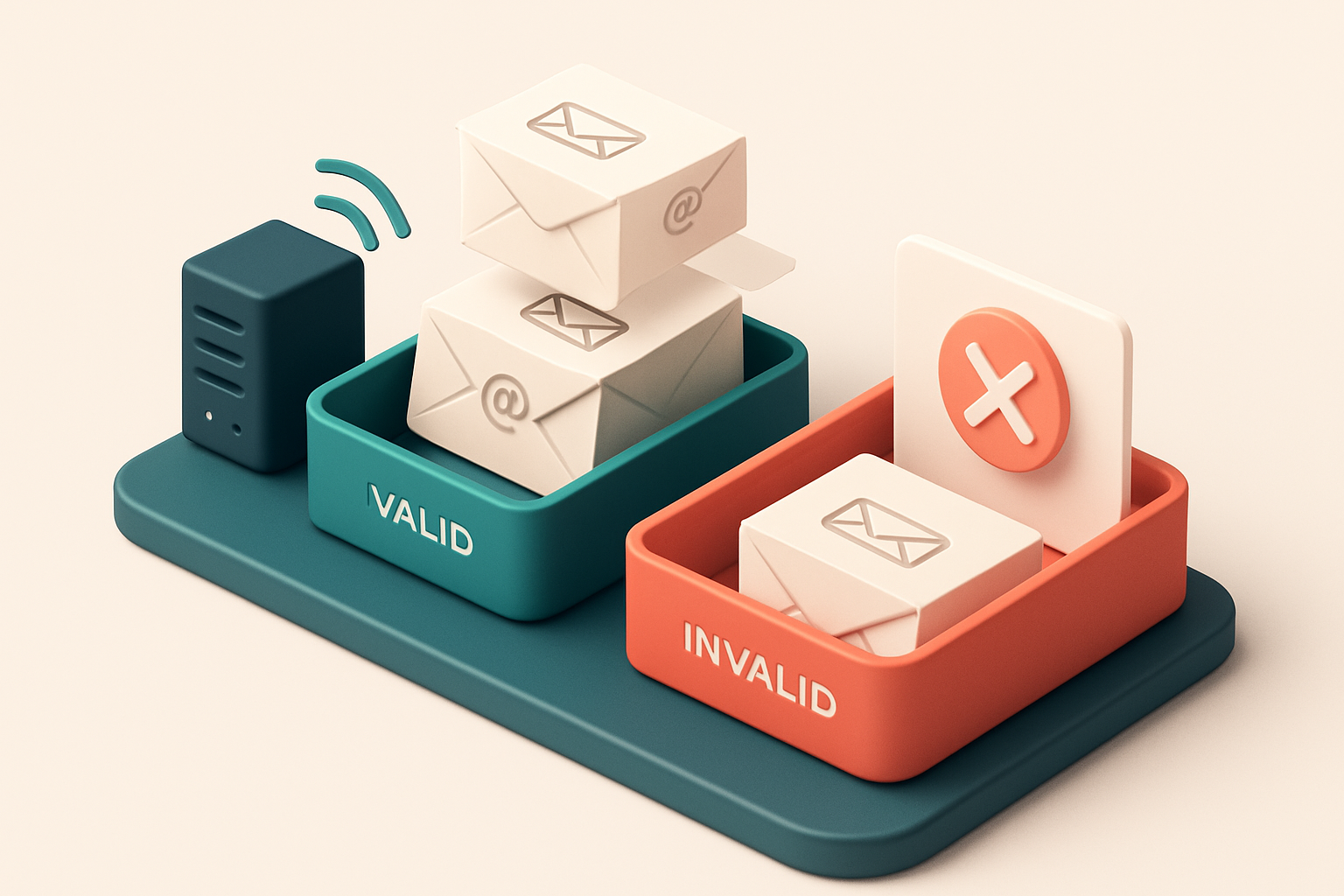
Why Your Freelance Design Email List Is Probably Broken
You send out a pitch to 50 potential clients. Ten bounce back. You think it’s just bad timing—or maybe your subject line. But what if the real problem isn’t your message? What if it’s the list itself?
Your client contacts, networking leads, and cold outreach tries are likely full of outdated, misspelled, or nonexistent emails. Every invalid address you send to hurts your sender reputation, inflates your bounce rate, and can push your future messages into spam folders—without you even knowing.
Most freelance designers build their lists reactively, not systematically. That means you’re probably sending to disposable domains, role accounts, or addresses that no longer exist. An email list cleanup tool for freelance designers on a budget isn’t a luxury. It’s the first step to sending with confidence.
Key takeaways
- Freelance design lists often include outdated or invalid emails from one-off projects and networking events.
- Invalid emails increase bounce rates, hurt sender reputation, and reduce inbox placement.
- Regular list cleanup with a verified tool helps protect your domain’s trust score and deliverability.
What Happens When You Don’t Clean Your Email List
You’re sending to a list that hasn’t been touched in months. Maybe it’s from an old campaign, a lead magnet, or a freelancer’s networking spree. But every email that bounces is a small blow to your reputation.
Bounce Rates and Sender Reputation
If you’re hitting bounce rates above 5%, you’re likely to get flagged by spam filters. Most email service providers treat consistent high bounce rates as a sign of poor list hygiene, which can lead to your messages being deprioritized or blocked entirely. According to industry benchmarks, maintaining a bounce rate under 2% is standard for reliable deliverability.
High bounce rates also hurt your sender reputation. ISPs like Gmail and Outlook track engagement patterns over time. Even a few bad sends can signal that your content isn’t trusted—especially if you’re not a known sender. Once reputation dips, recovery takes time, effort, and clean data.
Dead Weight: Disposable & Role Accounts
Many lists include disposable emails—Gmail aliases, temporary domains, or throwaway addresses. These aren’t real people. They don’t open your emails, click links, or convert. Yet they count toward your total list size and distort your engagement metrics. If you’re measuring open rates and they’re stuck at 1%, it’s possible you’re being misled by inactive or fake addresses.
Role accounts like info@, sales@, or support@ are another common trap. They rarely reach actual decision-makers. Even if they’re valid, replies are often automated or ignored. These accounts generate false positives—low engagement, but not because the content is bad. It’s because the email doesn’t go to a real person.
Let’s be honest: you don’t want to waste time on lists that don’t produce results. Every inactive email drains your credibility, inflates your cost-per-send, and makes your outreach look less professional.
It’s not about cutting your list down to size—it’s about making sure every email you send counts. A tool like Email List Validation’s bulk verification can catch bounces, identify role accounts, and flag disposable domains in under a minute. You’ll know what’s valid before you send—no guesswork, no damage.
For freelance designers who send monthly newsletters, project updates, or pitch sequences, list hygiene isn’t optional. It’s the foundation of deliverability. And with 98.9% accuracy and credits that never expire, it’s a low-cost upgrade that pays off fast.
Dig into your inbox data. You’ll likely find more dead weight than you expect. Cleaning it now saves you from bigger problems later.
The Real Cost of Sending to Invalid or Risky Email Addresses
You might think one bad email won’t hurt much. But in reality, a single invalid or risky address on your list can trigger a cascade of problems—especially if it’s from a domain with strict inbound filtering.
Major providers like Gmail and Outlook monitor bounce patterns closely. If your list bounces 2% or more on a single domain over a short period, that domain’s reputation can be flagged. Once flagged, your entire sending IP is under suspicion, even if the rest of your list is clean.
One bounce can cost you everything
Every time an email fails to deliver, it erodes your sender reputation. That reputation is a real metric used by inbox providers to decide whether your messages land in the inbox—or get silently filtered into folders like Promotions or Spam.
Think of it like a credit score. A few late payments don’t ruin it instantly, but they accumulate. Over time, even a small number of bounces—even from one domain—can push you into the “suspicious sender” range.
According to the Messaging, Malware, and Mobile Anti-Abuse Working Group (MMAWG), consistent or sudden spikes in delivery failures are a known indicator of spam behavior, even if the content is clean. This can result in your IP being dropped from delivery networks or placed on third-party blocklists.
And here’s what’s painful: once you’re blacklisted or flagged as low reputation, getting back into good standing takes time—days, sometimes weeks. During that window, you’re not reaching your audience. That’s not just wasted effort—it’s lost opportunities.
Let’s be honest: freelancers on a budget can’t afford the time or credibility hit of being blocked by Gmail. You’re not just sending to a few people—you’re building a reputation that affects every future outreach.
That’s why cleaning your list before sending is not optional. It’s a standard practice for anyone serious about deliverability.
With Email List Validation, you can clean your list in bulk or integrate verification in real time—so nothing gets sent without a green light. It checks for invalid syntax, role accounts, disposable domains, and catch-all setups that could hurt your standing.
It’s not just about reducing bounces. It’s about protecting your long-term access to your audience. If you’re serious about growing your freelance work, you’re already sending to people who could become clients or collaborators.
Make sure your messages get there—before they get blocked.
Run a bulk verification now—it’s $0 to start, and your first 100 credits never expire.
How to Fix This: Use a Bulk Email Verification Tool Without Breaking the Bank
You know that sinking feeling when you send a pitch email—only to get a bounce notice two hours later? Or worse, when a client never replies, but you never knew they were on a dead list. It’s not just annoying. It’s wasted time, damaged reputation, and zero return on investment.
Start with the basics: Verify before you send
- Run every list through a bulk email verification tool before every outreach campaign—especially before sending invoices, pitch emails, or newsletters.
- Even a single invalid address can hurt your sender reputation. Most ISPs flag senders with high bounce rates, even if just a few addresses are bad.
- Use a service that checks for syntax errors, domain validity, and mailbox existence—not just “does this domain exist?” but “does this email actually receive messages?”
- Let’s be clear: you’re not just saving money on failed deliveries. You’re protecting your deliverability. Poor list hygiene leads to inbox placement drops, which means your messages never reach the recipient’s eye.
Choose wisely: affordability + real functionality
- Pick a tool built for real-world use—not just a toy with a flashy dashboard. Look for bulk verification at scale, API access for automation, and integrations with tools you already use.
- Tools like Email List Validation handle 10,000+ emails in minutes and support direct integration with platforms like Mailchimp, HubSpot, and Klaviyo.
- The API option lets you verify emails on the fly—perfect for lead capture forms or client onboarding workflows.
- Don’t pay for full-time monitoring if you only send monthly newsletters. Choose a pay-per-use model with no expiry on unused credits. Some services offer 100 free verifications to start—use them.
- Verify with trusted protocols: check MX records, confirm mail servers respond, and detect catch-all domains or role-based addresses like
info@orsales@, which often lead to low engagement.
Before writing your next pitch or sending your next invoice, pause. Check the list. It only takes minutes and can save you hours of lost time, damaged trust, and reputational risk.
“Email hygiene isn’t a luxury. It’s a prerequisite for consistent delivery.” — RFC 6854
Your inbox placement is only as good as your list. Keep it clean. Keep it real. Use a tool that doesn’t demand a full marketing budget—but still delivers precision and insight.
How Email List Validation Works: Real-Time Checks, No Guesswork
You send an email. It doesn’t land. Maybe it bounces. Maybe it gets trapped in spam. You’re left guessing: was the address wrong, or did your message just not make it? With email list cleanup tools, you don’t need to guess anymore.
Checks Happen in Real Time, Not Guesswork
When you run your list through Email List Validation, it doesn’t rely on outdated databases or fuzzy rules. Instead, it connects directly to the receiving domain’s mail server in real time—using SMTP and MX record lookups—to verify each address before you send.
Think of it like verifying a phone number by calling it directly instead of relying on a list of unverified numbers. You’re not guessing whether a domain exists—you’re checking if it’s actually listening.
Four Clear Verdicts, No Ambiguity
Each email gets one of four responses: valid, invalid, catch-all, or risky. No vague “maybe” or “check later.” Here’s what each means, based on real mail server behavior:
- Valid: The email address exists, accepts mail, and is not likely to bounce. It’s ready to engage.
- Invalid: The address is syntactically incorrect, the domain doesn’t exist, or the server rejected it outright. It’s not deliverable.
- Catch-all: The domain accepts all addresses, regardless of validity. Sending to these is risky—your message may never reach the intended recipient. It’s a red flag.
- Risky: The server is unresponsive, temporarily offline, or uses greylisting. These often resolve on retry. We flag them so you can act accordingly.
It’s not about filtering more—it’s about filtering smarter. You’re not throwing away good names. You’re removing the noise that hurts deliverability.
Our system respects common email server behaviors like greylisting. Instead of counting a temporary delay as a failure, we wait and retry before labeling an address as invalid. This reduces false positives—keeping valid addresses while removing the bad ones.
It’s an industry-standard practice for good reason. As RFC 5618 notes, temporary failures are common in real-world email delivery. A good tool knows when to retry and when to stop.
For freelancers on a budget, this means fewer wasted sends, better inbox placement, and more trust in your outreach. You’re not just cleaning your list—you’re protecting your sender reputation.
See how it works for yourself. Start with 100 free verifications at bulk verification, or integrate the real-time verification API into your workflow. No credit card required. Credit never expires.
The Five Verdict Types You Need to Understand
Let’s be clear: not all invalid emails are created equal. Knowing what each verdict means saves you time and protects your sender reputation. You’re not just cleaning up spam—your goal is to keep your list lean, credible, and inbox-ready.
What Each Verdict Actually Tells You
The email-verification engine breaks down every address into five distinct categories. Here’s what they mean in practice, with real-world context.
| Verdict | What It Means | What to Do Next |
|---|---|---|
| Valid | Address exists and accepts messages. Verified with 98.9% accuracy across all checks (format, DNS, SMTP, mailbox existence). | Keep it. This is your target audience. |
| Invalid | Address format is broken (e.g., [email protected]) or domain doesn’t exist. Common with typos or fake entries. | Remove it. These will bounce immediately and hurt your deliverability. |
| Catch-all | Domain accepts all emails, even non-existent ones. Likely a shared hosting setup or old mailbox system. | Flag for review. You can’t know if the person exists, but you can’t rule it out either. High risk of being flagged as spam. |
| Risky | Disposables (like mailinator.com), role-based (admin@, sales@), or temporarily blocked domains. | Remove or exclude. These don’t engage and are often used to test or harvest lists. |
| Unknown | Server didn’t respond or timing out—could be temporary blocking or network issue. | Manual review needed. These aren’t safe to send to without follow-up. |
A catch-all domain, for example, might look valid on the surface but isn’t reliable for outreach. According to the IETF’s RFC 5321, these are a known deliverability risk because they accept mail for non-existent users. That’s why systems like bulk email verification don’t just flag them—they mark them as high-risk. Risky addresses, such as those ending in @mailinator.com or @guerrillamail.com, are routinely used in spam testing. If you send to them, ISPs may see it as a sign of low-quality list hygiene. This can lead to filtering, even if your message is legitimate. The good news? You don’t need a massive stack to do this right. A tool like Email List Validation processes your list in bulk and gives you clear verdicts—no guesswork. Even freelancers with tight budgets can keep their sender reputation intact. If you're building a list from scratch, tools like email finder help you verify addresses before you even send. And if you’re using SendGrid, HubSpot, or Mailchimp, API integrations make cleanups automatic. Your list is only as strong as your newest entry. Use a tool built on real SMTP and DNS protocols—not just guesswork.
How to Clean Your Freelance Design List: A Step-by-Step Process
Start with Your Existing List
Let’s be honest—your current list probably has a few dead ends. You might not realize how many of your contacts have changed email addresses, left their companies, or use temporary domains. Cleaning it isn’t just about hygiene, it’s about saving time and improving results.
Run the Validation Process
- Export your list from your email tool—Mailchimp, HubSpot, or your CRM. Make sure it's in CSV or Excel format. This is the raw material you’ll clean.
- Upload it to Email List Validation via our bulk verification tool. You’ll get back results in seconds, not hours. It checks each address using real-time SMTP, MX lookups, and syntax validation.
- Filter the output by verdict. Only keep entries marked valid. Remove or flag any invalid, risky, catch-all, or unknown addresses. This stops future bounces and protects your sender reputation.
- Download the cleaned list and re-import it into your email service provider. This step ensures your next campaign runs on healthy data.
- Resend your campaign—with confidence. You’ll see fewer bounces, better inbox placement, and higher engagement. According to Spamhaus, consistent sender reputation management reduces the odds of your messages being flagged as spam across major platforms.
Think of it like tuning a guitar before a performance. A single wrong note derails the whole act—but a well-tuned instrument plays clearer, louder, and with more impact.
Your freelance design network is worth maintaining. Even a 10% improvement in list health can mean more clients, more visibility, and fewer headaches when your campaign hits the inbox.
“Clean data isn’t a luxury. It’s a foundation for deliverability.”
For ongoing efficiency, consider adding our real-time verification API to your client onboarding flow. It verifies addresses as they come in—before they ever hit your list.
And if you're starting fresh, our email finder can help identify prospects with public contact records—no cold outreach guesswork.
You’ve got the skills. Now, get the data right. Even small improvements compound. And they’re all within reach with the right tool.
Why Accuracy Matters: 98.9% is Not Just a Number
Let’s be clear: accuracy isn’t just a marketing line. For freelance designers, it’s the difference between a successful outreach campaign and a list full of dead ends. A 98.9% accuracy rate means you’re losing fewer than one in every 100 valid emails to false negatives — that’s one fewer wasted pitch on every 100 prospects.
The Real Reason Behind the Number
Most tools rely on outdated databases or rules of thumb to flag bad emails. That’s like judging a song by its cover. Email List Validation doesn’t. It uses real-time, live SMTP checks — the same kind email providers use to verify addresses before delivery. This means every email is tested against the actual receiving server, not just guessed based on patterns or past data. Think about it: a rule like “no @outlook.com addresses with underscores” might be true for some, but not all. Relying on heuristics leads to over-blocking. At 98.9%, we’re not just avoiding false positives — we’re minimizing false negatives, which means fewer valid leads get tossed out by mistake.
Why Even 1% Can Cost You
Let’s do the math. You’ve got 500 emails in your list. A 98.9% accuracy rate means only 5 valid addresses might be flagged as invalid — that’s manageable. But with a tool that’s only 95% accurate? That’s 25 valid emails lost. For a freelancer who depends on every conversion, that’s 25 missed opportunities. The cost isn’t just in extra bounces — it’s in wasted time, tarnished sender reputation, and less trust from your target clients. High bounce rates can flag your domain as suspicious, even if you’re doing nothing wrong. That’s why precision isn’t optional; it’s foundational. You don’t need a tool that claims 99% accuracy without proof. You need one that checks in real time, with live server verification. That’s the standard set by email deliverability practices documented in RFC 5321, the baseline for SMTP communication. It’s not theory — it’s how the system was built. For freelancers on a budget, a clean list beats a big one. And clean means accurate. That’s why tools that depend on static data or pattern-matching fall short when real deliverability matters. You can start for free with 100 verifications at Email List Validation’s pricing page. Test it yourself — run a small batch of your outreach list and see how many of your real contacts survive unscathed. A tool like this isn’t just a filter. It’s a safeguard against reputational fatigue, list decay, and lost income.
Low Cost, High Impact: Free Credits, No Expiry, Full Integration
You don’t need a big budget to run clean, effective email campaigns. Let’s be clear: you’re a freelance designer — your time and inbox space are finite. Every bounce or hard failure drains both. That’s why starting with 100 free verifications is the smartest first move.
Start Small, Think Long-Term
- Test your first list right away with 100 free verifications — no credit card, no risk. Perfect for cleaning up old client emails or checking a recent campaign list.
- Purchase credits that never expire. Build a buffer for next quarter’s outreach, seasonal launches, or a surprise lead surge — no pressure to use them fast.
- Use the real-time API to verify every new lead as you add them. No need to wait — instantly filter invalid or risky addresses before they hit your email client.
- Sync directly with Mailchimp, SendGrid, or Klaviyo. Your list stays clean from signup to send, with no manual work or import lag.
Keep Your Deliverability on Track
Email deliverability isn’t a mystery. It’s built on consistent practices: valid addresses, clean sender reputation, and proper authentication. Tools like bulk verification help you catch bad addresses before they hurt your score.
Spam filters don’t just look at content — they check your sender history. If you’re constantly hitting hard bounces, your domain starts to look suspicious. The Internet Engineering Task Force (IETF) outlines best practices for email delivery via RFC 5321 and RFC 5322 — and one of the core principles is validating recipient addresses upfront. RFC 5321 covers the SMTP protocol, including how servers handle invalid recipients — a direct factor in bounce rates and reputation.
With integrations, you’re not just cleaning lists. You’re embedding validation into your workflow. Every new lead confirmed via API means fewer delivery failures, lower bounce rates, and a stronger sender reputation — especially important for freelancers managing multiple small accounts or campaigns.
And you don’t need a team to make it work. You do the creative. Let the tool handle the validation.
“The best email campaigns start with a clean list — not a bigger one.”
Let your next email go farther. Connect your tool of choice today and keep your inbox trusted, not trash.
Bonus: Use the AI Assistant to Identify Weak Spots in Your Outreach
You’re not just cleaning up emails — you’re building a smarter, more trustworthy outreach process. The in-app AI assistant doesn’t just flag invalid addresses. It looks at the bigger picture.
Spot the Patterns That Hurt Deliverability
Let’s say you notice most of your contacts are on Gmail. Or that nearly half use hello@, info@, or sales@. The AI assistant catches those red flags. A high concentration of role-based or disposable domains isn’t just sloppy — it’s a known signal to inbox filters.
According to Return Path, emails from overly generic or disposable domains see inbox placement rates as low as 60–70% for cold outreach, especially when sent from unverified IP addresses. You don’t want to be in that 30% that gets filtered out before it lands in an inbox.
It’s not about perfection — it’s about reducing friction. The AI helps you catch trends early, before they hurt your sender reputation. A single bounce is expected. A pattern of them isn’t.
Use Insights to Refine Your List-Building Strategy
Instead of guessing what went wrong when your outreach stalls, you now know *why*. Maybe you’re relying too much on public email formats. Or you’ve been scraping leads from forums with low domain quality. The AI points to the source.
That insight lets you adjust — not just fix, but improve. You start targeting designers on professional domains. You look for personal emails tied to portfolios, not job posts. You build lists based on real engagement, not just volume.
Over time, this self-correcting loop builds a higher-quality list. Fewer bounces. Better open rates. Fewer complaints. No more guessing if it’s the message or the list.
The AI isn’t a magic fix. It’s a guide — one that helps you make better choices, faster. You don’t have to start from scratch. You can clean your current list with bulk verification and then use the insights to build stronger ones going forward.
This Isn’t Just About Bounces—It’s About Trust
Every email you send shapes your reputation. A clean list reduces bounces, which directly improves your sender reputation. That reputation determines whether your messages land in the inbox or the spam folder.
The Real Cost of Dirty Data
When your emails bounce or delay, clients notice. It signals unreliability — even if the delay was outside your control. Clean data prevents those moments. It’s not a technical luxury; it’s part of your professional brand.
For freelance designers, consistent, trusted communication isn’t optional. It’s how you secure repeat work and referrals. Clean data is the foundation, not a feature.
Ready to put this into practice? Email List Validation verifies emails with 98.9% accuracy — start with 100 free verifications.
Frequently asked questions
How much does email list cleanup cost for a freelance designer?
You can start with 100 free verifications. After that, credits never expire and scale with your needs. This makes it cost-effective for irregular, budget-conscious use.
Can I verify individual emails in real time?
Yes. The real-time verification API lets you check addresses as they’re added, ideal for lead capture forms or outreach tools.
What’s the difference between catch-all and invalid addresses?
A catch-all accepts any email address on a domain, even invalid ones. An invalid address is either formatted incorrectly or nonexistent on the domain.
How does email list cleanup improve deliverability?
Reducing bounce rates prevents spam filters from flagging your domain. Clean lists signal reliability to Gmail, Outlook, and other providers.
Do you support integrations with Mailchimp or Klaviyo?
Yes. You can sync verified lists directly to Mailchimp, Klaviyo, SendGrid, and HubSpot, automating hygiene workflows.
What happens to disposable email addresses?
They’re flagged as 'risky' and don’t count toward your valid sender base. These are typically used for spam or temporary signups.
How accurate is Email List Validation?
It delivers 98.9% accuracy based on real-time checks. It’s tested against live SMTP servers and known spam trap networks.
Can I use it to find client email addresses?
Yes. The built-in email finder helps locate professional emails when you have a name or company, making outreach easier.
Do you verify role-based emails like info@ or support@?
Yes, but they’re labeled as 'risky' because they often don’t reach the intended person and may not engage.
How often should I clean my email list?
Before every major campaign. Quarterly cleaning helps catch drift. Avoid sending to unverified lists altogether.
What happens if a domain is greylisted?
The tool respects temporary failures and avoids marking addresses as invalid due to short-term delays.
Is this only for large businesses?
No. The free tier and flexible pricing make it ideal for freelancers with small to medium-sized lists.