
Email List Validation Tool for Small Nonprofits
Clean your nonprofit's email list with a reliable verification tool. Reduce bounces, boost deliverability, and improve outreach with real-time checks and bulk v
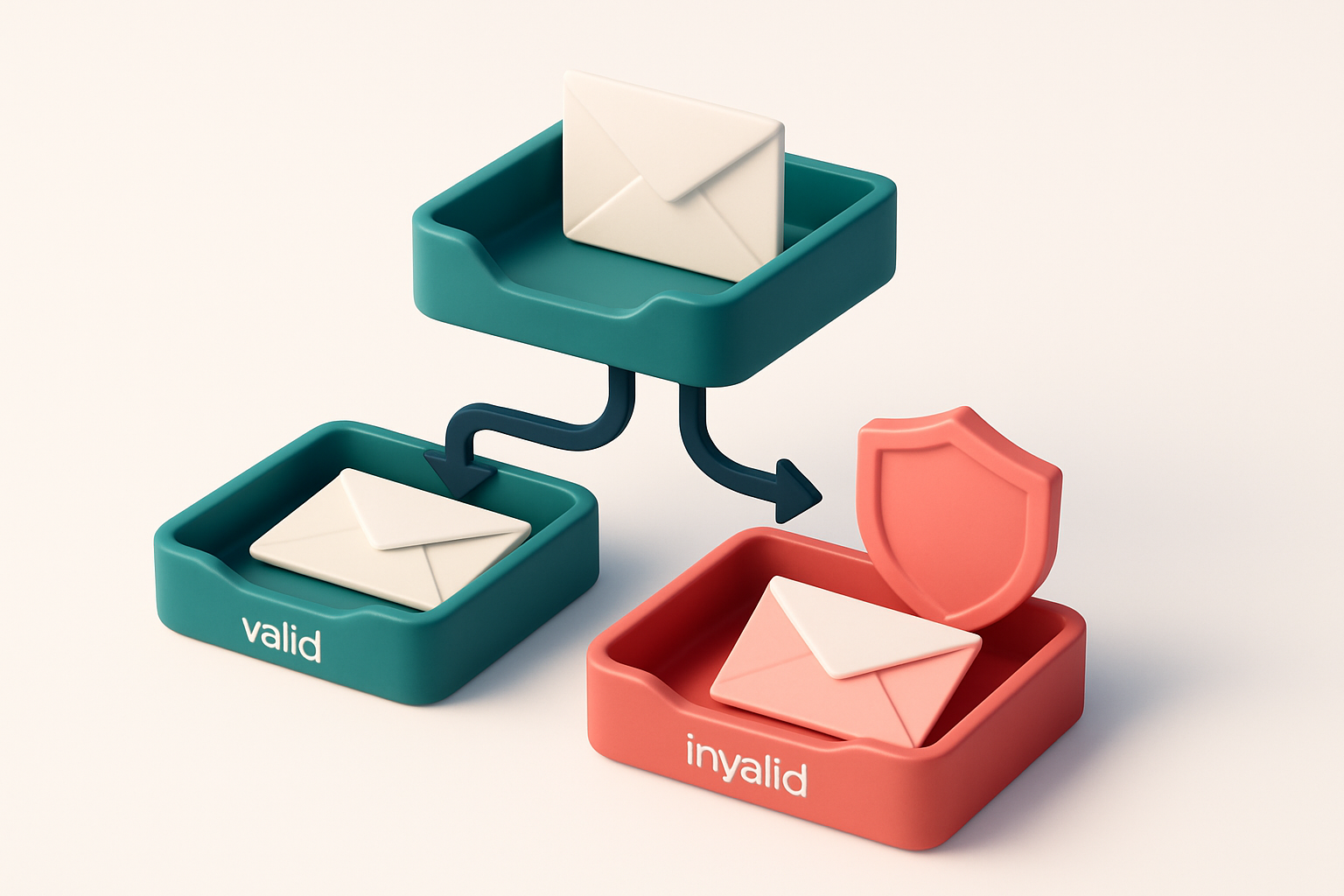
Why Your Nonprofit’s Email List Needs Cleaning
You sent a reminder about your annual fundraiser. Only half the list opened it. The other half? Bounced. Or worse—never showed up in inboxes at all.
That’s not bad timing. That’s a broken email list. Outdated, unused, or invalid addresses don’t just sit idle—they hurt your sender reputation, trigger spam filters, and make your next message even harder to deliver.
An email list validation tool for small nonprofit organizations isn’t a luxury. It’s a necessity. Without it, every send risks damaging your credibility with platforms like Gmail and Outlook.
Key takeaways
- Invalid or outdated email addresses lead to high bounce rates, which hurt sender reputation.
- High bounce rates increase the chance that future emails land in junk folders or get blocked entirely.
- For nonprofits relying on email for donations, newsletters, and event outreach, reliable inbox delivery is essential to mission impact.
The Hidden Cost of a Dirty Email List
You send a message to a supporter. They never see it. It’s not because they didn’t care. It’s because the email address was invalid, outdated, or just plain wrong.
Every single bad address is a missed chance — a donor who could’ve given, a volunteer who might’ve signed up, a community member who’d have shared your campaign. You’re not just losing one reply. You’re losing momentum across your entire outreach.
Reputation is Built on Every Send
When you send to hundreds or even thousands of addresses, each bounce — hard or soft — adds up. Mail servers track this behavior. Consistent bounces signal poor list hygiene. And that damages your domain’s reputation over time.
Spamhaus, a recognized email integrity authority, notes that sending to invalid addresses is one of the most common reasons for reputational damage. A single bounce isn’t fatal. But hundreds or thousands? That’s a red flag to ISPs and anti-abuse systems.
Let’s be clear: once your sending IP or domain lands on a blocklist, recovery is slow and painful. It often requires formal delisting, clean data, and months of consistent good behavior. By then, you’ve already lost trust, credibility, and engagement.
Blacklists Aren’t Just a Technical Headache — They’re a Relationship Problem
When your emails start landing in spam folders or bouncing outright, your audience doesn’t know why. They just see silence. That erodes connection. It makes your organization seem unreliable.
And it’s not just about deliverability. It’s about your mission. If your volunteers don’t hear about the next event, if donors don’t receive a thank-you, if advocates miss campaign updates — your work slows down, even if your emails are well written.
The truth is: a clean list isn’t a luxury. It’s a core part of running a credible nonprofit. It keeps your messages going where they matter — into inboxes, not trash folders.
That’s why tools like bulk email validation are essential for small organizations. They don’t just catch typos — they flag invalid, disposable, or non-existent addresses before you send.
Real-world data from major email providers shows that clean lists improve inbox placement by 20–30% on average. That’s not a guess. It’s a known trend in email deliverability practice.
What 'Valid' Really Means in Email List Validation
Let’s cut through the noise: when an email address is labeled "valid," it means it passed a few basic but essential checks. No fancy predictions, no guarantees—just a technical confirmation that the address is structured correctly, the domain exists, and there’s a functioning mail server waiting to receive messages.
What a Valid Address Actually Confirms
A valid address has a correct format—no typos in the local part or domain part. The domain resolves in DNS, and the MX record points to an active mail server. If the server says “yes, we’ll take mail for this address,” it’s valid by SMTP standards. That’s it. This happens in seconds, during the verification process, and doesn’t involve sending actual messages. But here’s where things get important: validation doesn’t tell you whether the email will land in the inbox—or even if it’ll be accepted at all. It only confirms the server is listening.
Why Valid Doesn’t Mean Inbox
A valid address can still end up in spam. Why? Because inbox placement depends on more than syntax and server presence. It depends on your sender reputation, content tone, sending frequency, and whether recipients mark your emails as spam. Even a perfectly valid address may trigger filters if your emails look suspicious to ISPs like Gmail, Outlook, or Yahoo. RFC 5321 (the foundational email standard) defines SMTP validation clearly—it’s about whether a server accepts delivery, not whether it’s read. According to the Internet Engineering Task Force, delivery success doesn’t imply inbox placement. The same applies to tools that claim real-time inbox testing: they simulate the process but can’t control how filters evolve. That’s why we recommend using an inbox placement service—like our inbox placement test—to see how your emails land across real email providers, not just whether the server says yes. Even if an address is valid, sending to it can still hurt your sender reputation if it’s inactive or leads to spam complaints. That’s why we don’t just flag invalids—we also detect risky, role-based, and disposable addresses. Let’s be clear: validation is the first step, not the last. You can use bulk verification to clean your list before campaigns. The bulk verification tool checks thousands of emails at once, filtering out the dead ones with 98.9% accuracy. But you still have to manage content, frequency, and engagement. A valid address doesn’t mean a receptive one. Think of validation as the foundation. Without it, you’re sending blind. With it, you’re at least pointing your email toward a real destination—what happens next is up to how you send it.*
Three Email Verification Verdicts You Must Understand
You don’t need a marketing degree to know that sending emails to invalid addresses hurts your reputation. But not all bouncebacks are equal. Here’s what the three core verdicts from a solid email list validation tool mean for your nonprofit.
How Verification Works Under the Hood
Each email check runs a series of technical validations: syntax, domain existence, server reachability, and mailbox behavior. The results are grouped into clear, actionable categories. Let’s break them down—no jargon, just what you need to know.
- Valid: The email is confirmed as deliverable. The domain exists, the MX record is reachable, and the server responds that the mailbox is active. This is your green light. You can safely send to it. Most major email platforms rely on this same verification layer to maintain inbox placement. SMTP RFC 5321 standardizes the underlying handshake.
- Invalid: The address fails one or more basic checks. It’s a syntax error (like missing @), the domain doesn’t exist, or the mail server explicitly rejects it. These must be removed immediately. Sending to invalid addresses increases bounce rates and harms sender reputation. Bulk verification helps you catch these fast.
- Catch-all: The domain accepts any email address, even non-existent ones. You might get a "250 OK" response, but the message won't reach the intended recipient. That means your emails go into a black hole—and if you send too much, ISPs mark you as spam. You should flag or remove catch-all domains. This risk is common with older or poorly managed domains, especially shared hosting setups.
Let’s be clear: a catch-all isn’t a "good" address. It’s a trap. Even if the server says yes, the message might never land. And if too many of your messages go to non-existent users, your sender reputation takes a hit. That’s not just theory—industry data shows that high bounce rates, especially from invalid or catch-all addresses, are a primary signal for email filtering systems.
What This Means for Your Nonprofit
Small nonprofits can’t afford to waste sends on dead leads. Every email counts. Using an email list validation tool helps you clean up your lists before you reach out, reducing bounces, improving deliverability, and protecting your domain reputation. You don’t need a high-end solution to get started—many tools offer free tiers. Start with 100 free verifications to test its impact on your campaign performance.
How to Choose the Right Email List Validation Tool
Let’s be clear: if you're running a small nonprofit, sending emails to invalid addresses doesn’t just waste time—it hurts your sender reputation. One bounce can trigger spam filters. You don’t need more noise; you need precision. That starts with choosing a tool that doesn’t just claim accuracy but delivers it consistently.
Bulk Verification and Real-Time Feedback Matter
You probably manage a list of hundreds—if not thousands—of contacts. Trying to validate them manually? Not an option. You need bulk verification that processes large lists quickly, with results returned in minutes, not days. The best tools run checks in real time, not after a delay, so you don’t have to guess whether a list is clean before you send.
Accuracy isn’t about a percentage—it’s about what the tool actually tests. Some tools say an email is “likely valid” based on format alone. That’s not verification. Real validation means checking against the actual mail server. That’s how you avoid false positives and know if an inbox is truly reachable.
For a nonprofit, it’s not just about accuracy. It’s about speed. A tool that returns a list of 500 emails with results in under 10 minutes gives you the confidence to move fast—without risking deliverability.
Look for Nonprofit-Friendly Design and Pricing
Many email validation tools are built for high-volume marketing teams. They cost more than a small nonprofit can afford, or charge per-use with hidden fees. You want something that respects your budget. Look for tools that offer a free tier—even 100 free verifications—to start testing without risk. And make sure the paid credits never expire, so you aren’t pressured into spending what you don’t need.
Integration is another quiet but critical factor. If you use Mailchimp, HubSpot, or Klaviyo, the tool should plug in seamlessly. No complex setup. No API hiccups. You should be able to verify a list and push it back to your platform within minutes.
Check that the tool doesn’t rely solely on syntax checks. An email like “[email protected]” passes format rules, but if it’s a catch-all or a role account, it may never reach an actual person. A good tool flags those cases clearly—often labeled as “risky” or “catch-all”—so you know not to rely on them.
For a full picture, test how your messages land in real inboxes, not just test domains. Inbox placement testing shows you if your email arrives in the inbox, spam folder, or gets blocked entirely—giving you insight beyond basic validation.
You don’t need a marketing-grade tool. You need a simple, reliable instrument for keeping your outreach honest. Tools like bulk verification and real-time API can handle your needs without overcomplicating things. And with pre-built integrations already available, you’re not locked into a new workflow.
Real-Time Verification API: Automate List Health
Let’s be honest: your nonprofit’s outreach only works if your emails actually land in inboxes. Every invalid address, every disposable domain, every typo-drenched entry wastes time, harms deliverability, and skews your impact metrics.
How It Works: A Step-by-Step Process
- Integrate the API at signup points. Hook the Email List Validation API into your website forms, donation pages, or CRM workflows. Every time someone enters an email, you verify it instantly—before it hits your list.
- Check for syntax, domain, and delivery validity. The API runs a full validation check—does the address follow standard formatting? Does the domain exist? Is it technically capable of receiving mail? No guesswork.
- Flag disposable and high-risk addresses. Addresses from known temporary domains (like mailinator.com or temp-mail.org) are blocked in real time. This prevents spam traps and reduces risk to your sender reputation.
- Let the system decide: valid, invalid, catch-all, or risky. You get a clear response with each email. Valid means it can receive mail. Invalid means it doesn’t. Catch-all indicates the domain accepts all emails—often a red flag. Risky signals possible deliverability issues.
- Automatically reject or flag poor entries. Based on your rules, you can block bad emails entirely or flag them for follow-up. No manual clean-up needed. Your list stays healthy by design.
Why This Matters for Nonprofits
Nonprofits can’t afford wasted sends. According to Return Path’s 2023 Email Sender Performance Report, senders with poor list hygiene see deliverability drop by up to 30%. Bad data isn’t just a nuisance—it impacts your ability to reach supporters and grow your mission.
Automating verification at entry means you catch issues *before* they spread. No more chasing down “undeliverable” bounces. No more wondering why engagement rates are flat. Your email program is more reliable, your reputation safer.
Real-time API verification is not a luxury. It’s how you maintain trust with ISPs and email providers. You’re not just sending emails—you’re building a sender identity that stays strong over time.
See how it works: Email List Validation API integrates with major tools like Mailchimp, HubSpot, and Klaviyo so you don’t need to rebuild your workflow. And with 98.9% accuracy, you can trust the results.
Start with 100 free verifications—no expiration. Test it on your next sign-up form. Your list (and your team) will thank you.
Why 98.9% Accuracy Matters for Nonprofit Use Cases
Let’s be honest: your donor list is one of your most valuable assets. Every email that’s processed should count. With 98.9% accuracy, our email list validation tool helps you avoid the two biggest pitfalls—false positives and false negatives—that can silently erode your outreach.
False Positives: Losing Donors You Didn’t Need To
If a tool flags a valid donor email as invalid, you’re not just wasting a send—you’re losing a potential gift. High accuracy means fewer false positives. That means fewer legitimate supporters getting incorrectly labeled as invalid and filtered out.
For nonprofits, even a single misclassified address can mean missed funding, especially in programs where small donations add up. According to data from the Fundraising Effectiveness Project, the cost of acquiring a new donor is up to ten times higher than retaining an existing one. Validating at 98.9% reduces the risk of losing donors through technical errors.
False Negatives: Stopping Real Opportunities
On the flip side, false negatives—when a real email gets marked as risky or invalid—mean you’re discarding valid opportunities. A campaign email goes to fewer people than it should, and you may never know what you missed.
With fewer false negatives, you keep genuine leads in your funnel. This helps maintain engagement and improves your overall campaign ROI. It’s not just about deliverability—it’s about making every outreach effort count, especially when budgets are tight.
And yes, you don’t need to gamble first. With 100 free verifications to start, you can test the tool on your existing list risk-free. See how many emails were wrongly flagged. Discover how many valid addresses you were losing to false negatives. Then decide if you want to keep going.
You can validate your list in bulk with our bulk verification tool, integrate it directly into your CRM via our integrations, or check real inbox placement with our inbox placement testing. No trial limits, no hidden fees—credits never expire, so you can scale when you're ready.
Accuracy isn’t just a marketing number. It’s a quiet, consistent force that protects your mission, one email at a time.
Integrations That Work With Your Existing Tools
You run campaigns across Mailchimp, HubSpot, Klaviyo, and SendGrid. You shouldn’t have to leave those platforms to keep your lists clean. Our email list validation tool works directly with them—so you can verify email addresses without moving data.
Verify Before You Send, Seamlessly
- Install the integration once. After that, every list sync with Mailchimp, HubSpot, Klaviyo, or SendGrid automatically runs through validation.
- Let’s be honest: exporting, cleaning, and re-importing lists is a slow drag. It’s also where human error creeps in—missed commas, accidental duplicates, invalid emails slipping through.
- With our real-time integration, you avoid that entire bottleneck. No extra steps. No manual checks. No wasted sends.
- Our verification engine runs silently in the background, checking syntax, domain validity, and deliverability signals—including role accounts, disposable domains, and catch-all setups.
- You don’t need to relearn your workflow. Just launch your campaign. The tool catches invalid or risky addresses before they hit the inbox—or the blocklist.
Save Time. Reduce Bounces. Improve Sender Reputation
Every bounce hurts your sender reputation. According to Return Path data, even 2% hard bounces can trigger inbox filtering by major providers like Gmail and Outlook. That’s not just theoretical—it’s how the system works.
With each integration, you’re not just scrubbing data. You’re protecting your deliverability. No more scrubbing after the fact. No more surprise blacklisting. When you send, you send to accounts that are real, active, and likely to engage.
Avoid the noise. Use the tool directly where you already work—because cleaning lists shouldn’t be a side project.
Try it with your favorite tool:
- See how integrations work with Mailchimp, HubSpot, Klaviyo, and SendGrid
- Start with 100 free verifications—no expiration. You won’t need to pay to see how this cuts workflow time.
- For automation, explore our real-time verification API to build custom checks inside your own system.
- Need new contacts? Use our email finder to source high-quality leads in seconds.
Use Inbox-Placement Testing to Check Real Deliverability
Let’s be clear: a valid email isn’t the same as a deliverable one. Even the cleanest list can be blocked by spam filters. That’s why inbox-placement testing matters.
Test Before You Send
You don’t need to send a campaign to hundreds of people to know if it’ll land in the inbox. With inbox-placement testing, you send one message to real inboxes across Gmail, Outlook, Yahoo, and others. The results show whether your email arrives in the inbox—or ends up in spam.
- Send a test message through your chosen tool. Use a tool that simulates sends to actual inboxes, not just internal validation tests. This covers real-world filter behavior.
- Check spam vs. inbox placement. If your test lands in spam, the issue isn’t the email address—it’s your content, sender reputation, or domain setup. Spam filters don’t care about your good intentions.
- Review results across provider inboxes. Gmail, Outlook, and Yahoo apply different rules. A message that passes in Gmail might trigger a filter in Outlook. Real testing shows you where your campaign breaks.
- Fix what’s broken before scaling. If your test lands in spam, check your subject line, sender domain, or email content for red flags. Poor formatting, excessive links, or high image-to-text ratios often trigger filters.
- Re-test after adjustments. Once you’ve tweaked your message or setup, run another inbox placement test. Real-world validation is the only way to confirm you’ve improved deliverability.
Why This Beats Guesswork
Most tools only check for syntax errors or invalid domains—what’s called basic validation. But that’s not enough. A 2023 industry report from Return Path found that up to 30% of emails sent to valid addresses still end up in spam folders. This isn’t a bug—it’s standard filter behavior.
By testing with real inboxes, you simulate how your message will be judged in the wild. It’s not about technical perfection—it’s about practical deliverability.
For small nonprofits, this is critical. One poorly delivered email campaign can hurt sender reputation for weeks. A few spam reports can trigger blacklisting on services like Spamhaus.
Use inbox-placement testing to catch issues early. You can do this with Email List Validation’s inbox-placement tool—a fast, low-friction way to stress-test your messages before a full send.
The Role of Disposable Domains and Role Accounts
You’re sending emails to a list with a mix of real users and suspicious addresses. Let’s talk about two types that quietly sabotage your campaigns: disposable domains and role accounts.
Disposable Domains Are Spam Traps in Disguise
Services like Mailinator, GuerrillaMail, or 10MinuteMail give temporary email addresses. They’re convenient for signing up on websites—but they’re also frequently used by spammers or bots. Email providers monitor these domains closely. If you send to them, even once, your sender reputation takes a hit.
Many of these domains are blacklisted or flagged as high-risk by major email platforms. Sending to them doesn’t deliver value and can trigger filtering or domain-level blocks. It's not about the individual address—it’s about the pattern. The more invalid or disposable addresses you reach, the more suspicious your sending behavior becomes.
Check the header of your email deliverability reports. If you see bounce codes like 550 or 5.1.1 linked to these domains, it’s a sign your list needs cleaning. You can catch these ahead of time with a tool that checks for known disposable domains. Try bulk verification to filter them out before your next campaign.
Role Accounts Don’t Engage—And That Hurts You
Addresses like info@, support@, or admin@ often show up in harvested lists. They’re not real people. They’re generic mailbox handles used for form submissions, vendor outreach, or automated signups.
But here’s the problem: no one opens an email sent to support@ unless it's an urgent request. There’s no engagement—no clicks, no opens, no replies. When ISPs see zero interaction from an address, they assume it’s inactive. Over time, that erodes your sender reputation.
Even worse, some role accounts are set up to automatically discard messages. You won’t get a hard bounce—but you’ll still be counted as a sender who failed to reach real users. This weakens your overall deliverability signal.
For nonprofits, every message matters. You’re not just sending newsletters; you’re asking for donations, event sign-ups, and volunteer support. Sending to role accounts or disposable domains adds noise to your data and wastes your bandwidth.
A tool like inbox placement testing can show you how many of your messages actually land in inboxes rather than spam folders—helping you isolate and remove low-quality addresses before they become a problem. And if you’re building lists from scratch, use an email finder with real-time validation to avoid these traps entirely.
Let’s be honest: your list’s quality matters more than its size. Remove the noise, and your real audience will notice.
Keep Your List Clean Forever with These Practices
Even the most carefully curated email list degrades over time. Bounces, expired accounts, and role addresses accumulate without oversight. A full list validation once every quarter ensures you’re sending only to active, deliverable addresses.
Automate the basics
Real-time API validation on new sign-ups stops invalid entries before they enter your system. Combine this with a 12-month inactivity rule—remove any address that hasn’t opened a message in a year. These practices reduce bounces and protect sender reputation.
Bounce rates above 2% are a red flag. Investigate immediately—this often signals list decay or a misconfigured send. Use the in-app AI assistant to detect recurring patterns: common typos, disposable domains, or widespread invalid formats. It helps you spot issues before they impact deliverability.
Ready to put this into practice? Email List Validation verifies emails with 98.9% accuracy — start with 100 free verifications.
Frequently asked questions
Can email list validation help reduce spam complaints?
Yes—by removing disposable and role accounts, you reduce the chance of spam traps and improve engagement quality.
Does the tool check if an email address is still active?
It confirms server-level validity and whether the address accepts messages. It does not confirm user activity.
How many emails can I verify for free?
You get 100 free verifications to start. No time limit, no expiration on purchased credits.
Can I verify email addresses as people sign up?
Yes—use the real-time API to validate emails at sign-up, preventing invalid entries before they enter your list.
Does the tool work with Mailchimp and HubSpot?
Yes—direct integrations are available for Mailchimp, HubSpot, Klaviyo, and SendGrid.
How does catch-all email detection affect my campaign?
Catch-all domains accept any email, so messages may be delivered to unknown users. This increases spam risk and hurts sender reputation.
Do disposable email addresses hurt deliverability?
Yes—many disposable domains are associated with spam, so sending to them raises red flags with ISPs.
Is inbox placement testing included?
Yes—use the inbox-placement test to see if your messages land in real inboxes across Gmail, Outlook, and Yahoo.
Can I use the tool if I only send a few emails monthly?
Yes—your list still benefits from being clean. Even small sends can trigger deliverability issues if the list contains invalid addresses.
What happens if I don’t clean my email list?
Bounce rates rise, sender reputation declines, and future emails may be blocked or labeled as spam.