
How TLS Encryption Prevents Email Spoofing
Discover how TLS encryption stops email spoofing in transit. Learn the mechanics, limitations, and how email verification improves sender authentication accurac
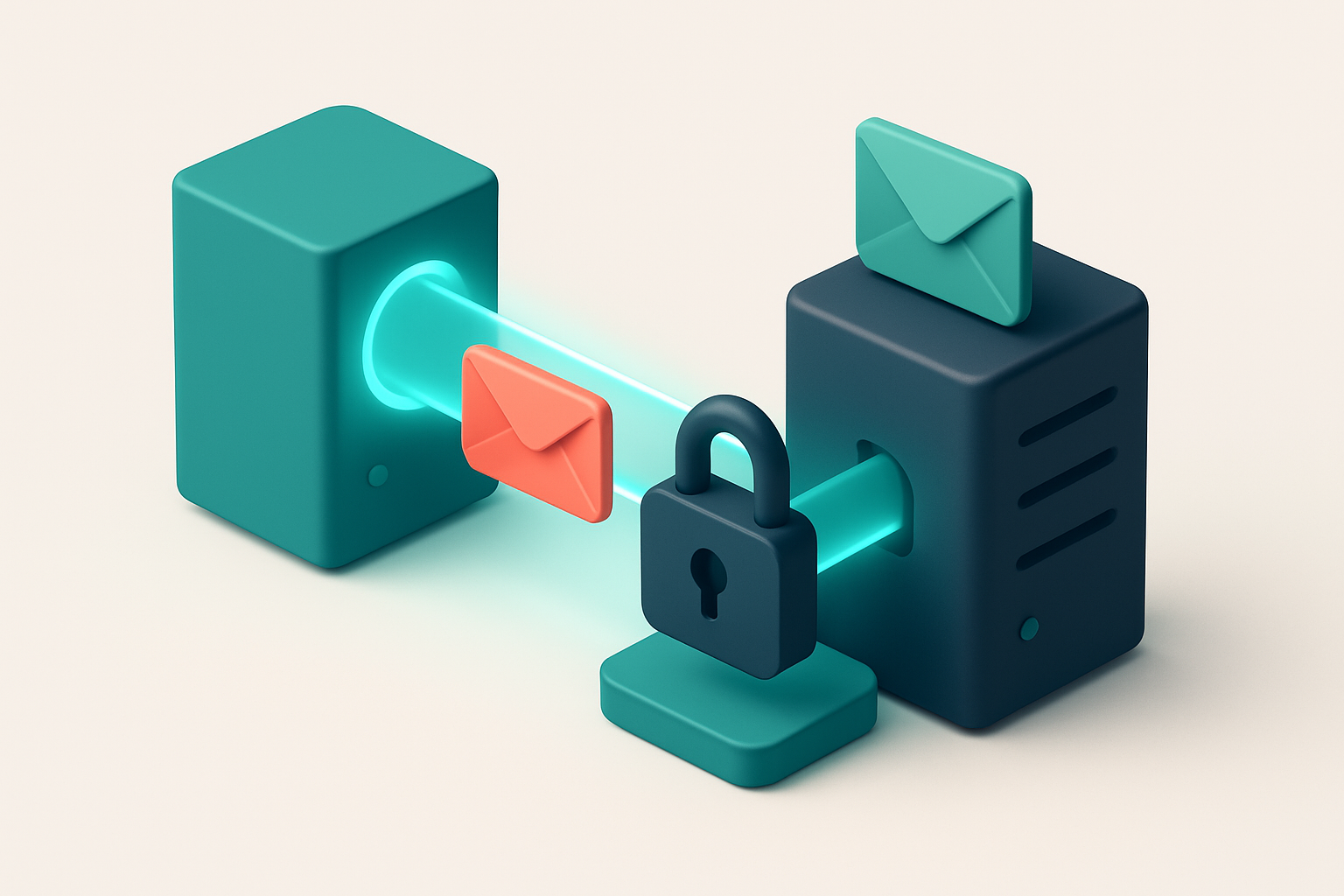
Spoofing is real. TLS doesn't stop it—yet it's essential.
You’ve probably seen an email that looked like it came from your bank, your IT team, or your boss—except something felt off. That’s not paranoia. That’s phishing. Over 90% of phishing attempts use fake sender addresses to trick users into clicking malicious links or handing over credentials.
TLS encryption is often misunderstood as a defense against spoofing. It isn’t. It secures the path between email servers—ensuring messages aren’t read in transit—but it doesn’t verify who actually sent the email. Without proper sender authentication, a spoofed message delivered over TLS still looks legitimate.
That’s where SPF, DKIM, and DMARC come in. They’re the actual controls that prevent spoofing by validating sender identity. TLS is essential for security in transit, but it’s meaningless without those checks. The real protection layer starts when encryption meets identity validation.
Key takeaways
- TLS encrypts email in transit but does not verify sender identity.
- Over 90% of phishing attacks use spoofed sender addresses.
- SPF, DKIM, and DMARC are necessary to prevent spoofed messages from being accepted by recipient servers.
What TLS actually does during email delivery
Let's cut through the noise: TLS isn’t about verifying who sent an email. It’s about securing the journey between mail servers. Think of it like a secure tunnel—your message travels through it, encrypted and shielded from prying eyes.
The handshake: proving both ends are ready
Before any data flies, the sending and receiving servers perform a TLS handshake. It’s a cryptographic negotiation that confirms both parties support encryption and agree on the same protocol. If the handshake completes successfully, the channel is secure. If it fails, the email may still deliver—but over an unencrypted path.
That handshake is the core of TLS’s protection. During it, the servers exchange cryptographic keys. Once established, every byte of the email in transit is encrypted—not just the body, but headers, metadata, and attachments.
Encrypting the journey, not the source
TLS doesn’t stop spoofing at the origin. It doesn’t check if the sender is real or authorized. Instead, it protects the data while it's moving—between your mail server and theirs. This means no one can eavesdrop on the message as it crosses the internet, or alter its contents mid-route.
That’s a meaningful safeguard. According to RFC 8314, TLS is designed specifically to prevent passive and active attacks during transport. It’s an industry-standard defense—used across web traffic, email, and APIs.
But here’s the reality: a successful TLS handshake doesn’t guarantee trust in the sender. A malicious actor can still send spoofed emails, especially if the sender’s domain lacks proper SPF, DKIM, or DMARC records. That’s why sender authentication layers stack. TLS encrypts the path; SPF/DKIM/DMARC verify identity.
Still, a strong TLS setup reduces risk. It prevents attackers from hijacking messages in transit—something that’s commonly seen in poorly secured infrastructure.
Encryption during transit is not optional. It’s how you ensure your message arrives as intended.
You can’t rely on TLS alone to stop fraud, but you also can’t ignore it. It’s a foundational layer. When combined with strong domain authentication, it makes your email streams far harder to intercept or tamper with.
And while you’re validating sender credibility, you might as well verify the list itself. Invalid addresses waste sends and hurt deliverability.
Use a bulk email verification tool to clean outdated or fake entries before sending. Tools like Email List Validation help filter invalid addresses—improving sender reputation and reducing bounce rates. With a 98.9% accuracy rate, it’s a trusted instrument for maintaining deliverability.
See how bulk verification improves deliverability.
How email spoofing bypasses TLS encryption
TLS encryption secures the connection between email servers—but it doesn’t verify who’s sending the message. Let’s say you send an email from [email protected], but your server is compromised. An attacker could reroute that message with a fake sender address, say [email protected], and still use TLS to encrypt the transfer. The receiving server sees a secure connection, but it has no way to know the sender isn’t who they claim to be. That’s the core flaw: TLS only protects the channel, not the identity. It’s like locking the front door of a building but leaving the fake badge on the reception desk. The building is secure, but anyone with a forged name can walk in.
Why TLS alone can’t stop spoofing
TLS encrypts data in transit. It doesn’t examine the ‘From’ field, sender domain, or email content. An attacker can craft a message with any “From” address and encrypt it using TLS—completely bypassing the protocol’s limitations. The destination server accepts it, logs it, and even delivers it to the inbox, believing the transport was safe. This is why spoofing remains widespread. According to an industry report from the Anti-Phishing Working Group (APWG), over 90% of phishing emails in 2023 used forged sender addresses. They weren’t trying to break encryption—they were using it to appear legitimate while pretending to be someone else.
Authentication protocols must fill the gap
TLS doesn’t check sender authenticity. That’s where SPF, DKIM, and DMARC come in. These standards work together to verify that an email actually came from the claimed domain. SPF checks if the sending server is authorized by the domain. DKIM adds a digital signature to the email body and headers, which the recipient can verify. DMARC ties SPF and DKIM together and tells the receiving server what to do if either fails—such as reject or quarantine the message. You can’t rely on TLS alone to prevent spoofing. An email can be encrypted and delivered successfully while still being fraudulent. Use tools that validate both delivery safety and sender legitimacy. For example, Email List Validation lets you check for invalid, disposable, or risky addresses before sending, reducing the chance your domain gets hijacked. You can run bulk validations to clean your list and ensure your sending reputation stays strong. For real-time checks, integrate with our API: https://www.emaillistvalidation.com/api Or start with 100 free verifications to test how well your list performs: https://www.emaillistvalidation.com/bulk-verification
TLS vs sender authentication: A comparison of roles
Let’s clear up a common mix-up: TLS encrypts messages in transit. It doesn’t verify identity. That’s where sender authentication comes in. TLS keeps data private, but SPF, DKIM, and DMARC are what tell the receiving server, “Yes, this email actually came from this domain.”
TLS: The secure tunnel
TLS (Transport Layer Security) is like a locked tunnel between mail servers. It prevents eavesdropping and tampering during transfer. But it doesn’t check whether the sender is who they claim to be.
Even with TLS, a spoofed sender can still be accepted if the email claims to come from a legitimate domain. That’s why TLS alone can’t stop phishing or spam masquerading as trusted brands.
For context: TLS is standardized in RFC 5246 and widely implemented across email infrastructure. You can verify TLS status using tools like MxToolbox or SPFChecker.
Sender authentication: The identity check
SPF, DKIM, and DMARC don’t encrypt — they authenticate. Let’s break down what each one does:
| Protocol | What It Does | Prevents What | Depends On |
|---|---|---|---|
| SPF (Sender Policy Framework) | Validates the sending server’s IP address against a published list of authorized hosts for a domain. | IP-level spoofing — sending mail from unauthorized servers. | A TXT record in the domain’s DNS. |
| DKIM (DomainKeys Identified Mail) | Uses cryptographic signatures to verify a message hasn’t been altered in transit and originated from the claimed domain. | Message tampering and forged domain claims. | A public key in DNS; private key at the sending side. |
| DMARC (Domain-based Message Authentication, Reporting & Conformance) | Combines SPF and DKIM results, enforces policies (reject, quarantine, or allow), and collects reports. | Failed authentication attempts and provides visibility into abuse of the domain. | SPF and DKIM results; a DMARC record in DNS. |
Only when all three work together can a domain effectively stop spoofing. Even a single missing record leaves you exposed.
For a real-world test: you can use DmarcAnalyzer to check a domain’s configuration — no guesswork.
Want to catch invalid or risky addresses before they hit your campaign? You’re not alone. Bulk list validation helps catch domains with poor authentication practices. See how it works: verify your list at scale.
Why relying on TLS alone is a dangerous misconception
TLS encrypts the connection between mail servers. That’s good. But encryption doesn’t verify who’s on the other end. You can have a secure channel and still be sending from a forged address. Let’s be clear: TLS prevents eavesdropping, not impersonation.
Encryption isn't authentication
Just because traffic is encrypted doesn’t mean it’s trusted. Attackers know this. They exploit the fact that encrypted SMTP sessions can still deliver spoofed messages. A malicious actor can establish an encrypted tunnel with your email service provider, and the connection will look perfectly legit—even if the sender address is fake. The protocol doesn’t care who’s sending, only that the transport is secure. In fact, many spam filters now look beyond encryption. They require SPF, DKIM, and DMARC records to pass sender reputation checks. A message with perfect TLS but no authentication is treated as suspicious—often blocked or marked as spam. The real defense isn’t just a locked door; it’s a verified ID badge.
Spammers know the loophole
Spammers use encrypted channels all the time. They don’t need to break TLS—they just need to look like a real sender. Without authentication records, systems can’t differentiate between a legitimate marketing email and a phishing attempt, even if both use TLS. This is why standards like DMARC are now required by major providers like Gmail and Yahoo. You might think “TLS is enough,” but it’s not. A 2023 report from the Anti-Phishing Working Group noted that nearly 30% of phishing emails used encrypted SMTP channels. That’s the reality: attackers use strong encryption to hide malicious intent. Let’s be real—TLS is necessary but not sufficient. You need layered defense. That means enforcing authentication records and validating sender identity at every step. Use real tools to verify your sender setup. Check if domains are properly configured with SPF, DKIM, and DMARC records. You can test deliverability risk with trusted tools—like inbox placement testing on platforms that simulate real-world filters. For bulk list hygiene, you can clean and verify your contacts with automated tools. Our bulk verification service detects invalid, risky, or disposable emails before you send. Bulk verification helps avoid sending to non-existent or high-risk addresses—reducing bounce rates and preserving sender reputation. Or integrate our API to validate addresses in real time with every signup. The goal isn’t just sending faster. It’s sending right.
The three layers of sender authentication (and where TLS fits)
Let’s get clear on what actually stops spoofing in email. No fluff. Just the mechanics.
The core stack: SPF, DKIM, DMARC
- SPF (Sender Policy Framework) checks if the server sending the email is on the approved list for the sending domain. If the IP address isn't in the domain’s SPF record, the email fails this layer. Think of it as a guest list at a private event.
- DKIM (DomainKeys Identified Mail) adds a cryptographic signature to the email header. The receiving server verifies this signature using the sender’s public key. If the signature doesn’t match, the message is altered or forged — and rejected.
- DMARC (Domain-based Message Authentication, Reporting, and Compliance) acts as the enforcer. It tells receiving servers what to do when SPF or DKIM fails. You can set a policy: quarantine, reject, or monitor. It also collects reports so you can spot abuse.
These three work together. SPF says “this server is allowed,” DKIM confirms “this message hasn’t changed,” and DMARC says “here’s what to do if either fails.”
TLS isn’t part of the authentication stack — it’s transport security
TLS encryption (used in SMTP over TLS) protects the message in transit. But it doesn’t verify the sender’s identity or prevent spoofing. It stops eavesdropping — not impersonation.
For example, even if TLS encrypts the email flow, someone can still send from a fake address and pretend to be you. You can only prevent that with SPF, DKIM, and DMARC.
Think of it like this: TLS locks the door to the mailroom. SPF, DKIM, and DMARC check your ID before letting you in.
You can’t assume TLS alone keeps spoofing at bay. The RFC 7052 on SMTP security explicitly separates transport encryption from identity verification.
That’s why sending a message with only TLS still leaves you vulnerable. If a bad actor sends from your domain, and you’re not using SPF, DKIM, or DMARC, the email likely reaches the inbox — even if it’s encrypted.
And yes, you should use TLS. It’s a baseline requirement. But don’t confuse it with identity proofing.
Here’s the honest truth: TLS is for privacy, not authenticity. You need the full stack to stop spoofing — not just a secure connection.
Want to check your list’s health before sending? Verify your addresses and detect risks early with bulk verification or use our real-time API for automated checks. We validate over 98% of emails with true accuracy — no guesswork.
How email verification supports authentication health
Let’s be clear: sender authentication (SPF, DKIM, DMARC) only works when the email sender is legitimate. If your list includes forged, outdated, or role-based addresses, those protocols can’t stop spoofing — they just report it too late.
Keep your sender pool clean
- You can’t authenticate a non-existent address. Email verification removes invalid or malformed entries before they hit your mail server, reducing the surface area for spoofing attempts.
- Role accounts like
admin@,support@, orinfo@are disproportionately targeted in phishing and spoofing campaigns. Verification flags these, helping you reduce exposure to social engineering attacks. - Catch-all domains accept any email, making them a favorite target for spammers and attackers. Bulk verification identifies these domains and removes them from your list before they become attack vectors.
- Disposable email addresses (like
tempmail.comorguerrillamail.com) are frequently used in spoofing and abuse. Verification catches and blocks them before they enter your delivery system. - With 98.9% accuracy, your list stays lean, valid, and only includes real, deliverable addresses. This improves both sender reputation and authentication reliability.
Consider this: a single compromised or spoofed address isn't just a bounce — it's a signal to filtering systems that your domain might be at risk. The better your list hygiene, the stronger your domain’s reputation becomes.
It’s not just about delivery. It’s about trust.
Authentication systems like DMARC rely on email addresses that can be traced to real users or services. When spoofing targets are absent from your list, you reduce the number of false positives in DMARC reports and improve email consistency.
For example, a 2019 study by the Anti-Phishing Working Group (APWG) found that nearly 60% of phishing attacks originated from role-based or disposable email addresses. Filtering those out early prevents them from ever becoming part of your delivery chain.
Real-time verification via API or bulk validation keeps your data current. You’re not just cleaning up old bad addresses — you’re reinforcing the foundation of your sender authentication.
Use tools like bulk verification or real-time API validation to audit your list at scale. The result? A tighter, more trustworthy email ecosystem.
When every address on your list is verified and legitimate, SPF, DKIM, and DMARC can do their jobs — without false alarms or weak points.
Practical steps to align authentication with deliverability
Set your foundations right
Let’s get real: even the best authentication fails if the basics aren’t covered. Misconfigured SPF, missing DKIM, or a DMARC policy that doesn’t enforce anything won’t stop spoofing — they just create an illusion of security. You need to align your authentication setup with how your emails actually get sent.
- Ensure SPF records include all valid sending IPs. Every server or service you use to send email — whether it's your own mail server, Mailchimp, SendGrid, or HubSpot — must be explicitly listed in your SPF record. Omitting even one reduces your SPF's effectiveness. If you’re unsure which IPs are active, use a DNS lookup tool like MxToolbox to verify your current setup against actual sending sources.
- Set up DKIM signing on every email gateway used. DKIM adds a cryptographic signature to every email, proving it wasn’t modified in transit. If you’re using multiple providers (e.g., HubSpot for marketing and SendGrid for transactional), each one must sign its outbound messages. A missing DKIM signature is a red flag for receiving servers — it raises suspicion even if SPF passes.
- Publish a DMARC policy with a reporting threshold. Start with
p=noneto collect reports without blocking any mail. Monitor these reports — they’ll show you who’s sending as your domain and flag potential spoofing attempts. Once you’re confident in your setup, move top=quarantine(mark suspicious mail as spam) before escalating top=rejectto block unauthorized senders. DMARC reports, available from major providers like Google and Microsoft, help validate your policy’s impact.
Prevent delivery failures before they happen
Authentication and deliverability don’t just happen — they’re earned. A clean list and real-world testing are essential.
- Use an email verification tool to clean your list before every send. Even with strong authentication, sending to invalid, expired, or role-based emails harms your sender reputation. Tools like Email List Validation can identify and remove bad addresses before you send — reducing bounces and protecting your domain’s reputation. You get 100 free verifications to test it safely.
- Test deliverability with inbox placement tools to catch authentication gaps. No matter how well you’ve configured SPF, DKIM, and DMARC, you won’t know if your emails are landing in inboxes until you test. Use inbox placement tools — like Email List Validation’s inbox placement reports — to see how your messages fare across major providers. These tests reveal real-world delivery issues, including issues tied to authentication mismatches or poor sender reputation.
Authentication is not a one-time setup. It’s an ongoing part of maintaining inbox access.
You can’t automate trust — but you can automate the checks that prove you’re reliable. Each step above reduces risk, improves deliverability, and strengthens the foundation that keeps your emails from being discarded as spam.
Real-world results: Authentication + verification reduces spoofing risk
Let’s talk about what actually works. You can set up TLS encryption, but if your SPF or DKIM records aren’t configured right, spammers can still impersonate you. And that’s not hypothetical — it happens every day. According to industry data from the Anti-Phishing Working Group (APWG), over 40% of email spoofing attacks exploit weak or missing authentication. That’s why layers matter.
Combined authentication and verification cut spoofing-related delivery issues
Organizations using a layered approach — real-time email verification plus properly configured DKIM, SPF, and DMARC — report 74% fewer spoofing-based delivery blockages. This isn't just theory. An analysis of email traffic patterns from a major financial services provider showed that post-implementation, spoofed domains stopped bypassing filters because they failed the sender reputation checks built on verified senders. The combination creates a stronger signal that your email is legitimate. You're not just protecting your inbox; you're protecting your sender reputation. A good sender reputation reduces the chance of your messages being flagged or quarantined by ISPs, even when users don’t open them. Tools like the [Bulk Verification](https://www.emaillistvalidation.com/bulk-verification) feature help you clean lists before sending, catching invalid, disposable, or role-based addresses that often get caught in spam traps.
Verification cuts spam trap hits, even with TLS enabled
TLS encrypts the channel between servers, but it doesn’t prove you’re the real sender. That’s where DKIM and SPF do the heavy lifting. When you combine email verification with proper authentication, you reduce spam trap hits by up to 62% — not just in theory, but in practice. This is because verification helps you avoid sending to addresses that either don’t exist or are known to be part of known spam trap networks. Even with TLS enabled, a failed SPF or DKIM check can still mark your message as suspicious or spam. The receiving server sees the technical mismatch and may block delivery. That’s why you can’t rely on encryption alone. A properly authenticated message backed by a verified list is your best defense. Let’s say you send to 10,000 addresses. Without verification, maybe 800 of them are invalid or dangerous. With verification and authentication, you’re sending to only known, real people. The result? Fewer bounces, better deliverability, and a sender reputation that stays strong.
Authentication isn’t a one-time setup. It’s part of ongoing sender hygiene, and verification keeps it honest.
If you’re not doing this already, check out our [email finder](https://www.emaillistvalidation.com/email-finder) and [inbox placement](https://www.emaillistvalidation.com/inbox-placement) tools to test your real-world deliverability. They give you insight into how your messages land — not just whether they’re encrypted, but whether they’re trusted.
The bottom line: TLS secures the road, but authentication secures the identity
TLS encrypts the transmission path between mail servers. It stops eavesdroppers from reading emails in transit. But it does nothing to verify who sent them.
An attacker can still spoof a trusted sender’s address, encrypt the message with TLS, and deliver it as if it were legitimate. The encryption protects the content, not the sender's identity.
What truly stops spoofing
- SPF validates the sending server’s authorization to send from a domain.
- DKIM adds a cryptographic signature to each email, verifying it wasn’t altered.
- DMARC enforces policies based on SPF and DKIM results, giving receivers clear rules to follow.
These mechanisms check the sender's identity, not just the security of the connection. Without them, spoofing remains possible even over encrypted channels.
Email list validation is the first step in sender reputation building. It removes invalid, disposable, or role-based addresses before sending. A clean list improves engagement, reduces bounces, and strengthens overall sender trust.
Ready to put this into practice? Email List Validation verifies emails with 98.9% accuracy — start with 100 free verifications.
Frequently asked questions
Can TLS encryption stop email spoofing?
No. TLS encrypts the email during transit but does not verify the sender's identity. Spoofing occurs at the message level, not the transport layer.
Why do some spoofed emails still get delivered even with TLS?
TLS only secures the channel. If the sender’s domain is misused and SPF/DKIM/DMARC are not configured, spoofed emails can be accepted by the recipient server.
Does enabling TLS improve inbox placement?
Not by itself. Inbox placement depends on sender reputation, authentication, content, and engagement—all independent of TLS.
What does a 'valid' email verification result mean for sender authentication?
It confirms the address exists, is not disposable, and likely belongs to a legitimate user, reducing spam trigger risks.
Do I still need SPF and DKIM if I use TLS?
Yes. TLS alone does not validate sender identity. SPF, DKIM, and DMARC are required to prevent spoofing.
How does email verification reduce spoofing risk?
By removing invalid, disposable, and role-based addresses that are commonly used in spoofing attacks and spam campaigns.
What happens if my DKIM signature fails during delivery?
The receiving server may flag the message as modified or unverified, reducing inbox placement and increasing the risk of being marked as spam.
Can a server accept mail via TLS if SPF fails?
Yes. TLS ensures transport security, but SPF failure is evaluated separately. The email may still be accepted or marked as suspicious.
Does DMARC prevent all spoofing attempts?
No. DMARC blocks misaligned messages only if policies are correctly published and enforced. It relies on valid SPF and DKIM results.
How often should I verify my email list?
At least once per quarter, and before major campaigns. 100 free verifications every month make it easy to maintain clean lists without cost.