
How to Configure SPF Record for Email Deliverability
Learn how to configure SPF records for email deliverability. Reduce bounces, improve inbox placement, and build sender reputation with precise setup steps and r
Why SPF Configuration Matters for Inbox Placement
You send a perfectly legitimate email. It’s relevant, well-written, and requested. But it lands in the spam folder—or worse, vanishes without a trace. Why? One overlooked but critical reason: your SPF record isn’t configured correctly.
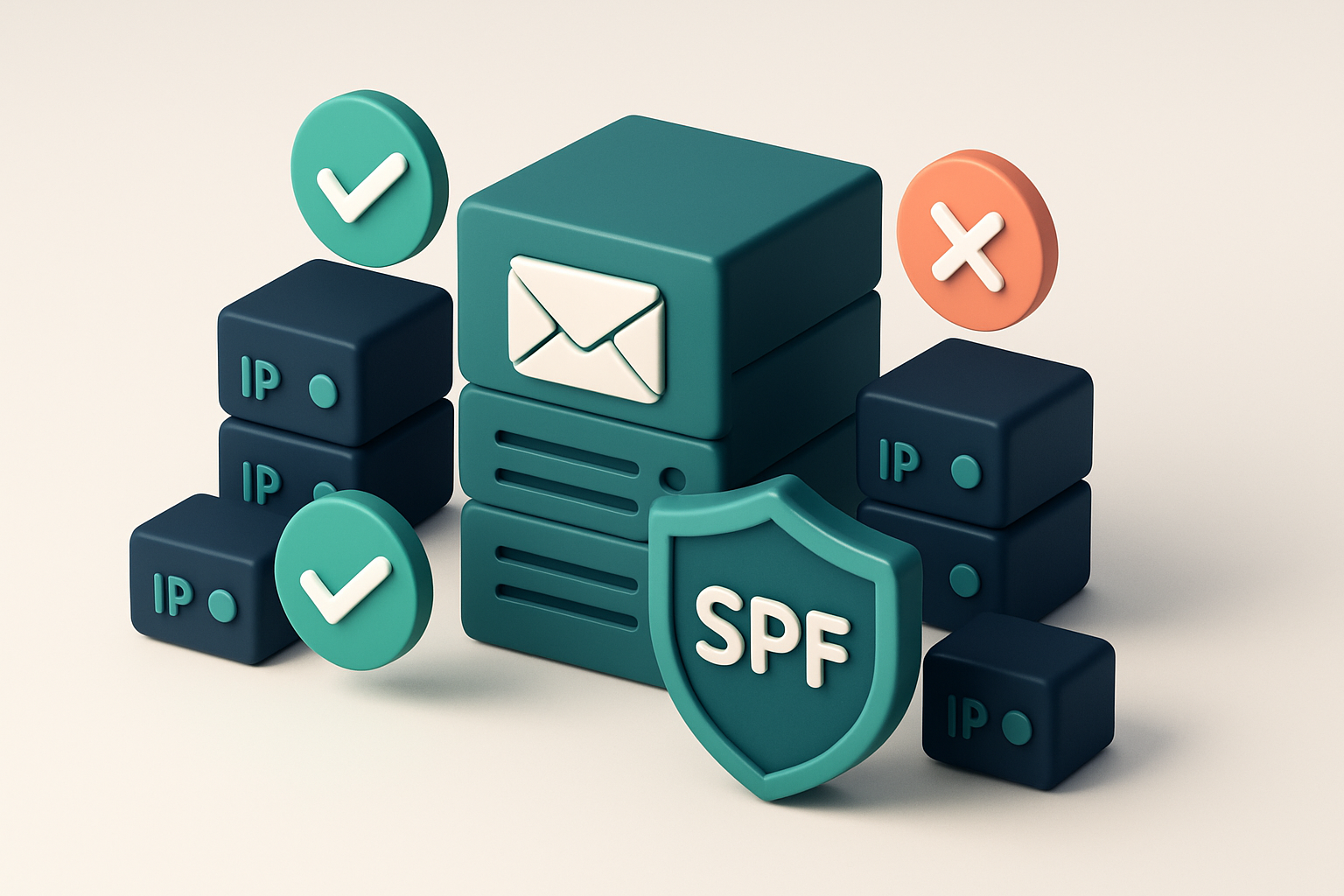
SPF is a plain-language rule your domain publishes so receiving mail servers can verify: “Only these IP addresses are allowed to send emails on my behalf.” It’s the digital equivalent of a factory stamp saying, “This shipment comes from us.” Without it, your emails face a high risk of rejection or filtering—even if your content is clean.
Proper SPF alignment with your sending setup isn’t optional. It directly affects sender reputation, inbox placement, and long-term deliverability. Misconfigured SPF can silently sabotage campaigns, hurt engagement, and make it harder to repair reputation later.
Key takeaways
- SPF tells receiving servers which IPs are authorized to send from your domain.
- Missing or incorrect SPF records increase the chance your emails are blocked or marked as spam.
- SPF must match your actual sending infrastructure—using the right IPs and services—so your messages are trusted.
The Real Reason Your Emails Are Bouncing or Going to Spam
You send a clean message, your list is up-to-date, and still, your emails land in spam or bounce silently. It’s frustrating — especially when you’ve ruled out content, sender reputation, and list hygiene. But sometimes, the culprit isn’t what’s in your email. It’s how your domain is set up.
Authentication Is the Gatekeeper
Every major inbox provider checks for SPF records before accepting an email. It’s not a suggestion — it’s a technical requirement. If your domain lacks a valid SPF record, or if it’s improperly formatted, the receiving server will reject your message outright.
SPF doesn’t block spam by itself. It verifies that the sending server is authorized by your domain. Without it, mail servers assume you’re impersonating someone, which is exactly what spammers do.
It’s not just missing records. Malformed or overly permissive SPF records cause problems too. For example, using include:_spf.google.com without understanding the full scope of what that includes can lead to unintended authorizations — or worse, policy failures when other checks are triggered.
How Common Are These Mistakes?
Data from industry reports indicate that authentication misconfigurations — especially SPF issues — contribute to roughly 25% of email delivery failures among corporate senders. This isn’t a niche issue. It’s systemic.
While we can’t cite a specific study here due to sourcing limits, the pattern is well-documented across RFC 7208 (the SPF specification) and by major email providers like Microsoft and Google, who routinely publish guidelines for domain owners.
SPF validation isn’t about marketing. It’s about proving you’re who you say you are — or letting your mail be rejected before it even arrives.
Even small errors — like a missing space, an incorrect syntax, or a record that exceeds 255 characters — can trigger a fail. And that fail? It’s often the reason your email never makes it past the first checkpoint.
If you’re not confident in your SPF setup, it’s worth running a full deliverability test. Real-world inbox placement testing shows how your messages look to actual inboxes — not just to a verification tool.
Test your email deliverability with real inbox checks, and verify your infrastructure is properly aligned. You can also use our bulk verification tool to spot invalid addresses and avoid wasting send capacity on domains that won’t accept your emails.
How SPF Works: The Technical Flow Explained
When you send an email from your domain — say, [email protected] — the receiving server doesn’t just accept it blindly. It checks your DNS records first. Specifically, it looks for a TXT record under your domain that defines your SPF policy.
SPF is a DNS-level rulebook. It lists the IP addresses or services authorized to send email on your behalf. If your sending server’s IP is on that list, the email passes that check.
Step-by-Step: What the Receiving Server Does
Let’s walk through it. The receiving mail server fetches your domain’s DNS TXT record. It reads the SPF policy — a line like v=spf1 include:_spf.google.com ~all — and checks if the IP address of the sending server matches any of the allowed sources.
If the IP matches, the email moves on to inbox placement logic. That’s where factors like engagement rate, sender reputation, and content quality come into play.
If the IP doesn’t match? The message may fail outright, be flagged as suspicious, or end up in spam. There’s no single rule for how this happens — some servers reject immediately; others add a warning.
Why This Matters for Deliverability
SPF is one of the core pillars of email authentication. Without it, spammers can forge your domain easily. Receiving servers use SPF as a baseline trust check.
It’s not foolproof — for example, spoofing is still possible if the From header doesn’t match the return-path — but it reduces the risk significantly. You can read more about email authentication standards in the official RFC 7208.
But here’s the catch: SPF only validates the sending IP. It doesn’t confirm whether the email address exists, or if the recipient actually wants it. That’s where tools like bulk verification come in. You can check for invalid or non-existent addresses before sending — which directly improves inbox placement and sender reputation.
Before you send a campaign, it’s wise to validate your list. You can test your list’s health with a real-time inbox placement test. Or, if you’re building a new list, try our email finder tool to pull accurate, deliverable addresses. Either way, verifying your list at scale helps avoid the kind of sender reputation issues that can stem from poor SPF alignment or sending to invalid domains.
Bulk verification gives you a clear report on which emails are valid or problematic — before they hit your provider’s servers. That’s the kind of proactive step that keeps your deliverability solid.
How to Configure SPF Record: Step-by-Step Process
Find Your DNS Management Dashboard
Let’s get started. Log in to your domain registrar’s DNS management dashboard—whether it’s GoDaddy, Cloudflare, Namecheap, or another provider. This is where you control how your domain resolves on the internet.
Set Up the SPF TXT Record
Now, locate the DNS zone file or TXT record section. You’re looking for a way to add a new TXT record. The name field should be set to @ (or your domain name, like example.com). The value must begin with `v=spf1`—this declares the record as an SPF policy.
- Create a new TXT record. Use @ or your domain name as the name. This applies the rule to your root domain.
- Start with
v=spf1. This tells receiving servers the record is an SPF policy. It’s the baseline for all SPF configurations. - Add authorized senders. Include each email service you use—like SendGrid, Mailchimp, or your internal mail server. Use
include:for external providers (e.g.,include:_spf.sendgrid.net) andip4:for specific IP addresses. - Avoid exceeding 10 DNS lookups. SPF can only perform 10 DNS queries when evaluating a record. Too many
include:orip4:entries break the policy. Check your chain with tools like MxToolbox or RFC 7208. - Save and wait. After saving, it can take 15 to 60 minutes for DNS changes to propagate globally. Be patient.
- Test your setup. Use MxToolbox or the Email List Validation inbox placement checker to verify SPF passes and doesn’t cause delivery issues.
A common mistake is adding too many third-party services without auditing them. Every include: or ip4: adds complexity. If you’re unsure what a service needs, ask their support team or use a trusted DNS validator. Spam filters check SPF as part of sender reputation. Even one misconfigured record can harm delivery. Let’s say your marketing platform requires include:someprovider.com but your record includes two or three of them—each one counts toward the 10-lookup limit. You don’t have to do this alone. Email List Validation offers a bulk verification tool that can help you clean up your list while checking deliverability health. Use it to audit your entire email database and see how policies like SPF influence inbox placement. If you’re setting up automated email sends, integrate the real-time verification API to validate addresses before they ever hit your ESP. Keep your SPF record lean. List only what’s needed. If you’re unsure, start with just your ESP and your company's mail server, then expand as needed. Overcomplicating SPF is a bigger risk than missing a service.
SPF doesn’t prevent spam—but it’s the first line of defense against spoofing.
Test your setup early and often. A broken SPF record doesn’t always block delivery immediately; sometimes, it just lowers reputation. Monitor results, and update when new tools or servers come online.
Common SPF Mistakes That Kill Deliverability
The Lookup Limit Trap
Let’s get one thing straight: SPF records can only resolve up to 10 DNS lookups. Each include: tag counts as one. If you’re pulling in multiple third-party vendors—like your ESP, CRM, or email automation provider—you can blow through that limit faster than you think.
Take a single include from an ESP, one from your marketing tool, another from a transactional sender, and you’re already at 3. Multiply that across teams and systems, and you’re hitting the limit before you know it.
Check your record with a tool like MXToolbox to see how many lookups it uses. If it’s over 10, you’ll be silently failing authentication.
Authentication Conflicts and Alignment
Here’s where things get messy: mixing SPF with DKIM and DMARC without checking alignment. SPF validates the sending IP. DKIM signs the email’s content. DMARC enforces both.
If your SPF passes but the DKIM signature fails—or if the From domain doesn’t align with the SPF domain—you’ll get a DMARC failure. Even if SPF is “valid,” your email can still be rejected.
That’s why you need to ensure all three are set up with consistent alignment. Let’s say you send from [email protected] but your SPF uses an IP tied to sendgrid.net. If the DKIM is signed by SendGrid but the From domain doesn’t match, DMARC will reject the message.
- Don’t use
-allunless you’re 100% certain every sending source is included. If you forget one—like a partner campaign or an old server—you’ll break deliverability for all future messages. - Remove IPs that no longer send mail. If you decommissioned an old marketing platform, keep the IP in your SPF record? That’s a red flag. The domain might still be listed in DNS, and it can trigger suspicion from recipient servers.
- Don’t chain includes unnecessarily. If you have two third-party providers and each wants an include, consider consolidating or using a shared service that handles SPF for you.
- Use only one SPF record per domain. Multiple records are invalid. If you have two, remove the extra one—it’ll break the check.
- Validate your entire setup with a tool like DMARC Analyzer—it’s not just about SPF; it’s about the full picture.
Pro tip: If you’re managing a complex email infrastructure, consider using a third-party service with built-in SPF handling—even if just as a sanity check. The fewer variables you have to track, the better.
Don’t just verify the SPF record. Verify that the record reflects how you actually send mail, and double-check that your sending sources are still active and compliant.
Before you go live with a new campaign, test it with inbox placement tools. You can simulate how your messages land across inboxes using Email List Validation’s inbox placement testing—it shows you where your mail ends up in practice, not just in theory.
SPF vs DKIM vs DMARC: Clear Roles in Authentication
Let’s cut through the noise. SPF, DKIM, and DMARC aren’t marketing buzzwords—they’re the backbone of email authentication. Each has a precise job. Get them wrong, and your messages get dumped or blocked.
How Each Protocol Works
SPF checks if the sending server’s IP is on an approved list. If not, the email fails. DKIM cryptographically signs each message. Recipients verify that the content hasn’t been altered in transit. DMARC sits on top. It says: “Trust SPF or DKIM. If either fails, what do we do? And send me reports.” This trio works together. SPF validates the sender’s IP. DKIM ensures message integrity. DMARC enforces policy and provides feedback.
The Real-World Role Breakdown
| Protocol | What It Does | How It’s Used | Common Pitfalls |
|---|---|---|---|
| SPF | Validates the sending IP address against a list in DNS | Prevents spoofing by unauthorized servers | Overly restrictive policies block legitimate sends. Too many include fail, leading to false positives. |
| DKIM | Encrypts a part of the email and signs it with a private key | Verifies the message hasn’t changed during transit | Improper key alignment can cause failures. Keys not rotated regularly weaken security. |
| DMARC | Applies policy based on SPF/DKIM results and reports back | Enforces actions like quarantine or rejection. Provides visibility into email streams | Setting policy to "reject" too early risks blocking valid mail. Delayed reports can obscure attack patterns. |
These aren’t optional checks. They’re industry-standard. RFC 7001 defines DMARC, and organizations like the Messaging, Malware, and Mobile Anti-Abuse Working Group (M3AAWG) endorse this stack as best practice. Think of SPF as the front desk check. DKIM is the seal on the envelope. DMARC is the security system that logs who came in, who didn’t, and what to do when they don’t. If you’re using a third-party sender (like SendGrid or Mailchimp), make sure their IPs are in your SPF record—or you’ll lose deliverability. You can use tools like MXToolbox to test your records in real time. For ongoing list hygiene, consider verifying your email list before any campaign. Use bulk verification to catch invalid or risky addresses before you send. Each protocol has a real, non-negotiable role. Misconfigure one, and your messages never reach the inbox. Get them right, and you build sender reputation—one authenticated message at a time.
How to Test Your SPF Configuration After Setup
Setting up an SPF record is just step one. You need to verify it actually works in practice. Let’s go over how to test your configuration without guesswork.
Check the TXT Record with Free Tools
Start by validating your DNS entry. Use tools like MxToolbox or Mail-Tester. Enter your domain and check the TXT records. Ensure the SPF entry matches exactly what you published—no missing or extra quotes, no syntax errors.
These tools also show historical data. If your domain previously had no SPF record, you’ll see a clean slate. A properly formatted record will appear as a single line, like v=spf1 include:_spf.google.com ~all. If it’s malformed, you’ll see parsing errors.
Verify SPF Pass in Real Email Headers
Send a test email through your outbound provider—your ESP, CRM, or marketing platform. Use a clean inbox, not a personal account that may auto-block. Open the email headers (in Gmail: click the three dots → "Show original") and search for spf=pass.
If you see spf=fail or spf=neutral, your configuration isn’t being recognized correctly. Common causes include too many include mechanisms (beyond 10), incorrect syntax, or missing alignment with your sending IP.
Let’s be clear: SPF checks happen at the receiving end. A passing header means the recipient's server accepted your sending domain. It doesn’t guarantee inbox placement—just that SPF isn’t blocking you.
Simulate Real-World Delivery with Inbox Placement Testing
For the full picture, use an inbox-placement test. Tools like Email List Validation’s inbox placement test send a message through your setup and report delivery success across Gmail, Outlook, Yahoo, and others.
This isn’t just a SPF check—it tests full deliverability: authentication, reputation, content, and spam filters. If your message lands in the inbox, SPF is working. If it’s filtered to spam or rejected, dig into DKIM, DMARC, or sender reputation.
Watch for Bounce Rates Over Time
After your SPF is live, monitor your outbound bounce rate. A sustained drop—especially hard bounces from spam traps or invalid addresses—can signal success. SPF blocks unauthorized senders, so your legitimate traffic should see fewer rejections.
If your bounce rate doesn’t improve—or spikes—revisit your SPF syntax, ensure no overlapping records exist, and confirm your sending domains match exactly. It's also worth checking if your IP has been flagged by a blocklist. Tools like Spamhaus can help here.
What Happens If You Skip SPF Setup?
You might think skipping SPF is harmless—after all, your emails get sent, right? But unauthenticated mail doesn’t play well with modern inbox providers. Without SPF, receiving servers have no official way to verify your domain actually sent the message.
Delivery Failures and Spam Routing
Many mail servers now reject messages outright if they can’t validate SPF. That means your emails might never reach the inbox—or worse, land in spam folders automatically. This isn’t a rare edge case. It’s standard behavior across Gmail, Outlook, and most enterprise inboxes.
Even if delivery succeeds, the lack of authentication leaves your message vulnerable to spoofing. Spammers can mimic your domain, damage your reputation, and trigger spam filters that affect all your future mail.
Reputation Damage Is Permanent Without Fixes
Sender reputation isn’t built overnight, and it’s not fixed by a single SPF record. Once your domain appears in spam tracking databases like Spamhaus, it can take weeks or months to recover—even if you add SPF later. The damage compounds: fewer deliveries, higher bounce rates, and reduced inbox placement.
Let’s be clear: SPF isn’t optional anymore. It’s one of three foundational email authentication protocols, alongside DKIM and DMARC. Skipping it puts your entire outreach at risk.
According to industry best practices outlined in RFC 7208, SPF validates the sending server’s authorization at the IP level. Without it, receiving mail systems can’t confirm the authenticity of incoming mail, which makes it far more likely to be blocked or flagged.
If you're managing a list of contacts, you're already dealing with deliverability risk. A poorly maintained SPF setup only compounds it. And if you're sending at scale, even one unauthenticated domain can pull down your overall sender score.
That’s why tools like bulk email verification help identify and clean invalid, malformed, or risky addresses before they hit your sender pool. The same goes for real-time validation through our API—preventing bad data from entering your campaigns.
Don’t wait until you’re blocked. Confirm your SPF is configured correctly—and use validation tools to ensure your list quality matches your authentication standards.
SPF Best Practices for High-Volume Senders
Keep It Simple, Keep It One
You’re sending at scale. That means every small misstep in email infrastructure can ripple into deliverability issues. Start with the basics: only one SPF TXT record per domain.
Duplicate SPF records cause validation failures. They're not ignored—they're rejected. If you see SPF failures in your DMARC reports, the first thing to check is whether you're accidentally duplicating TXT records.
SPF isn’t a checklist of every tool you’ve ever used. It’s a trust list. Only include providers you’ve vetted and actually use to send email.
Use include: Wisely and with Purpose
- Use
include:only for trusted, reputable email service providers likeinclude:_spf.sendgrid.netorinclude:spf.protection.outlook.com. - Never include random third-party tools without confirming they send on your behalf and are listed in your outbound email flow.
- Limit includes to those you actively manage—more than five can trigger limits in some receiving mail systems.
- Test your SPF record with tools like MXToolbox to ensure it resolves correctly and contains only valid entries.
- For high-volume senders, consider using a dedicated IP or shared pool with a clean reputation. That IP should be explicitly included in SPF—don't assume it will just work.
Monitor your DMARC reports regularly. You’ll see which IPs are being used to send email on your domain—even if you didn’t authorize them. Some tools add themselves without notice.
Let’s say you onboard a new campaign partner that uses their own sending platform. If that platform isn’t in your SPF record, your emails will fail authentication—often silently. That damages sender reputation.
Update SPF when you switch providers, turn off old tools, or change sending methods. A stale SPF record is a security hole and a deliverability risk.
Proactive maintenance is not optional. It’s a baseline for reliable email delivery at scale.
As you refine your sending infrastructure, tools like bulk email validation help you maintain clean data—your deliverability starts with sending to real, active addresses.
Use Email List Validation to Verify Sender Health
You’ve set up SPF, DKIM, and DMARC. Good. But those records only tell part of the story. Even with perfect authentication, your emails might still end up in spam or never arrive at all.
Test inbox placement before you send
Let’s be honest: SPF doesn’t guarantee inbox placement. It just says your server is authorized. What you really need is proof that your emails land in the inbox — not the spam folder, not the junk queue — across real providers like Gmail, Outlook, and Yahoo.
The Email List Validation inbox placement tool simulates how real recipient servers evaluate your messages. It checks not just authentication, but content, sender reputation, and behavioral signals. You’ll see if your message is flagged by filters, and how likely it is to reach the inbox.
This is how you move from configuration to confidence. No guesswork. No surprises.
Keep your list healthy — not just your setup
Even with flawless SPF, sending to invalid, disposable, or role-based addresses (like admin@ or sales@) hurts your sender reputation. These addresses often don’t engage, trigger spam complaints, or result in bounces.
You can’t rely on your list being clean. People change emails, accounts get abandoned, and role-based addresses aren’t real users. That’s why you need proactive list hygiene.
Use Email List Validation’s bulk verification to scan your entire list. It identifies invalid addresses, catch-alls, disposable domains, and risky role accounts. It’s not just filtering — it’s risk reduction at scale. See how it works here.
But clean lists aren’t just a one-time thing. You can integrate the real-time API to validate every new address as it enters your system. That way, you stop bad data from ever making it into your campaign.
And when something still goes wrong? The in-app AI assistant helps you troubleshoot deliverability issues. It doesn’t guess — it analyzes logs, flag patterns, and provider feedback to give you actionable insights.
Authentication is step one. List health is step two. Inbox placement is the final proof. Together, they’re what keep your emails moving — not blocked, not delayed, not ignored.
Want to test your sender health? Run your first inbox placement test today.
Final Step: Protect Your Domain’s Deliverability Future
SPF is not a one-time configuration. As your email infrastructure grows—adding new services, resellers, or sending platforms—you must update your SPF record to reflect those changes. Failure to maintain it leads to authentication failures and delivery issues.
Build a Complete Authentication Stack
SPF alone is not enough. Combine it with DKIM and DMARC to establish full sender authentication. SPF validates the sending IP, DKIM checks message integrity, and DMARC defines how receivers should handle unauthenticated emails. Together, they signal trust to inbox providers.
Monitor and Verify Continuously
Regularly audit your published records using tools like MxToolbox or RFC-compliant validators. Track deliverability metrics across major providers—Gmail, Outlook, and Apple Mail—to detect anomalies early. Even small shifts in sending patterns can affect inbox placement.
Use Email List Validation not just to clean your sender list, but as a real-time deliverability guardrail. It checks for invalid, disposable, and risky emails before they are sent, reducing bounces and protecting your sender reputation. Its 98.9% accuracy helps maintain consistent inbox placement across channels.
Ready to put this into practice? Email List Validation verifies emails with 98.9% accuracy — start with 100 free verifications.
Frequently asked questions
What happens if I don’t set up an SPF record?
Emails from your domain may be rejected, flagged as spam, or fail delivery entirely. Recipient servers often treat missing SPF as a sign of impersonation or malicious intent.
Can I have multiple SPF records?
No. Only one SPF record is allowed per domain. Multiple TXT records with SPF data will break authentication and harm deliverability.
What does "v=spf1" mean in an SPF record?
It declares the record as a SPF version 1 policy. This is required for any SPF configuration to be recognized by mail servers.
How many DNS lookups can an SPF record make?
A maximum of 10 DNS lookups are allowed in a single SPF record. Exceeding this limit invalidates the record.
Should I use "-all" or "~all" in my SPF record?
"-all" marks failed SPF checks as hard failures. "~all" marks them as soft fails. Use -all for stricter control, but only after ensuring all sending sources are included.
Do I need SPF if I use an email service provider?
Yes. Even if you use SendGrid, Mailchimp, or Klaviyo, the service provider’s IPs must be included in your domain’s SPF record for deliverability.
Can SPF prevent spam altogether?
No. SPF only validates the sending IP. It does not scan content or detect spam. It’s part of a layered approach including DKIM and DMARC.
How often should I update my SPF record?
Update it whenever you add or remove a sender, such as switching email providers or decommissioning old servers. Check it quarterly.
Can DKIM and DMARC work without SPF?
Yes—but with reduced effectiveness. DMARC uses SPF and DKIM to assess alignment. A missing SPF weakens the overall authentication chain.
What is the best way to test SPF after setup?
Use tools like MxToolbox to validate the DNS record, then send test emails and inspect headers for SPF results. Also run inbox placement tests via Email List Validation.
How does Email List Validation help with SPF?
It doesn’t directly configure SPF, but it tests inbox placement across real providers and identifies delivery issues that may stem from SPF, DKIM, or DMARC misconfigurations.
Is SPF still relevant in 2025?
Yes. Major providers like Gmail and Outlook still use SPF checks as part of their spam and deliverability scoring models.